

Security questionnaire responses drain your team's time and introduce errors that slow vendor assessments and compliance cycles. Automation reduces response time by up to 90% by centralizing validated knowledge and applying AI to deliver consistent, accurate answers. This guide walks you through prerequisites, tool selection, implementation steps, and success metrics to transform your security questionnaire workflow.
Table of Contents
- Introduction To Security Questionnaire Automation
- Prerequisites And Preparations Before Automation
- Selecting And Integrating Automation Tools
- Step-By-Step Automation Implementation Process
- Common Mistakes And Troubleshooting
- Expected Results And Measurable Outcomes
- Discover Skypher's AI-Driven Security Questionnaire Automation
- Frequently Asked Questions About Security Questionnaire Automation
Key takeaways
| Point | Details |
|---|---|
| Speed gains | Automation cuts security questionnaire response time by up to 90% compared to manual processes. |
| Prerequisites matter | A validated answer library and SME approval workflows are essential before automation. |
| Tool selection | Choose platforms with strong AI capabilities and API integrations to boost efficiency. |
| Avoid pitfalls | Outdated libraries and poor SME involvement cause most automation failures. |
| Measure success | Track faster responses, fewer errors, and improved compliance to validate ROI. |
Introduction to security questionnaire automation
Manual security questionnaire automation processes create bottlenecks that hurt compliance teams and sales cycles. Answering repetitive questions consumes hundreds of SME hours annually. Copy-paste errors and inconsistent responses create audit risks and delay vendor approvals.
AI-powered automation solves these problems by centralizing your organization's validated security knowledge in a searchable library. When a new questionnaire arrives, the system extracts questions, matches them to approved answers, and generates draft responses in minutes. Citation transparency shows exactly where each answer originates, making audits straightforward.
Key benefits include:
- Response times drop from days to minutes
- Consistent answers across all questionnaires eliminate contradictions
- SME time shifts from repetitive questions to strategic reviews
- Integration with over 30 third-party platforms like OneTrust and ServiceNow keeps workflows efficient
- Real-time collaboration features enable teams to review and approve answers without email chains
Automation transforms security questionnaires from a burden into a competitive advantage. Your team closes deals faster while maintaining higher compliance standards.
Prerequisites and preparations before automation
Successful automation requires solid groundwork. Rushing implementation without these foundations causes errors and frustration.
Start by building a centralized answer library. Gather responses from past questionnaires, security policies, compliance documents, and audit reports. Work with SMEs to validate each answer for accuracy and consistency. This library becomes the single source of truth that powers automation.

Establish clear SME workflows next. Define who reviews AI-generated answers, approval authority levels, and escalation paths for complex questions. Document these processes so everyone knows their role when questionnaires arrive.
Integration readiness matters. Open APIs enable real-time updates and integration with over 40 platforms, keeping answers fresh and audit-ready. Verify your risk management tools, collaboration platforms, and document repositories support API connections. This connectivity eliminates manual data transfer and maintains answer accuracy.
Keep security documentation current. Outdated policies create wrong answers that fail audits. Schedule quarterly reviews to update certifications, control descriptions, and compliance statements.
Your preparation checklist:
- Validated answer library covering common security domains
- SME review and approval workflows documented
- API access confirmed for TPRM and collaboration tools
- Current security policies and compliance certifications
- Support for multiple questionnaire formats including Excel, Word, and online portals
Pro Tip: Start with 50-100 high-quality, validated answers covering your most frequent question topics before full automation. This foundation delivers immediate value while you expand coverage.
These security questionnaire automation prerequisites ensure smooth implementation and faster ROI. Skipping preparation leads to poor accuracy and team frustration. Invest time upfront for answering security questionnaires effectively at scale.
Selecting and integrating automation tools
Choosing the right platform determines automation success. Not all tools deliver the same accuracy, integration depth, or workflow features.
Evaluate AI capabilities first. Look for systems using proprietary models trained on security questionnaires rather than generic chatbots. Check citation transparency so you know exactly where answers originate. Test accuracy with sample questionnaires before committing.
API integrations separate enterprise-ready platforms from basic tools. Integration with over 30 third-party platforms like OneTrust, ServiceNow, and Slack improves team collaboration and workflow efficiency. Verify the platform supports your specific TPRM systems and collaboration tools.
Collaboration features matter for distributed teams. Real-time editing, comment threads, and approval workflows keep everyone aligned. Slack and MS Teams integrations with chatbot support enable instant notifications and quick reviews without switching tools.
Scalability ensures the platform grows with your needs. Check support for multiple products, entities, and regional variations. Multilingual capabilities help global organizations maintain consistency across languages.
| Feature | Skypher | Vanta | FlowForma |
|---|---|---|---|
| AI Model | Proprietary security-trained | General purpose | Workflow-focused |
| API Integrations | 40+ platforms | Limited TPRM | Process automation |
| Collaboration | Slack, Teams, real-time | Basic sharing | Workflow approval |
| Format Support | All formats plus portals | Primarily documents | Forms and documents |
| Citation Transparency | Full source tracking | Limited | Process audit trail |
Pro Tip: Request a pilot with 10-20 real questionnaires from your backlog. Compare accuracy, speed, and ease of use across platforms before making your final choice.
The right AI security questionnaire automation tools balance powerful AI with practical integrations. Following these tips to automate security questions ensures you select a platform that delivers measurable value.
Step-by-step automation implementation process
Implementation follows a clear sequence that builds capability while maintaining quality.
-
Prepare your answer library by centralizing validated content from security policies, past questionnaires, and compliance documents. Organize answers by topic and assign SME owners for each domain. Import this content into your automation platform.
-
Select your AI-powered platform with strong integrations and configure it to connect with your TPRM systems, collaboration tools, and document repositories. Set up user roles, permissions, and approval workflows that match your organization's structure.
-
Import questionnaires and let AI vectorization extract questions automatically. AI-powered vectorization allows rapid extraction of accurate answers even from complex questionnaires, improving throughput. The system matches questions to library content and generates draft responses with citations.
-
Implement real-time SME collaboration by assigning questions to appropriate reviewers based on expertise. Enable comment threads and approval workflows so SMEs can refine AI-generated answers efficiently. Track review status to identify bottlenecks.
-
Automate submission by integrating with questionnaire portals and enabling direct export to required formats. Track completed questionnaires within your integrated platforms to maintain visibility across your team.
Enhance efficiency with these additions:
- Real-time notifications via Slack or Teams when new questionnaires arrive or reviews are needed
- Chatbot support for quick answer lookups and status checks
- Scheduled reports showing completion rates and response times
- Version control for answer updates with audit trails
These best practices for automation process create a repeatable system that scales. Following advanced automation practices and optimizing import export workflows reduces manual touchpoints further.
Start with a pilot covering 20-30 questionnaires before full rollout. Gather team feedback, refine workflows, and expand gradually as confidence builds.
Common mistakes and troubleshooting
Automation failures usually trace back to a few recurring issues. Recognizing these patterns helps you avoid wasted effort.
Outdated answer libraries cause the most problems. When content drifts from current security practices, automation generates wrong answers that fail audits. Schedule quarterly reviews with SMEs to validate and update library content. Track when each answer was last verified.
Skipping SME review workflows undermines accuracy. Neglecting regular SME reviews and using outdated answer libraries cause the majority of errors in automation efforts. AI provides excellent draft responses but human expertise ensures compliance and catches edge cases. Never disable review steps to save time.
Poor integration creates workflow delays. When teams manually copy answers between systems, errors creep in and visibility drops. Invest in proper API connections even if initial setup takes longer. The time savings compound quickly.
Monitoring gaps allow problems to grow. Set up dashboards tracking response accuracy, SME review times, and questionnaire completion rates. Schedule monthly audits of a sample of completed questionnaires to verify quality.
Workflow bottlenecks slow everything down. Common issues include:
- Unclear SME assignments causing review delays
- Missing escalation paths for complex questions
- Inadequate training on the automation platform
- Inconsistent answer formatting across library entries
Pro Tip: Create a feedback loop where SMEs flag unclear questions or missing library content. Use these insights to continuously expand and refine your answer library.
Address issues quickly by maintaining open communication channels and regular team check-ins. These automation troubleshooting tips keep your system running smoothly.
Expected results and measurable outcomes
Automation delivers quantifiable improvements that justify investment and guide optimization.
Response time drops dramatically. Automation delivers up to 90% reduction in response times and around 87% fewer errors, with significant SME time savings. Questionnaires that took days now complete in under an hour. Your team handles higher volumes without adding headcount.
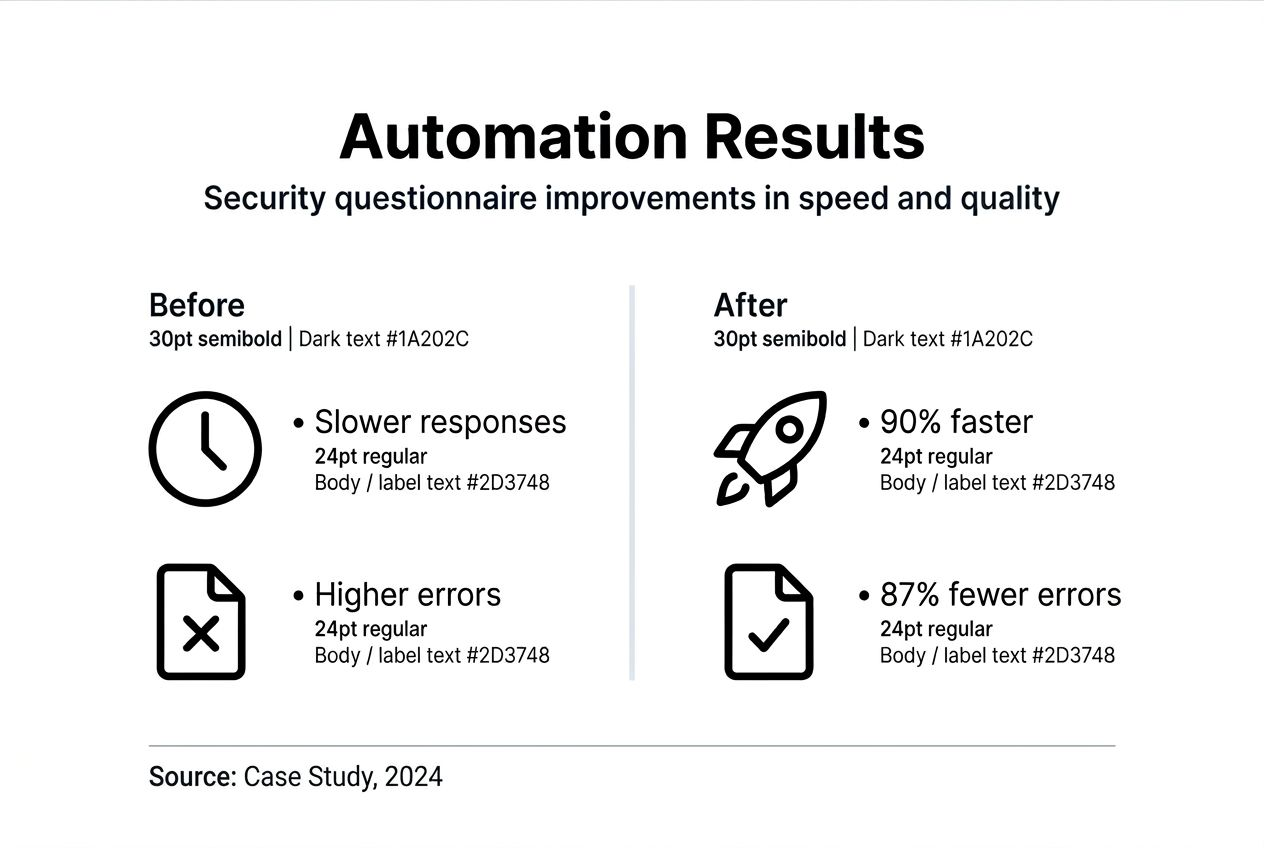
Error rates fall as consistency improves. Centralized, validated answers eliminate the contradictions that plague manual processes. Citation transparency makes audits straightforward, reducing preparation time and passing rates.
Time savings compound across your organization. SMEs reclaim hundreds of hours annually, redirecting effort from repetitive questions to strategic security improvements. Sales teams close deals faster when vendor assessments move quickly.
| Metric | Before Automation | After Automation | Improvement |
|---|---|---|---|
| Average Response Time | 5-7 days | 4-8 hours | 85-90% reduction |
| Error Rate | 15-20% | 2-3% | 87% reduction |
| SME Hours per Quarter | 240 hours | 35 hours | 85% reduction |
| Questionnaires Completed | 40 per quarter | 200 per quarter | 400% increase |
| Audit Prep Time | 60 hours | 10 hours | 83% reduction |
Compliance consistency improves as standardized answers ensure accurate representation of your security posture. Audit readiness stays high because citation trails document answer sources.
Sales cycle acceleration becomes visible when vendor assessments no longer delay deals. Faster questionnaire turnaround builds trust with prospects and partners.
Track these metrics monthly to validate ROI and identify optimization opportunities. Measuring automation success requires consistent data collection and regular stakeholder reviews.
Discover Skypher's AI-driven security questionnaire automation
Ready to transform your security questionnaire workflow? Skypher's security questionnaire automation tool delivers the speed and accuracy this guide describes. Our proprietary AI models parse every questionnaire format reliably, answering even 200 questions in under one minute.

With 40+ API integrations including OneTrust, ServiceNow, Slack, and MS Teams, Skypher fits seamlessly into your existing workflow. Our AI powered recommendation engine provides citation-backed answers that maintain audit readiness while cutting response times by up to 90%. Real-time collaboration features, multilingual support, and enterprise-grade security make Skypher the choice for tech and finance organizations serious about compliance efficiency. Book a demo to see how Skypher can save your team hundreds of hours annually.
Frequently asked questions about security questionnaire automation
Does automation replace human expertise in security questionnaire responses?
Automation supports SMEs by providing draft answers, but human review ensures accuracy and compliance. AI handles repetitive matching and initial response generation while experts validate complex scenarios. Validated workflows maintain audit readiness while leveraging AI efficiency for speed.
How do AI tools maintain accuracy and reduce errors?
AI uses centralized, validated content with transparent citations to reduce hallucinations and errors. The system matches questions to approved library answers rather than generating responses from scratch. Ongoing SME reviews keep answers current and accurate as policies evolve.
What integrations should I look for in automation tools?
Look for API support with TPRM tools like OneTrust and ServiceNow, plus collaboration platforms like Slack and Teams. Real-time notifications and chatbot support improve team responsiveness. Document repository connections to Confluence, Notion, and SharePoint keep content synchronized.
How often should the answer library be updated?
Regularly review and validate answers with SMEs, ideally quarterly or after major policy changes. Scheduled audits help detect outdated or inconsistent content early. Track last-verified dates for each library entry to prioritize updates efficiently.