

Managing compliance across multiple jurisdictions often feels like solving a puzzle with missing pieces. Security and compliance officers in global tech firms must sift through a maze of industry regulations and complex system dependencies while keeping pace with evolving standards. Adopting automated compliance scanning workflows promises fewer manual errors, quicker responses to security questionnaires, and clearer documentation trails. This guide unpacks a step-by-step approach to help your team map requirements, configure technology, and verify results for sustained operational compliance.
Table of Contents
- Step 1: Assess Compliance Requirements and Integrations
- Step 2: Configure Scanning Tools and Data Sources
- Step 3: Initiate Automated Compliance Scanning Workflow
- Step 4: Analyze and Prioritize Compliance Findings
- Step 5: Verify Results and Document Remediation Actions
Quick Summary
| Key Point | Explanation |
|---|---|
| 1. Identify Applicable Regulations | Map the regulatory landscape specific to your industry and business functions to understand compliance obligations clearly. |
| 2. Prioritize Compliance Requirements | Rank regulations based on their severity, risk, and consequences of non-compliance to focus your efforts effectively. |
| 3. Configure Scanning Tools Properly | Ensure your existing systems are configured to connect with relevant data sources for efficient compliance monitoring. |
| 4. Automate and Monitor Compliance Scanning | Activate a schedule for automated scans to facilitate continuous monitoring and prompt detection of compliance gaps. |
| 5. Document Remediation Actions Rigorously | Maintain a detailed record of remediation efforts and verification outcomes to provide transparency and comply with audits. |
Step 1: Assess Compliance Requirements and Integrations
Your organization operates under a complex web of regulations, and identifying which ones actually apply to you is the critical first move. Compliance scanning begins with understanding exactly what requirements your business must satisfy, then determining how these requirements connect with your existing systems and processes.
Start by mapping out the regulatory landscape that affects your industry. Different sectors face vastly different obligations. A financial services firm navigates banking regulations, while a healthcare provider manages HIPAA requirements. The best approach involves cross-referencing your organization's geography, industry, and specific business functions against applicable regulations. Resources like compliance matrices help organizations systematically identify which federal laws and regulations apply, along with reporting deadlines and integration touchpoints across multiple regulatory domains.
Next, document which regulations carry the highest priority based on your risk profile and business operations. Not all compliance requirements deserve equal attention. Some carry significant penalties for non-compliance, while others represent lower-risk areas. Create a prioritized list that reflects your organization's specific exposure, considering factors like data sensitivity, customer base location, and transaction volumes.
Once you understand your requirements, assess how they integrate with your current technology stack and business processes. Many compliance obligations require data from multiple systems. For instance, audit trails might come from your identity management platform, while financial controls data flows from your accounting software. Map which requirements demand integration with specific platforms like ServiceNow, OneTrust, or your existing repositories in Confluence or SharePoint. The federal grants compliance framework demonstrates how organizations can structure this assessment across different programs and agencies, identifying which regulations apply and how integration occurs across audit standards.
Here's a comparison of common compliance scanning integrations and their benefits:
| Integration Platform | Primary Use Case | Key Benefits | Typical Data Sources |
|---|---|---|---|
| ServiceNow | Real-time audit management | Centralized workflows | Identity, audit logs |
| OneTrust | Privacy compliance monitoring | Automated data mapping | Customer, policy docs |
| SharePoint/Confluence | Documentation repository | Evidence archiving | Remediation records, reports |
| Accounting Software | Financial controls validation | Transaction traceability | Financial records, ledgers |
Document your findings in a centralized location. Track which systems need to contribute data, which teams own each requirement, and what compliance artifacts need to be collected and maintained. This documentation becomes your roadmap for automated compliance scanning.
Pro tip: Start with the regulations carrying the steepest penalties for your industry, then work backward to identify all their system dependencies before attempting any automation.
Step 2: Configure Scanning Tools and Data Sources
With your compliance requirements mapped out, you now need to connect your scanning tools to the actual data sources that feed compliance information. This is where your strategic assessment transforms into operational reality, and proper configuration determines how efficiently your scans run and how accurate your results become.

Begin by selecting which scanning tools align with your requirements and existing infrastructure. You likely already use platforms like ServiceNow, OneTrust, or document repositories in SharePoint and Confluence. Rather than adopting entirely new systems, configure your current tools to support compliance scanning workflows. Consider whether you need specialized compliance management capabilities or if your existing platforms can handle the load. Following compliance management system requirements helps you establish the right tool configuration and data source integrations needed for automated compliance monitoring.
Next, authenticate and authorize connections between your scanning tools and data sources. This involves creating API credentials, service accounts, or OAuth tokens that allow your compliance platform to read data from systems across your organization. Each data source requires specific configuration parameters. Your accounting software needs different connection settings than your identity management system, which differs again from your document management repositories. Take time to test each connection before activating compliance scanning.
Map your data sources to specific compliance requirements. A particular regulation might require evidence from three different systems. Document exactly which data pulls from where, what format it arrives in, and any transformations needed before it matches your compliance questions. This mapping prevents gaps where requirements appear uncovered simply because nobody connected the right data source. Use a third party integration governance framework to evaluate integration security and operational readiness across your scanning workflow.
Validate your configuration by running a test scan against a small set of compliance questions. Check that data arrives accurately, timestamps are correct, and your scanning tools properly format the responses. Small configuration issues now prevent large problems later.
Pro tip: Test all data source connections in a staging environment first, then replicate your exact configuration to production to avoid disrupting live compliance monitoring.
Step 3: Initiate Automated Compliance Scanning Workflow
Your infrastructure is ready, and now comes the moment to activate your automated scanning. This is where compliance management shifts from static documentation into continuous, real-time monitoring that catches gaps before auditors do.
Start by establishing your scanning schedule and scope. Determine how frequently your systems need to scan compliance requirements. Some regulations demand monthly verification, while others require quarterly or annual assessments. Align your scanning frequency with both regulatory deadlines and your organization's risk tolerance. Begin with a limited scope, scanning perhaps 20 to 30 percent of your total compliance requirements, then expand as you refine the process and build confidence in your results.
Activate your first set of automated scans using the configuration you built in the previous step. Run initial scans and review the output carefully. Look for evidence that data flows correctly from your source systems, that questions receive complete answers, and that timestamps reflect actual scan times. Early scans often reveal configuration issues that need adjustment before you expand to production. This is your debugging phase, and rushing through it creates problems later.
Monitor scan execution and response quality throughout the first cycle. Automated scanning generates value only if it produces trustworthy results. Establish automated compliance management processes that align with your regulatory requirements and technology infrastructure, enabling real-time monitoring that identifies potential compliance issues before they become violations.
Set up dashboards and reporting that give your compliance team visibility into what's actually happening. Your scanning platform should show which requirements passed, which failed, and which require manual review or evidence gathering. Create alerts for failed scans or missing evidence so your team responds immediately rather than discovering problems during quarterly reviews. Consider how tools like compliance checklists and AI-driven detection systems help maintain continuous visibility and timely alerts across your scanning workflow.
Document what you learn from initial scans. Record which data sources respond quickly, which ones timeout or return incomplete data, and which compliance questions receive consistent answers. This feedback loop improves your next scanning cycle.
Pro tip: Run your first full scan cycle during a low-risk period, then schedule future scans to complete before your audit deadlines, giving your team buffer time to remediate any identified gaps.
Step 4: Analyze and Prioritize Compliance Findings
Your scans have generated results, but raw data means nothing without interpretation. Analysis transforms findings into actionable intelligence that directs your team toward the highest-impact remediation efforts first.
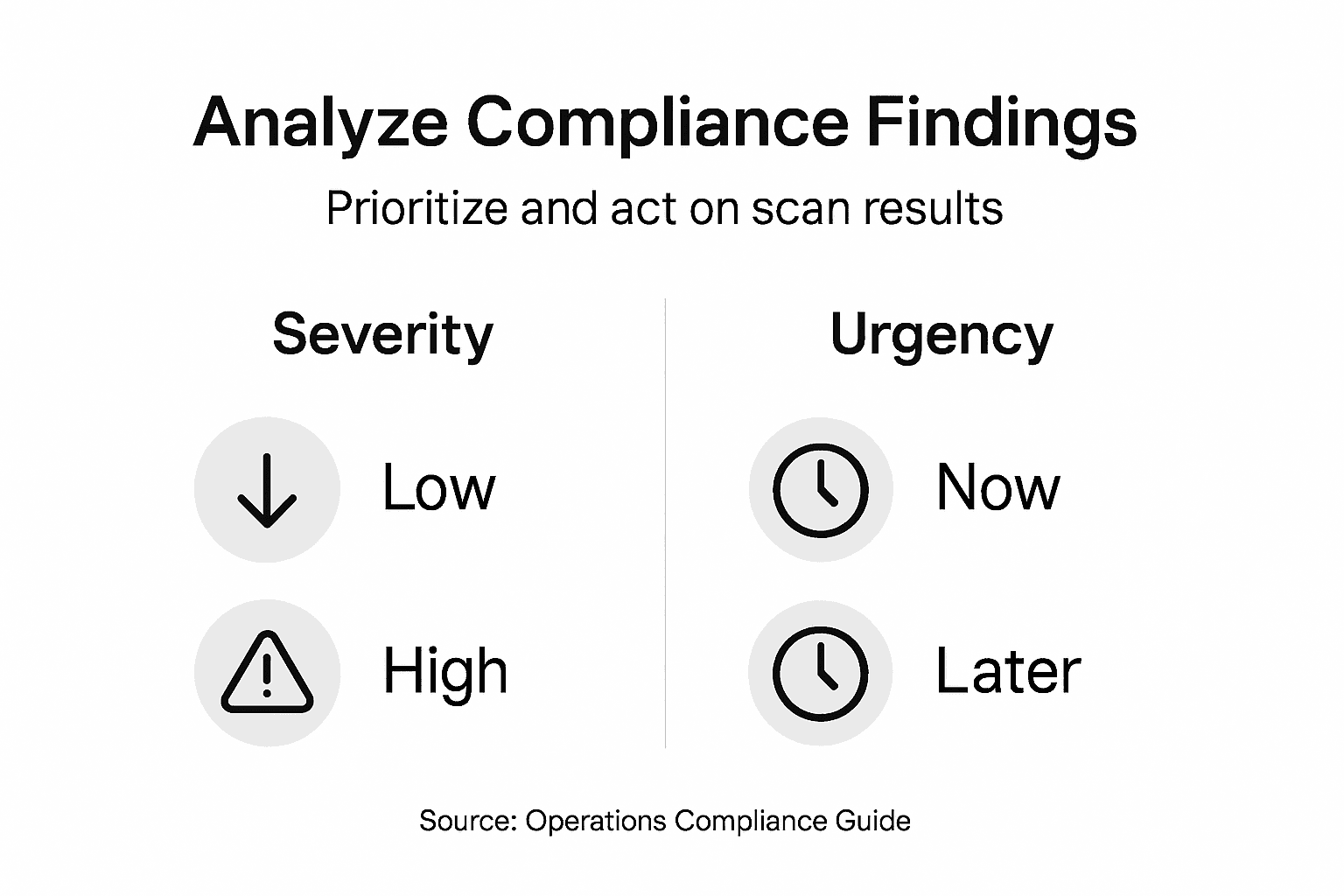
Begin by classifying each finding according to severity and business impact. Not all compliance gaps pose equal risk. A missing security log might represent a critical vulnerability, while outdated contact information in a vendor file poses minimal danger. Review each failed scan result and assign it a severity rating based on regulatory consequences, financial exposure, and operational disruption. Findings that could trigger audit failures or significant penalties deserve immediate attention, while lower-risk items can be scheduled for later remediation.
Next, evaluate the urgency of each finding based on timing constraints. Some compliance requirements have approaching deadlines that demand rapid action, while others allow more time for remediation. A security vulnerability discovered 30 days before an audit requires different handling than the same vulnerability found 6 months before assessment. Map your findings against your compliance calendar so your team understands which items demand immediate work and which can be batched into longer-term remediation cycles.
Apply risk-based analysis frameworks to classify findings by severity, urgency, and strategic importance. This integrated approach leverages operational insights and technology to prioritize remediation efforts based on real impact and available resources, helping your team focus on what matters most.
Consider resource allocation when prioritizing. Your compliance team has finite capacity. Tackle high-severity, urgent findings first, then work through high-severity items with longer timeframes, then address lower-severity findings. Document your prioritization rationale so stakeholders understand why certain issues receive attention before others. Use compliance risk management methodologies that evaluate finding significance and enable data-driven prioritization of remediation efforts across your organization.
Create a remediation roadmap that assigns ownership, sets realistic completion dates, and tracks progress. Distribute findings across your organization so no single team becomes overwhelmed.
Pro tip: Separate findings into three buckets: immediate action required (within 30 days), priority action (within 90 days), and routine action (beyond 90 days), then review this categorization with your leadership team to align on resource allocation.
Below is a summary table for prioritizing compliance findings based on severity and urgency:
| Priority Category | Severity Level | Action Timeframe | Example Finding |
|---|---|---|---|
| Immediate Response | Critical | Within 30 days | Missing security logs |
| Priority Action | High | Within 90 days | Incomplete data encryption |
| Routine Remediation | Medium/Low | Beyond 90 days | Outdated contact information |
Step 5: Verify Results and Document Remediation Actions
Compliance remediation means nothing without verification that your fixes actually work. Documentation creates the audit trail that proves to regulators and auditors that your organization takes compliance seriously and follows through on commitments.
Start by re-running your automated scans against remediated findings. After your team addresses a compliance gap, your scanning platform should confirm that the issue no longer exists. This verification step prevents false positives from earlier scans and catches instances where remediation was incomplete or ineffective. Schedule these verification scans to run shortly after your team reports remediation completion, typically within 24 to 48 hours.
Review the verification results carefully. A compliance finding should transition from failed to passed status after legitimate remediation. If results show the same findings still present, your team's remediation efforts need refinement. Investigate whether the underlying issue persists or whether your scanning configuration needs adjustment to properly detect the fix.
Document every remediation action taken. Record what the original finding was, who addressed it, what specific actions were taken to resolve the issue, when the work was completed, and who verified the fix. This documentation becomes your proof of due diligence during audits. Create a centralized remediation tracking system where stakeholders can see the status of every finding from discovery through verification. Detailed record keeping and ongoing monitoring ensure that compliance findings are properly verified and remediation efforts meet regulatory and institutional standards, creating evidence trails that auditors expect.
Maintain records of your verification scans alongside your remediation documentation. Archive scan results, screenshots showing passed findings, and timestamps that prove when verification occurred. Digital archives in your document management platform provide searchable, tamper-proof evidence.
Close findings formally once verification confirms remediation. Move completed items out of your active remediation queue so your team focuses on remaining open items. At the same time, report closure rates and trends to your leadership team to demonstrate compliance progress.
Pro tip: Create a remediation documentation template that your teams complete for every finding, requiring sign-off from both the remediating team and a compliance officer before marking items as verified and closed.
Accelerate Your Compliance Scanning with Skypher's AI-Powered Automation
Mastering compliance scanning requires seamless integration and fast, accurate processing of vast amounts of data from multiple sources. This article highlights the challenges of configuring scanning tools, managing data flows, and verifying remediation efforts under strict deadlines and regulatory pressures. Skypher addresses these pain points with its AI Questionnaire Automation Tool, enabling organizations in tech and finance to complete security questionnaires with unmatched speed and precision.
Experience benefits like:
- Integration with over 40 third-party risk management platforms including ServiceNow and OneTrust
- Lightning-fast answers to hundreds of questions in under one minute
- Collaboration tools supporting Slack, MS Teams, and document repositories like SharePoint and Confluence
- Robust compliance evidence tracking and real-time dashboards to monitor remediation progress

Ready to transform your compliance scanning workflow and reduce audit risks today Visit Skypher to learn how AI-driven automation empowers your teams to focus on high-impact remediation instead of manual data gathering Discover the power of AI Questionnaire Automation Tool and how it integrates with your existing systems to streamline complex compliance requirements Completing your next compliance scan faster and with greater accuracy starts here
Frequently Asked Questions
What are the first steps to start compliance scanning for my organization?
Begin by assessing the compliance requirements specific to your industry and organization. Map out applicable regulations, prioritize based on risk, and document how these requirements integrate with your existing processes and systems.
How do I choose the right tools for automated compliance scanning?
Select scanning tools that align with your existing technology infrastructure and compliance needs. Configure these tools to connect to your data sources, ensuring they can effectively gather the information required for compliance verification.
What should I do if my initial compliance scans reveal significant gaps?
Analyze the findings by classifying them based on severity and urgency. Prioritize high-risk gaps for immediate remediation, and create a roadmap that assigns ownership and sets realistic deadlines for addressing each finding.
How can I ensure that my remediation efforts are effective?
After addressing compliance gaps, re-run automated scans to verify that the issues have been resolved. Document the remediation actions taken and maintain an audit trail to prove compliance to regulators and auditors.
What should I include in my compliance documentation?
Document every compliance finding, including what it was, who addressed it, what actions were taken, and when. Keep this information centralized for easy access during audits and compliance reviews.
How often should I perform compliance scans?
Establish a scanning schedule that aligns with regulatory deadlines and organizational risk tolerance. Depending on the requirements, this may range from monthly to quarterly scans, starting with a limited scope and gradually expanding as you gain confidence in your scanning processes.
Recommended
- 7 Essential Steps for a Security Compliance Checklist
- Complete Guide to Software Compliance Software
- IT Security Management System: Enhancing Trust and Efficiency
- 7 Essential Tips for Every GRC Analyst to Succeed
- Document Scanning Tips to Boost Your Efficiency
- Cybersecurity Regulations in the GCC You Should Know | Singleclic