
Digital document chaos can slow any organization to a crawl. The University of Virginia saved around 10,000 hours in a single year by automating forms with DocuSign integration. Surprising, right? Most people think integration is only about faster signatures, but it is the deep connections to your current tools and systems that truly transform how work gets done.
Table of Contents
- What Is Docusign Integration and Why Use It
- Step-by-Step Guide to Setting Up Docusign Integration
- Top Docusign Integration Options for Common Tools
- Tips to Maximize Efficiency With Docusign Integration
Quick Summary
| Takeaway | Explanation |
|---|---|
| Automate Document Management | Integrating DocuSign streamlines document workflows by automating routing, approvals, and signing directly within existing software systems. |
| Reduce Administrative Overhead | DocuSign integration significantly lowers manual data entry and tracking by enabling automatic document routing, ultimately enhancing efficiency. |
| Enhance Security and Compliance | Utilizing encrypted digital signatures through DocuSign provides robust authentication while ensuring compliance with industry regulations. |
| Utilize Integration with Common Tools | DocuSign offers seamless integration with major platforms like Salesforce, Microsoft Office 365, and Google Workspace, improving document management efficiency. |
| Focus on Continuous Improvement | Organizations should consider DocuSign integration a dynamic process, emphasizing ongoing optimization strategies to enhance performance and adapt to business needs. |
What Is Docusign Integration and Why Use It
Docusign integration represents a powerful approach to transforming digital document management and signature processes across organizations. At its core, this technology enables seamless connections between DocuSign's electronic signature platform and other business software systems, creating a unified workflow that dramatically reduces manual document handling.
Understanding the Fundamentals of DocuSign Integration
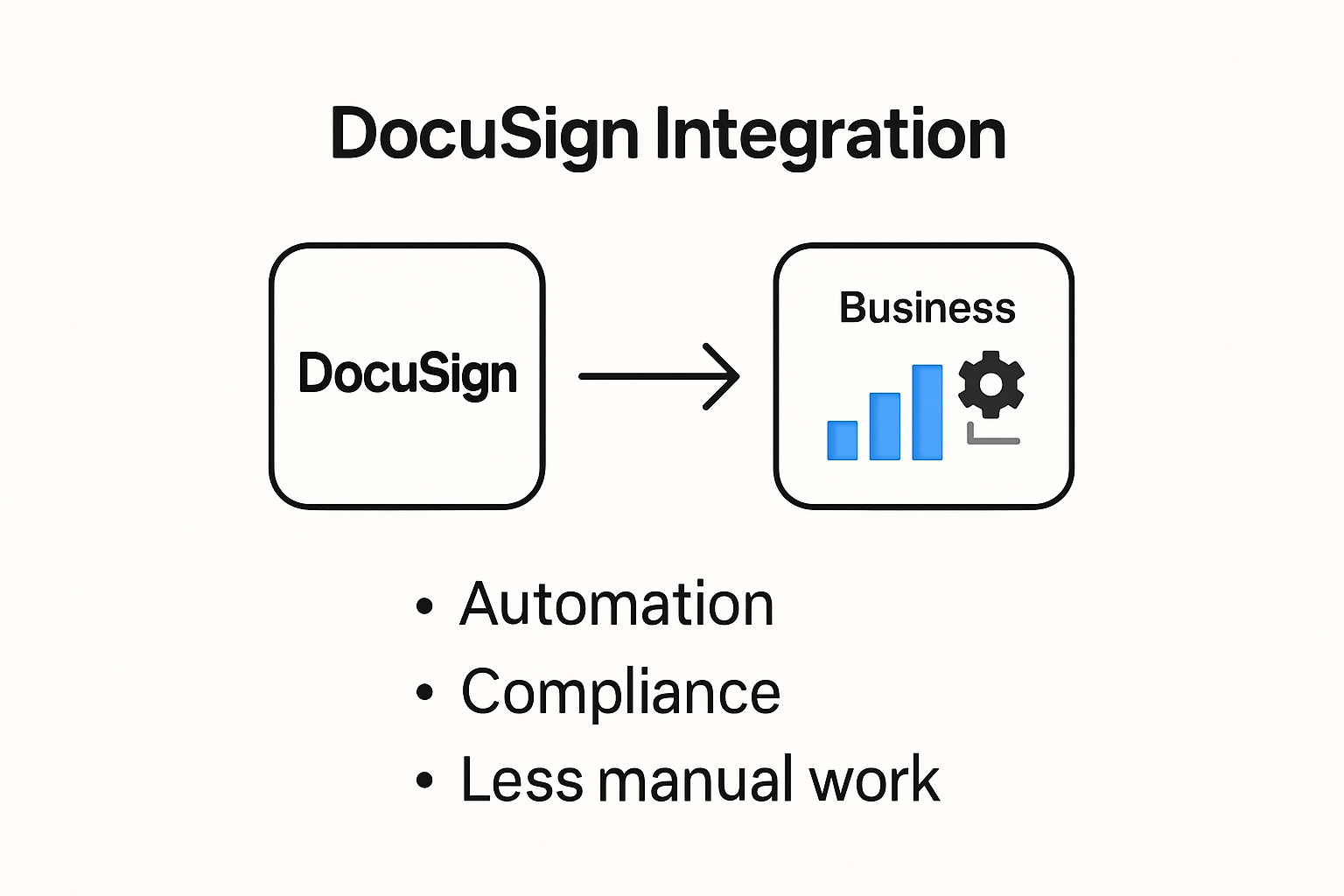
Docusign integration allows businesses to automate document routing, approvals, and signing processes directly within their existing software ecosystem. By connecting DocuSign with customer relationship management (CRM) systems, enterprise resource planning (ERP) tools, and other critical business applications, organizations can streamline complex document workflows.
For instance, the University of Virginia implemented DocuSign to automate document processes, processing 10,000 forms annually and saving approximately 10,000 hours in 2022. This real-world example demonstrates the significant time and resource savings potential of effective DocuSign integration.
Key Benefits of Implementing DocuSign Integration
Businesses gain multiple advantages through strategic DocuSign integration. Efficiency improvements are the most immediate benefit, with organizations experiencing substantial reductions in document processing time. Kent State University adopted DocuSign to streamline new hire document routing, enhancing efficiency and reducing lost paperwork risks.
Additional integration benefits include:
- Reduced Administrative Overhead: Automatic document routing eliminates manual data entry and tracking
- Enhanced Security: Encrypted digital signatures provide robust authentication and compliance
- Improved Collaboration: Real-time document tracking and simultaneous editing capabilities
To help compare the core benefits highlighted above, the following table summarizes the key advantages of DocuSign integration as discussed in this section:
| Benefit | Description |
|---|---|
| Efficiency Improvements | Speeds up document processing and signing |
| Reduced Administrative Overhead | Eliminates manual data entry and tracking |
| Enhanced Security | Provides encrypted digital signatures and robust authentication |
| Improved Collaboration | Enables real-time tracking and simultaneous editing of documents |
Technical Considerations for Successful Integration
The State of Colorado's Office of Information Technology highlighted how DocuSign integration can accelerate agreements and eliminate manual tasks while connecting with other tools and systems. Successful implementation requires careful planning, including:
- Identifying compatible software systems
- Ensuring robust API connectivity
- Maintaining compliance with industry-specific regulations
- Training staff on new digital workflows
By understanding these fundamental aspects, organizations can unlock the full potential of DocuSign integration, transforming their document management processes into more efficient, secure, and collaborative systems.
Step-by-Step Guide to Setting Up Docusign Integration
Setting up a DocuSign integration requires strategic planning and precise technical execution. Successful implementation involves multiple critical stages that ensure smooth connectivity between your existing systems and DocuSign's electronic signature platform.
Preparing Your Development Environment
Before initiating the integration process, organizations must establish a robust development framework. According to DocuSign's official documentation, the first crucial step involves creating a dedicated developer account. This account provides a controlled environment for building and testing integrations without impacting production systems.
Key preparation steps include:
- Identifying Integration Requirements: Determine specific workflow needs and document routing processes
- Assessing Technical Infrastructure: Evaluate current software ecosystem compatibility
- Selecting Appropriate Authentication Method: Choose between OAuth, JWT, or explicit authentication protocols
The process of setting up DocuSign integration involves several key stages. The following table outlines these main steps and their primary objectives:
| Stage | Main Objective |
|---|---|
| Preparing Development Environment | Set up developer account and outline integration requirements |
| Configuring API Credentials & Authentication | Establish secure access using client ID, secret, and authentication protocols |
| Implementation and Testing Strategies | Build, test, and validate integration for functionality, security, and user permissions |
Configuring API Credentials and Authentication
DocuSign recommends a structured approach to obtaining API credentials. The integration process begins by generating essential authentication elements:
- Generate a client ID and secret within the developer console
- Create an integrator app to obtain an Integration Key
- Configure an RSA key pair for secure communication
- Define appropriate redirect URIs for your specific application
Professional developers understand that proper authentication serves as the foundation for a secure and reliable integration. Careful configuration prevents potential security vulnerabilities and ensures smooth data exchange between systems.
Implementation and Testing Strategies
Experts from enterprise integration platforms emphasize the importance of comprehensive testing. After establishing initial connections, organizations should:
- Develop a staged rollout strategy
- Create comprehensive test scenarios covering various document types
- Implement robust error handling mechanisms
- Validate signature workflows across different user permissions
- Monitor API performance and response times
Successful DocuSign integration transforms document management processes by eliminating manual steps, reducing processing time, and enhancing overall organizational efficiency. By following a methodical approach and maintaining focus on security and compatibility, businesses can unlock the full potential of digital signature technologies.
Top Docusign Integration Options for Common Tools

DocuSign has developed a comprehensive ecosystem of integrations designed to simplify document management across various business platforms. These strategic connections enable organizations to streamline workflows, reduce manual processing, and enhance overall operational efficiency.
Enterprise Customer Relationship Management Integrations
Salesforce represents a primary integration platform for DocuSign, offering seamless document management within customer relationship management workflows. By connecting DocuSign directly with Salesforce, businesses can generate, send, sign, and track contracts without switching between multiple applications.
Key CRM integration features include:
- Automatic Contract Generation: Directly create documents from Salesforce opportunity records
- Real-Time Status Tracking: Monitor signature progress within the CRM interface
- Synchronized Data: Eliminate manual data entry between systems
Productivity Suite Connections
Microsoft Office 365 provides robust integration capabilities with DocuSign, enabling users to send documents for electronic signatures directly from familiar applications like Word, Excel, and Outlook. This integration dramatically reduces friction in document preparation and signing processes.
Additional productivity suite integrations offer:
- Direct Signing from Office Applications: Sign documents without leaving Microsoft environment
- Template Management: Store and access signature templates across platforms
- Collaboration Tools: Enable simultaneous document review and editing
Cloud Storage and Collaboration Platform Integrations
Google Workspace integration allows users to manage document workflows directly within their existing cloud ecosystem. By connecting DocuSign with Google Drive, Docs, and Gmail, organizations can simplify document routing and signature processes.
Notable cloud platform integration benefits include:
- Seamless Document Access: Sign and manage documents stored in cloud repositories
- Email Workflow Optimization: Trigger signature requests directly from email interfaces
- Cross-Platform Compatibility: Support for multiple devices and operating systems
These integrations demonstrate DocuSign's commitment to creating flexible, user-friendly document management solutions that adapt to diverse organizational needs. By providing comprehensive connections across popular business tools, DocuSign enables businesses to create more efficient, streamlined workflows that save time and reduce administrative overhead.
Tips to Maximize Efficiency With Docusign Integration
Maximizing efficiency with DocuSign integration requires a strategic approach that goes beyond basic implementation. Organizations can unlock significant productivity gains by adopting targeted optimization strategies that streamline document workflows and enhance overall operational performance.
Optimizing Workflow Automation
A comprehensive study comparing electronic signature methods revealed critical insights into maximizing integration efficiency. The research highlights the importance of selecting the right signature approach that balances usability and security.
Key workflow optimization strategies include:
- Template Standardization: Create reusable document templates for consistent formatting
- Automated Routing Rules: Set up intelligent document routing based on predefined conditions
- Role-Based Access Control: Implement granular permissions to streamline approval processes
Advanced Integration Performance Techniques
The National University of Singapore demonstrated remarkable efficiency improvements through strategic DocuSign implementation. Their approach reduced approval times for critical documents by up to 14 working days, showcasing the potential of well-planned integrations.
Advanced performance techniques involve:
- Real-Time Analytics: Implement comprehensive tracking and reporting mechanisms
- Multi-Platform Synchronization: Ensure seamless data transfer across different systems
- Automated Reminder Configurations: Create intelligent notification systems for pending signatures
Enterprise-Level Integration Strategies
The United Nations Development Programme (UNDP) offers a benchmark for large-scale DocuSign integration. By connecting their ERP and email systems, they achieved comprehensive document management transformation.
Enterprise-level optimization strategies include:
- Cross-System Authentication: Implement single sign-on (SSO) capabilities
- Compliance Automation: Integrate built-in regulatory compliance checks
- Scalable API Configurations: Design flexible integration architectures
Successful DocuSign integration is not just about connecting systems but creating a cohesive, intelligent document management ecosystem. By focusing on strategic implementation, organizations can dramatically reduce processing times, minimize errors, and create more responsive workflows that adapt to evolving business needs.
The key lies in viewing DocuSign integration as a dynamic process of continuous improvement, where each optimization incrementally enhances organizational efficiency and operational agility.
Frequently Asked Questions
What is DocuSign integration?
DocuSign integration refers to the process of connecting DocuSign's electronic signature platform with other business software systems to streamline document workflows, automate approvals, and enhance overall efficiency.
What are the benefits of using DocuSign integration?
The key benefits include improved efficiency and reduced document processing time, decreased administrative overhead through automatic routing, enhanced security via encrypted signatures, and improved collaboration with real-time document tracking.
How can I set up DocuSign integration?
To set up DocuSign integration, you need to prepare your development environment, create API credentials, and follow specific implementation and testing strategies to ensure secure and effective connectivity with your existing software tools.
Which tools commonly integrate with DocuSign?
DocuSign integrates seamlessly with various tools, including Salesforce, Microsoft Office 365, and Google Workspace, allowing for efficient document management within popular productivity applications.
Transform Document Automation Into Real Results With Skypher
Are you looking for a way to eliminate the delays and frustrations that come with manual document workflows and disconnected integrations? If you found DocuSign integration strategies valuable for boosting productivity and reducing bottlenecks, you will be interested in addressing one of the most overlooked challenges—automating the response process for complex security questionnaires. Mismanaged questionnaires can slow down critical approvals, contracts, and even ongoing client relationships, especially if your organization operates in tech or finance. At Skypher, we understand that true efficiency happens when your eSignature tools connect seamlessly with the rest of your operational ecosystem, including automated compliance and security processes.
Instead of juggling between manual platform logins, version control, and endless email threads, you can centralize your entire security review process with Skypher's AI Questionnaire Automation Tool. With advanced integrations supporting over 40 third-party risk management platforms, Skypher makes it easy to keep your sales cycles moving and your compliance requirements up to date. Streamline collaboration, speed up client responses, and experience real-time efficiency boosts. Discover how Skypher can work with your current systems and help you unlock the next level of document automation by visiting Skypher now. Act today to simplify your most time-consuming workflows and stay ahead of the competition.