

Everyone is glued to their phones and laptops now, but cyber threats are getting sneakier by the day. It is shocking to realize that over 80 percent of security breaches are caused by weak or reused passwords. Most people think simple updates or antivirus scans are enough. The real secret is that your digital safety depends on everyday habits that most folks ignore.
Table of Contents
- Essential Security Tips for Everyday Use
- How to Safeguard Your Devices and Data
- Protecting Your Privacy on Social Media
- Recognizing and Avoiding Common Security Threats
Quick Summary
| Takeaway | Explanation |
|---|---|
| Create strong, complex passwords | Utilize long passphrases combining unrelated words, numbers, and symbols for security. Consider password managers for safe storage and generation. |
| Enable two-factor authentication | Add an extra security layer to your accounts. Even if passwords are hacked, access is denied without a second verification method. |
| Regularly update your software | Keep operating systems and applications current to protect against vulnerabilities. Enable automatic updates for consistent security. |
| Review privacy settings on social media | Actively manage your privacy settings. Control who sees your information and limit data sharing to enhance your protection. |
| Identify and verify phishing attempts | Be cautious of unexpected communications requesting personal information. Always confirm the sender’s identity before clicking links or sharing details. |
Essential Security Tips for Everyday Use
Navigating the digital world requires more than just basic precautions. Cybersecurity isn't a one time setup but an ongoing commitment to protecting your personal and professional digital assets.
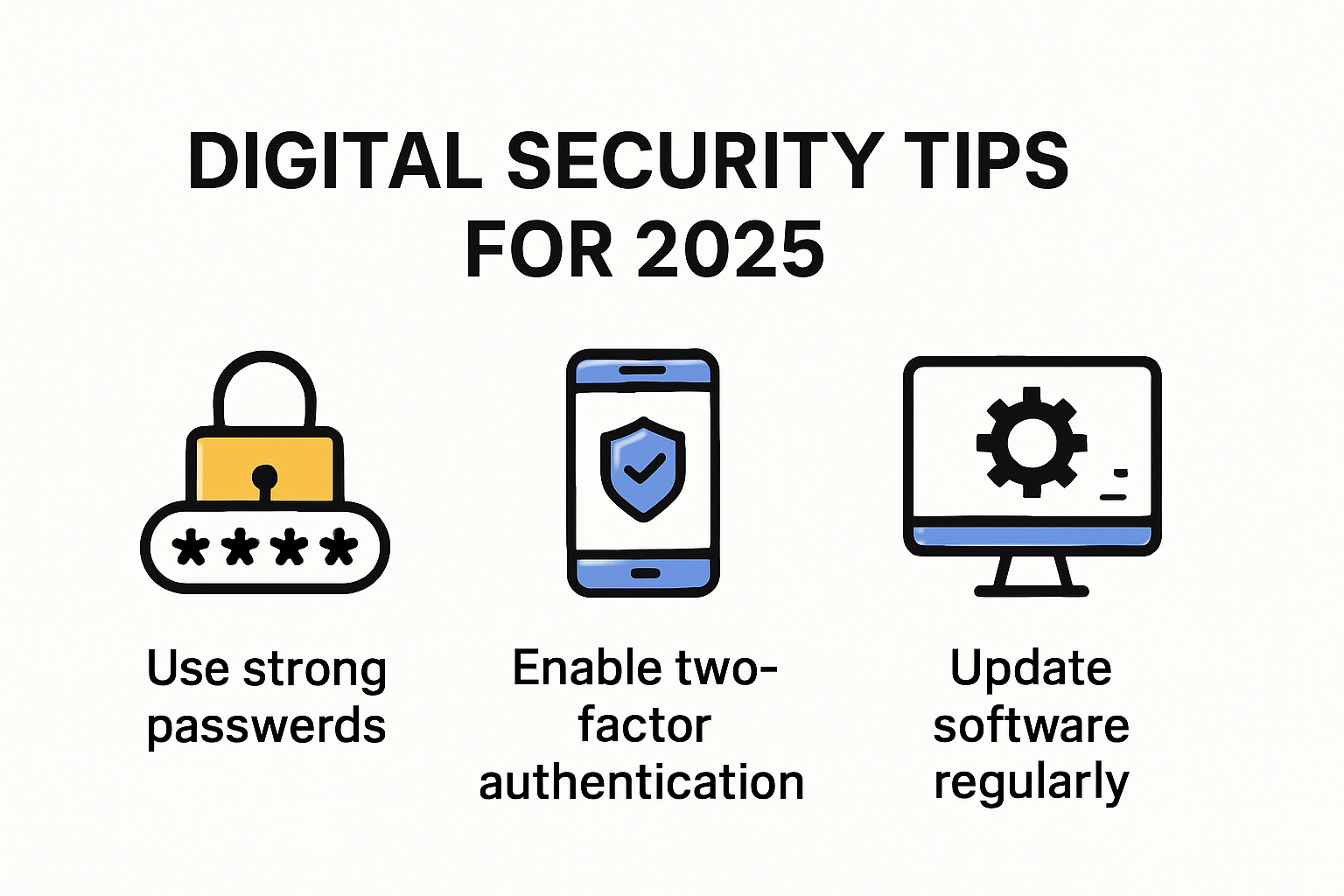
Create Strong Password Strategies
Passwords remain your first line of defense against unauthorized access. University of Washington researchers recommend developing robust password strategies that go beyond simple combinations. Stop using common words or predictable patterns like birthdays or sequential numbers.
Effective password creation involves multiple layers of complexity. Utilize long passphrases that combine unrelated words, numbers, and special characters. For instance, "Blue!Elephant9Travels@Mountain" is significantly more secure than "password123". Consider using password manager tools that generate and store complex passwords securely.
Multi factor authentication adds another critical security layer. DePaul University's Information Services emphasizes enabling two step verification wherever possible. This means even if someone discovers your password, they cannot access your account without a second verification method like a mobile code or biometric confirmation.
A summary of essential password and authentication strategies for everyday users is organized below for easy reference:
| Strategy | Key Details |
|---|---|
| Complex Passphrases | Use unrelated words with numbers & special characters (e.g., "Blue!Elephant9Travels@Mountain") |
| Avoid Common Patterns | Do not use birthdays, sequential numbers, or common words |
| Use a Password Manager | Tools help generate and store strong, unique passwords securely |
| Enable Multi-Factor Authentication | Adds a second verification step (e.g., mobile code, biometrics) to block unauthorized access |
Stay Informed About Digital Threats
Cybersecurity is an evolving battlefield where threats continuously change. Staying informed isn't optional it's essential. Subscribe to reputable cybersecurity newsletters, follow expert blogs, and participate in online security forums.
Recognizing phishing attempts is crucial. Cybercriminals have become increasingly sophisticated in mimicking legitimate communications. Learn to identify red flags such as suspicious email addresses, unexpected attachments, urgent language, and requests for personal information.
Regular software updates are your silent guardians. These updates often include critical security patches that protect against newly discovered vulnerabilities. Configure automatic updates on your devices and applications to ensure you're always running the most secure versions.
Implement Proactive Protection Measures
Protecting your digital environment requires a holistic approach. California Department of Education's IT security guidelines recommend developing a comprehensive incident response plan. This means knowing exactly what steps to take if you suspect a security breach.
Backup your data regularly and test these backups. Choose encrypted backup solutions that protect your information even if physical devices are compromised. Cloud storage with strong encryption provides an additional layer of security.
Be mindful of your digital footprint. Limit the personal information you share online. Review privacy settings on social media platforms and be cautious about the permissions you grant to applications. Remember that once information is online, controlling its spread becomes challenging.
Cybersecurity is not about creating impenetrable walls but developing smart, adaptive strategies. By implementing these essential security tips, you significantly reduce your vulnerability to digital threats. Stay vigilant, stay informed, and prioritize your digital safety.
How to Safeguard Your Devices and Data

Protecting your digital devices and personal data requires a comprehensive approach that goes beyond basic security measures. Modern threats demand sophisticated and proactive strategies to maintain the integrity of your personal and professional information.
Secure Your Digital Endpoints
Tulane University's Information Technology department emphasizes the critical importance of comprehensive device security. Your smartphone, laptop, tablet, and desktop are potential entry points for cybercriminals. Start by ensuring all devices have up to date operating systems and security patches installed.
Encryption serves as a powerful shield for your data. Modern operating systems offer built in encryption tools that protect your information even if a device is lost or stolen. Enable full disk encryption on all your devices. This means even if someone gains physical access to your hardware, they cannot easily extract your personal files.
Install reputable antivirus and anti malware software across all your devices. These tools provide real time protection against emerging threats, scanning downloads, blocking suspicious websites, and preventing unauthorized access. Configure automatic updates to ensure you always have the latest protection against new cybersecurity risks.
Below is a table summarizing key measures for securing digital endpoints:
| Endpoint Security Measure | Description |
|---|---|
| Up-to-Date Operating Systems | Regularly update OS and security patches on all devices |
| Enable Full Disk Encryption | Protects all data on the device if lost or stolen |
| Install Antivirus & Anti-malware | Provides real-time protection, scanning, and blocking threats |
| Configure Automatic Software Updates | Ensures all security tools remain current against new risks |
Manage Email and Communication Security
Washington University in St. Louis highlights email as a critical vulnerability point in personal digital security. Your email account is often the gateway to other important digital services and personal information.
Implement strict email management practices. Create separate email addresses for different purposes personal communications, online shopping, professional networking, and account registrations. This segmentation limits potential damage if one account is compromised. Use unique, complex passwords for each email account and enable two factor authentication.
Be vigilant about email hygiene. Unsubscribe from unnecessary mailing lists to reduce digital clutter and potential phishing vectors. Never click on links or download attachments from unverified sources. When in doubt, contact the supposed sender through a separate, verified communication channel.
Develop a Comprehensive Data Protection Strategy
Backup is not just a recommendation it is a necessity. Create multiple backup systems for your critical data. Use a combination of local external hard drives and secure cloud storage solutions. Ensure these backups are encrypted and stored in geographically separate locations.
Regularly audit your digital footprint. Review the permissions granted to applications on your devices. Remove unnecessary apps that request excessive access to your personal information. Check privacy settings on social media platforms and limit the amount of personal data you share publicly.
Consider using virtual private networks (VPNs) when accessing public wifi networks. These tools encrypt your internet connection, protecting your data from potential interceptors. Choose reputable VPN services with strong privacy policies and no logging practices.
Remember that device and data security is an ongoing process. Cybersecurity threats evolve rapidly, and your protection strategies must adapt accordingly. Stay informed about the latest security trends, be proactive in implementing protective measures, and maintain a healthy skepticism about digital interactions. Your digital safety depends on consistent, intelligent practices that anticipate and mitigate potential risks.
Protecting Your Privacy on Social Media
Social media platforms have become integral to modern communication, but they also present significant privacy challenges. Understanding and implementing robust privacy strategies is crucial to protecting your personal information and digital identity.
Control Your Privacy Settings
Harvard University's Information Security and Data Privacy office highlights the critical importance of proactively managing social media privacy settings. Start by conducting a comprehensive review of your privacy configurations on each platform. Limit profile visibility to trusted connections and disable public searchability.
Carefully examine application permissions. Many social media platforms allow third party apps to access your personal data. Review and revoke unnecessary permissions that could compromise your privacy. Some apps request extensive access to your contacts, location, and personal information without genuine need.
Utilize platform specific privacy tools. Most social networks offer granular privacy controls that allow you to customize who sees your posts, photos, and personal details. Create custom friend lists that enable you to share different content with different groups. This approach provides more nuanced control over your digital exposure.
Minimize Personal Information Sharing
The U.S. Department of Veterans Affairs emphasizes the importance of being strategic about personal information disclosure. Avoid sharing sensitive details such as your home address, phone number, birthdate, or financial information. Cybercriminals can aggregate seemingly innocuous information to build comprehensive profiles for potential identity theft.
Be cautious about location tagging and check ins. These features might seem harmless but can reveal patterns about your daily routine and physical whereabouts. Consider disabling automatic location services and think critically before sharing your current location publicly.
Employ the principle of minimal disclosure. Share content that adds value to your connections without compromising personal privacy. Consider the potential long term implications of every post. Remember that digital content can persist indefinitely and might be accessed by unintended audiences.
Secure Your Social Media Accounts
University of Massachusetts Amherst recommends implementing robust authentication methods to protect social media accounts. Enable two factor authentication on all platforms. This additional verification layer prevents unauthorized access even if your password is compromised.
Create unique, complex passwords for each social media account. Avoid using the same password across multiple platforms. Consider using a reputable password manager to generate and securely store strong passwords.
Regularly monitor your account activity. Most platforms offer login history and active session information. Review these logs periodically to detect any suspicious access attempts. If you notice unfamiliar login locations or devices, immediately change your password and review account security settings.
Social media privacy is an ongoing process that requires consistent attention and proactive management. By implementing these strategies, you significantly reduce the risk of unauthorized data exposure and potential digital threats. Stay informed about evolving privacy practices and remain vigilant about protecting your digital identity.
Recognizing and Avoiding Common Security Threats
Cybersecurity threats continuously evolve, becoming more sophisticated and challenging to detect. Understanding these emerging risks is crucial for maintaining digital safety and protecting your personal and professional information.
Identify Sophisticated Phishing Techniques
Boise State University's Office of Information Technology warns about advanced phishing strategies that leverage artificial intelligence and deep fake technologies. Modern phishing attempts are no longer easily recognizable by poor grammar or obvious inconsistencies.
Cybercriminals now create highly personalized and convincing communication that mimics legitimate sources. These messages often include specific details about your personal or professional life, making them appear authentic. Always verify the sender's identity through alternative communication channels before responding or clicking any links.
Pay special attention to messages creating a sense of urgency. Phishing attempts frequently use psychological manipulation, suggesting immediate action is required to prevent account suspension or financial loss. Legitimate organizations will never demand instant action through a single communication channel.
Understand Emerging Digital Manipulation Tactics
Deep fake technologies represent a significant threat to personal and professional security. These advanced techniques can create realistic video and audio content that appears genuine. Criminals use these technologies to impersonate trusted individuals, potentially tricking you into revealing sensitive information or transferring funds.
Be skeptical of unexpected video calls or voice messages requesting confidential information. Verify the authenticity of such communications through established, trusted communication methods. If something feels unusual or too convenient, trust your instincts and seek additional confirmation.
Social engineering remains a primary method for breaching digital security. Attackers collect information from multiple online sources to craft convincing narratives. Limit public sharing of personal details and be cautious about the information you make available on social platforms and professional networks.
Implement Proactive Defense Strategies
The U.S. Department of Commerce recommends implementing comprehensive defense mechanisms against emerging digital threats. Install reputable antivirus software that offers real time protection and regularly updates its threat detection capabilities.
Maintain a healthy skepticism towards unsolicited communications. Develop a systematic approach to verifying unexpected emails, messages, or requests. Create a mental checklist that includes checking sender authenticity, examining communication details, and consulting trusted sources before taking action.
Regularly update your digital literacy skills. Cybersecurity is an ever changing field where knowledge quickly becomes outdated. Attend webinars, follow cybersecurity blogs, and participate in online training to stay informed about the latest threat detection and prevention strategies.
Remember that digital security is not about creating impenetrable barriers but developing adaptive, intelligent responses to emerging threats. Stay informed, remain vigilant, and approach digital interactions with critical thinking and cautious awareness. Your proactive approach is the most powerful tool in defending against sophisticated cyber threats.
Frequently Asked Questions
What are the best ways to create strong passwords?
To create strong passwords, utilize long passphrases that combine unrelated words, numbers, and special characters. Avoid common patterns or easily guessable information like birthdays. Consider using a password manager to generate and store complex passwords securely.
How can I protect my digital privacy on social media?
To protect your digital privacy on social media, regularly review your privacy settings, limit the visibility of your profile to trusted connections, and minimize the sharing of personal information. Be cautious about app permissions and utilize platform-specific privacy tools.
What is two-factor authentication and why is it important?
Two-factor authentication (2FA) adds an extra layer of security to your online accounts. It requires not only your password but also a second verification method, such as a code sent to your phone. This helps prevent unauthorized access, even if your password is compromised.
How can I recognize and avoid phishing attacks?
To recognize and avoid phishing attacks, pay attention to signs of fake messages, such as suspicious email addresses, urgent requests for personal information, and poor grammar. Always verify the sender’s identity through a trusted communication channel before taking action.
Transform Your Cybersecurity Response With Automated Confidence
You have just discovered how quickly digital risks can escalate if daily habits and processes are not secure. The article showed how even the best password strategies, privacy settings, and vigilance against phishing are not enough for your organization if security reviews are slow, repetitive, or inconsistent. Manual questionnaire handling can increase stress, drain resources, and expose your business to mistakes. These are the critical gaps many teams face as they work to boost trust, compliance, and operational speed.
Ready to kick your security processes into high gear? Skypher offers an AI-driven Questionnaire Automation Tool that helps you respond to security reviews faster and with higher accuracy. That means less time lost, fewer errors, and a stronger defense for your digital assets. Experience real-time collaboration, integrate with your existing tech stack, and give your clients instant confidence through a branded Trust Center. Take your cybersecurity habits from theory to practice. Visit https://skypher.co today and start protecting your reputation and operations. The risks are rising, and this is your opportunity to stay ahead.