

Security questionnaires can quickly overwhelm even the most seasoned CISO or compliance officer, especially when multiple frameworks and audits converge. As requirements evolve and expectations rise, manual handling leaves too much room for errors, delays, and outdated responses. By adopting automation for security questionnaire assessments, you position your organization to respond faster, reduce risk, and ensure every answer is both accurate and audit-ready without the traditional bottlenecks.
Table of Contents
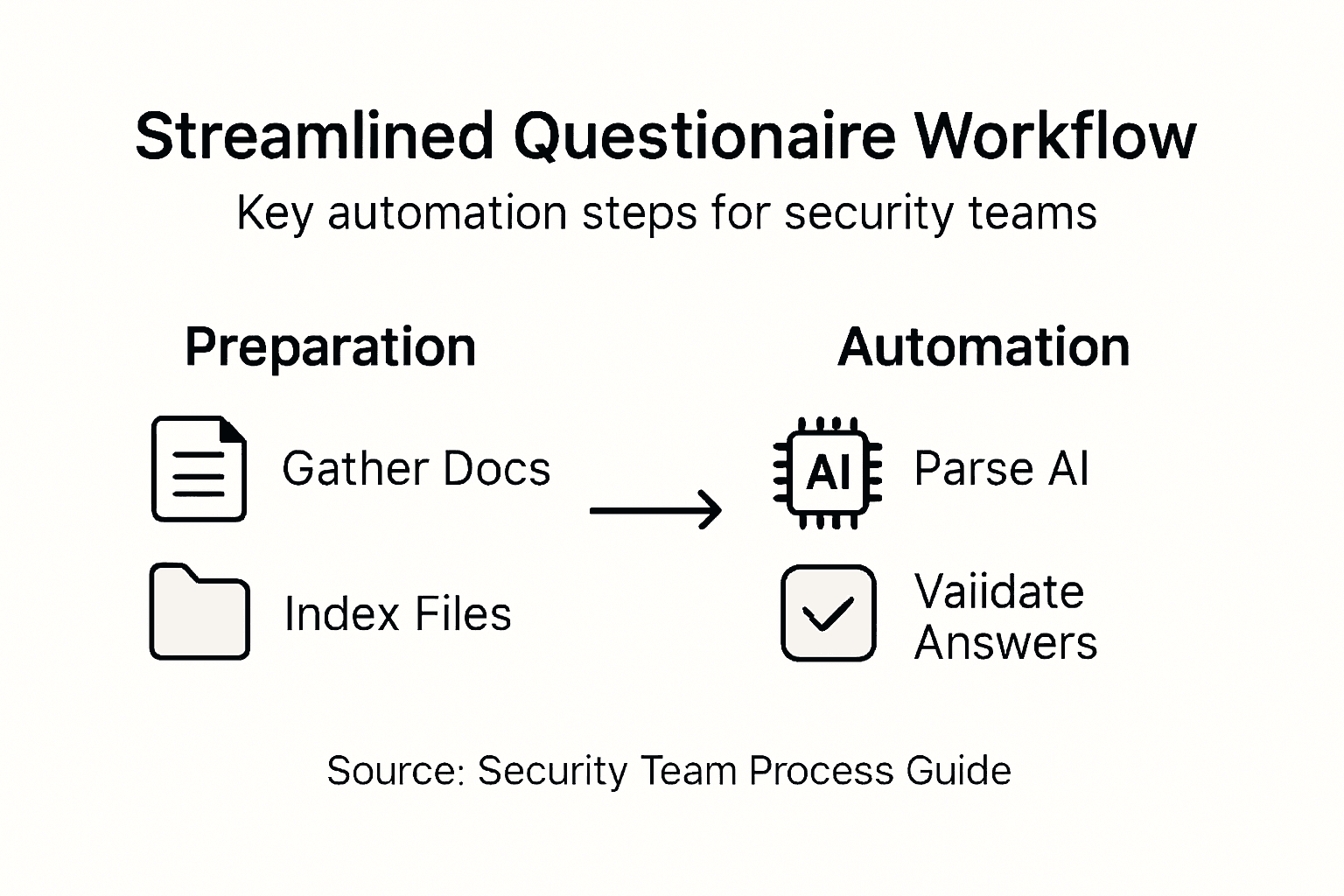
- Step 1: Prepare your questionnaire assets
- Step 2: Upload and parse questionnaires with AI
- Step 3: Customize response templates and mappings
- Step 4: Validate automated answers for accuracy
- Step 5: Integrate with your workflow tools
Quick Summary
| Key Insight | Explanation |
|---|---|
| 1. Organize Security Documentation | Create a centralized repository for security assets, ensuring easy access and maintenance of compliance standards and risk management frameworks. |
| 2. Leverage AI for Efficiency | Use AI tools to parse security questionnaires, reducing manual effort and errors while speeding up response compilation. |
| 3. Customize Response Templates | Develop adaptable templates that align with specific cybersecurity frameworks to accurately reflect your unique security landscape. |
| 4. Validate AI-Generated Answers | Implement a multi-layered verification process combining AI with human expertise to ensure accuracy in automated security responses. |
| 5. Integrate Workflow Tools | Connect questionnaire management systems with organizational tools to streamline processes and minimize manual data entry. |
Step 1: Prepare your questionnaire assets
Effective security questionnaire preparation requires strategic planning and comprehensive organizational documentation. You'll need to compile a robust collection of assets that demonstrate your security capabilities and compliance standards.
Start by gathering all relevant security documentation, including past questionnaire responses, compliance certificates, security policies, and risk management frameworks. Foundational security planning resources help organizations systematically organize these critical assets. Your preparation should focus on creating a centralized repository that covers multiple security domains:
- Compliance documentation
- Risk management frameworks
- Security policy documents
- Third-party audit reports
- Technical security configurations
- Incident response protocols
Ensure your assets are current and reflect your organization's most recent security posture. This means regularly updating documentation and maintaining a comprehensive view of your security infrastructure. Pay special attention to customizing responses based on specific questionnaire requirements, understanding that different frameworks might demand nuanced explanations.
Organize your security assets like a well-structured library: easily accessible, meticulously maintained, and immediately verifiable.
Prepare digital and physical copies of these documents, making them readily available for quick reference during questionnaire completion. Develop a standardized naming convention and storage system that allows rapid retrieval of specific documents.

Pro tip: Create a master index of your security documentation that cross-references each document with relevant compliance frameworks and questionnaire sections.
Step 2: Upload and parse questionnaires with AI
Streamlining your security questionnaire process requires intelligent AI-powered parsing and document management. This step transforms complex questionnaires from time-consuming manual tasks into efficient, automated workflows that save significant organizational resources.
AI cybersecurity risk management tools enable rapid document processing and intelligent interpretation of security questionnaires. When uploading documents, focus on preparing high-quality, clear digital files that AI systems can accurately read:
- Use clean, high-resolution PDF scans
- Ensure documents are text-searchable
- Remove any background watermarks or complex formatting
- Standardize document layouts where possible
- Check that text is machine-readable
Most advanced AI parsing systems support multiple file formats and can extract key information automatically. Verify your AI tool's specific file compatibility before bulk uploading. Pay special attention to document metadata, ensuring all security-related information is correctly tagged and indexed for quick retrieval.
AI document parsing transforms complex security questionnaires from hours of manual work into minutes of intelligent processing.
The parsing process involves multiple intelligent steps: document recognition, information extraction, semantic understanding, and structured data generation. Modern AI systems can identify nuanced security contexts, cross-reference compliance frameworks, and generate precise, contextually appropriate responses.
Pro tip: Always perform a test upload with a sample document to validate your AI parsing tool's accuracy and comprehension capabilities.
Here is a summary comparing manual and AI-powered security questionnaire processing:
| Aspect | Manual Processing | AI-Powered Processing |
|---|---|---|
| Time to Complete | Several hours to days | Minutes to hours |
| Error Rate | Higher, prone to oversight | Lower, consistent parsing |
| Scalability | Difficult with volume | Easily handles bulk tasks |
| Complexity Handling | Challenging for nuanced items | Advanced context recognition |
| Human Oversight | Continuous, resource-intensive | Focused on final validation |
Step 3: Customize response templates and mappings
Customizing security questionnaire response templates transforms generic compliance documentation into precise, organization-specific communication that accurately reflects your unique security infrastructure. This critical step enables you to create intelligent, adaptable response frameworks that speak directly to different assessment requirements.
Security control mapping techniques help organizations develop nuanced response strategies that align with specific cybersecurity frameworks. When developing your templates, focus on creating flexible structures that can be dynamically adjusted across multiple compliance contexts:
- Map responses to specific security frameworks
- Create modular template sections
- Develop granular control descriptions
- Include evidence references
- Build version tracking mechanisms
- Establish clear response guidelines
Implement a dynamic response architecture that allows for quick modifications and updates. Each template should contain placeholders for specific organizational details, technical configurations, and compliance evidence. This approach ensures consistency while maintaining the ability to customize responses for different questionnaire requirements.
Effective response templates are living documents that evolve with your organization's security landscape.
Consider developing a hierarchical template system that can be rapidly reconfigured. Advanced templates should include metadata tags, version control, and automated cross-referencing capabilities that enable quick adaptation to emerging compliance standards and security frameworks.
Pro tip: Maintain a centralized template library with clear versioning and automated approval workflows to ensure your response templates remain current and compliant.
Step 4: Validate automated answers for accuracy
Validating automated security questionnaire responses is a critical safeguard against potential misinterpretations and compliance risks. Your goal is to develop a robust verification process that combines AI efficiency with human expertise to ensure the highest level of accuracy and reliability.
Cybersecurity automation validation requires a strategic approach to cross-checking AI-generated responses. Implement a comprehensive validation strategy that includes multiple layers of verification:
- Conduct human expert review
- Cross-reference with existing documentation
- Use multiple verification algorithms
- Compare against historical response patterns
- Check for contextual accuracy
- Validate against current compliance frameworks
Develop a structured review workflow that systematically evaluates each automated response. This process should include both algorithmic checks and manual oversight, ensuring that AI-generated answers capture the nuanced complexities of your organization's security posture.
Automated answers are tools, not absolute truths. Human expertise remains the ultimate validator of security compliance.
Establish a feedback loop that continuously improves your AI's response accuracy. This involves tracking discrepancies, documenting manual corrections, and using these insights to refine your automated response generation algorithms. The most effective validation processes treat AI as a collaborative tool, not a replacement for human judgment.
Pro tip: Create a scoring system that rates automated response confidence, allowing quick identification of answers requiring additional human review.
Step 5: Integrate with your workflow tools
Seamless workflow integration transforms security questionnaire management from a fragmented process into a streamlined, efficient operation. Your goal is to create connections between your questionnaire tools and existing organizational systems that minimize manual effort and maximize accuracy.
Vendor risk assessment workflows enable organizations to build robust integration strategies that connect security questionnaire platforms with critical business tools. When planning your integration approach, consider the following key connection points:
- Slack and Microsoft Teams communication channels
- Ticketing systems like ServiceNow
- Cloud storage platforms
- Document management systems
- Risk management dashboards
- Compliance tracking software
Establish standardized integration protocols that allow automatic data transfer and synchronization between different platforms. This approach reduces manual data entry, minimizes human error, and ensures that all stakeholders have access to the most current information in real time.
Effective workflow integration turns complex security processes into smooth, interconnected systems that adapt to your organizational needs.
Focus on creating flexible connection points that can accommodate different file formats, authentication methods, and reporting requirements. The most successful integrations are those that feel invisible to end users, seamlessly moving data between systems without requiring manual intervention.
Pro tip: Prioritize platforms with robust API capabilities and multi-factor authentication to ensure secure, reliable workflow connections.
The following table highlights workflow tools that enhance security questionnaire integration:
| Tool Type | Key Benefit | Example Platform |
|---|---|---|
| Communication | Real-time updates to teams | Slack, Microsoft Teams |
| Ticketing System | Tracks tasks and issues | ServiceNow |
| Cloud Storage | Centralized file access | OneDrive, Google Drive |
| Compliance Tracker | Automated monitoring | AuditBoard |
Accelerate Your Security Questionnaire Process with Skypher
The article highlights the challenges security teams face in managing complex questionnaire self-assessments such as preparing comprehensive documentation, uploading and parsing diverse questionnaire formats with AI, customizing responses, and validating answers for accuracy. These pain points often cause delays and inconsistencies that strain resources and undermine stakeholder confidence. Skypher’s AI Questionnaire Automation Tool directly addresses these core challenges by enabling effortless upload and parsing of every format with proprietary AI models far stronger than generic solutions. Our platform supports rapid processing of hundreds of questions within minutes while maintaining high accuracy and contextual understanding.

Ready to reduce hours of manual effort and human error while enhancing real-time collaboration across your teams? Explore how our customizable Trust Center, deep integrations with over 30 third-party risk management platforms like ServiceNow, and support for Slack, Microsoft Teams, and popular document repositories such as Google Drive and OneDrive can reshape your security questionnaire workflow. Visit Skypher to see how you can streamline your compliance process now and build trusted relationships through faster security reviews with Skypher’s enterprise-ready automation. Don’t wait to transform your security assessment approach—discover the full benefits today.
Frequently Asked Questions
How can I prepare my security questionnaire assets effectively?
Start by gathering all relevant security documentation, including compliance certificates and risk management frameworks. Create a centralized repository to ensure that your assets can be easily accessed and are kept up to date.
What role does AI play in streamlining the questionnaire process?
AI significantly reduces the time spent on manual processing by automating document parsing and information extraction. To take full advantage, ensure your digital files are high quality, text-searchable, and easy for AI systems to read.
How do I customize my questionnaire response templates?
Customize your templates by mapping responses to specific security frameworks and including placeholders for organizational details. This action creates adaptable structures that can be quickly modified as needed for different compliance contexts.
What steps should I take to validate automated questionnaire responses?
Implement a thorough validation strategy that combines both human review and algorithmic checks. Ensure that each automated answer is cross-referenced with existing documentation and compliance standards to maintain accuracy.
How can I integrate security questionnaire management into our existing workflow?
To create a streamlined operation, establish integration protocols that connect your questionnaire tools with other business systems like document management and compliance tracking software. This will reduce manual data entry and ensure real-time access to the most current information.
What are the benefits of creating a master index for my security documentation?
A master index helps organize your security assets for quick retrieval and cross-referencing with compliance needs. By maintaining this index, you can reduce the time spent searching for specific documents and ensure thoroughness in your security assessments.
Recommended
- How to Answer Security Questionnaires Effectively
- The Case for Security Questionnaire Automation
- The ever growing number of security questionnaires and what you and your company can do to face it
- The different formats & mistakes made when writing or answering security questionnaires
- CarehomesIT - Specialist IT Support for Care Homes
- Microsoft Copilot - Collaborer et Performer avec l’IA - AI Makers- Votre partenaire en IA, Audit & Formation IA pour accélérer votre performance.
- Why Assessment Is Important: Complete Guide - Mastering Conflict