

A Salesforce Administrator is the person who builds, configures, and maintains a company's Salesforce platform so it actually works for the people using it. The role bridges business needs and technical execution: admins translate what sales, service, or marketing teams need into working solutions. Three responsibilities anchor the job above all others: keeping the platform secure, managing users, and turning raw data into decisions through analytics.
TL;DR:
- Effective Salesforce administration requires strong skills in security, user management, data quality, analytics, and product testing to prevent data breaches and meet business needs.
- Daily tasks involve handling user requests, fixing data issues, updating automations, testing new features, and collaborating with developers, security teams, and stakeholders.
- Building real projects like dashboards, automation flows, and cleaned datasets in practice environments enhances employability more than certifications alone.
- Long-term career growth depends on hands-on experience, additional certifications, specialization, and demonstrating leadership through impactful projects.
- Managing integrations with external tools and understanding security measures are now crucial parts of the admin role amid increasing platform complexity.
Table of Contents
- What Is Salesforce Administration, Exactly?
- What Does a Salesforce Admin Do Day to Day?
- What Skills and Certifications Do You Need?
- Career Path and What Actually Moves Your Salary
- Where to Learn Next
- Why Integration Literacy Is Now a Core Admin Skill
- Sources
- FAQ
What Is Salesforce Administration, Exactly?
Salesforce administration covers five core areas: security, user management, data management, analytics, and product management. That last one is a relatively recent addition to the official framework, and it signals something important. Admins aren't just fixing what's broken anymore. They're expected to plan ahead.
Security comes first because a misconfigured permission set can expose customer records to people who should never see them. Admins set up multi-factor authentication, build sharing rules that control who sees which records, and audit login access on a regular schedule. Get this wrong, and a company risks a data breach that costs far more than the time it takes to configure it correctly. Reviewing who has access to what, and why, is one of the most overlooked parts of the job. Our breakdown on reviewing access for secure team collaboration covers what that process looks like in practice.
User management means creating profiles and roles, onboarding new hires with the right license type, and offboarding departing employees before their access becomes a liability. Every user costs a license, so admins also track who's actually using their seat.
Data management is where admins earn their keep quietly. Deduplication tools, validation rules, and clean import/export processes keep Salesforce as the single source of truth rather than a graveyard of duplicate leads and stale contacts.
Analytics turns that clean data into reports and dashboards leadership actually reads before a board meeting.
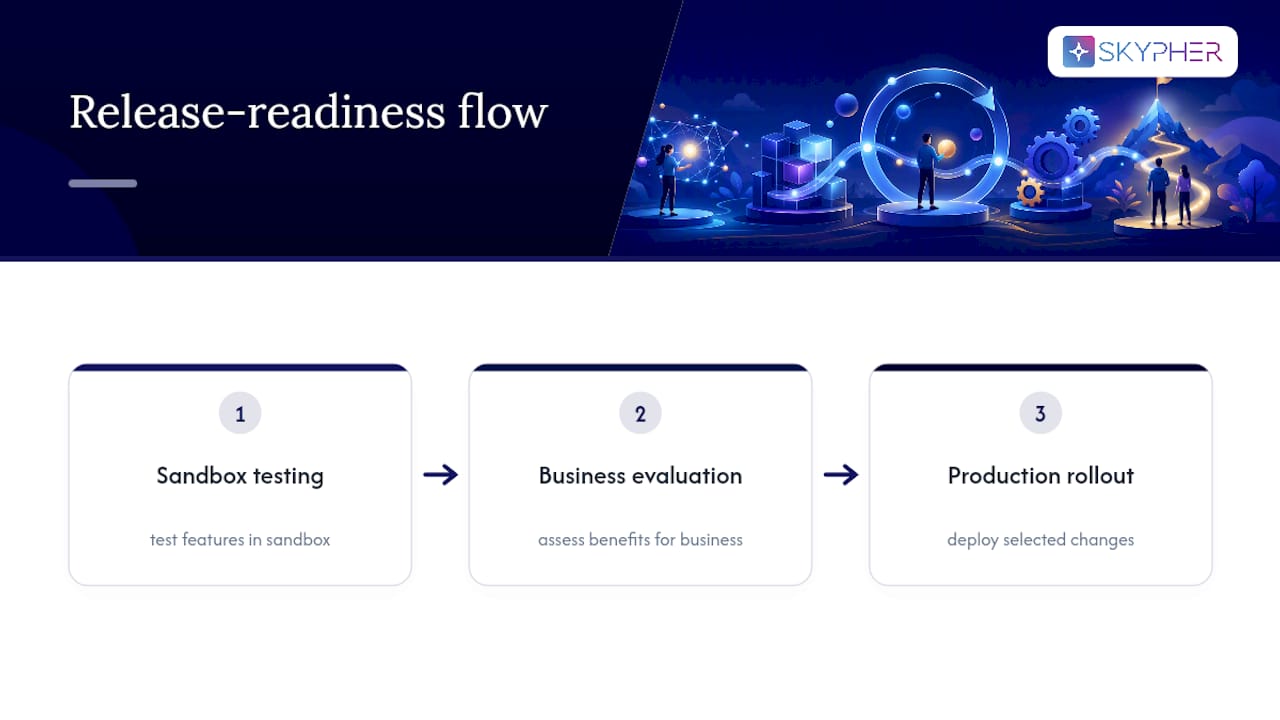
Product management, the newest pillar, means owning release readiness: testing new Salesforce features in a sandbox before they hit production and deciding which capabilities are worth rolling out to the business.
The CRM software market keeps growing, and that growth is exactly why admin skills stay in steady demand across industries.
What Does a Salesforce Admin Do Day to Day?
No two days look identical, but a working admin's calendar tends to follow a rhythm:
- Triage user requests, like a new hire needing a license or a rep locked out of a record type.
- Fix data issues flagged by the sales or support team.
- Adjust an automated Flow that's routing leads incorrectly.
- Update a dashboard before a leadership review.
- Test a pending release in a sandbox before it touches live data.
The tools behind that checklist are fairly consistent across companies. Flow handles process automation, from lead assignment to approval routing. Reports and dashboards turn raw records into visuals executives can scan in seconds. Data Loader and the Data Import Wizard move large batches of records in and out of the system. Sandboxes give admins a safe copy of the org to test changes before deploying them live. AppExchange packages extend Salesforce's native functionality, and integration monitoring keeps an eye on the connections between Salesforce and outside systems.
None of this happens in isolation. Admins coordinate with:
- Developers, when a request needs custom code beyond declarative tools
- IT and security teams, on access policies and compliance requirements
- Business stakeholders, who define what "working correctly" actually means for their team
Automating repetitive workflows, an idea our post on streamlining workflows with DocuSign templates explores in a related context, is often what separates an admin who's constantly firefighting from one who has time for strategic work.
What Skills and Certifications Do You Need?
Employers hiring for this role look for a specific mix of technical fluency and people skills, and most job postings assume both.
On the technical side, you'll need:
- Declarative configuration (building without writing code)
- Flow, for process automation
- Basic data modeling, understanding objects, fields, and relationships
- Report and dashboard building
- Comfort testing changes in a sandbox before deployment
On the business side, Salesforce itself frames the best admins as trusted advisors, not just system operators. That means stakeholder communication, the ability to ask the right questions before building a solution, and a habit of thinking about the platform as a product with users, not just a database with settings.
The learning path is well established. Start with Trailhead's guided trails, Salesforce's free learning platform, then work toward the Salesforce Administrator certification exam, which tests configuration, setup, and data management knowledge directly.
Pro Tip: Don't just complete Trailhead modules passively. Build something real in a free developer org, a dashboard, an automated Flow, anything, because hands-on projects make you far more hireable than a badge count alone.

Career Path and What Actually Moves Your Salary
Most admins start in a junior or generalist role handling user support and basic configuration. From there, the path typically bends toward senior admin, then into specialization, CPQ, Marketing Cloud, or a specific industry vertical, and eventually toward consultant, architect, or product owner roles that carry more strategic weight.
A few factors consistently influence compensation:
- Years of hands-on experience with production orgs, not just sandbox practice
- Number and type of certifications beyond the base Administrator credential
- Depth of specialization in a specific Salesforce cloud
- Company size and industry, since enterprise finance and tech roles tend to pay more than smaller nonprofits
- Geographic region, which shifts salary bands significantly
Given the CRM market's continued growth, demand for admins who can demonstrate cross-cloud knowledge isn't slowing down. The clearest way to signal seniority isn't tenure alone. It's a portfolio of real projects: a migration you led, an integration you configured, a release you tested and rolled out without incident.
Where to Learn Next
Start where every serious admin starts: a free Trailhead developer org, where you can break things without consequence and rebuild them correctly. This is your practice sandbox before you're ever responsible for a live one.
A few project ideas worth building before you apply for your first admin role:
- A sales pipeline dashboard pulling from mock opportunity data
- An automated lead-to-opportunity Flow with approval routing
- A cleaned dataset with deduplication rules and a validation report showing before-and-after data quality
Beyond Trailhead, join a local Salesforce user group or the Trailblazer community, where working admins swap real configuration problems and solutions. Following the Salesforce Admin blog keeps you ahead of release cycles instead of scrambling after they land.
Why Integration Literacy Is Now a Core Admin Skill
The Salesforce Administrator of a decade ago mostly lived inside one system. That's no longer true. Modern admins routinely manage integrations that connect Salesforce to Slack, Microsoft Teams, document repositories, and dozens of other enterprise tools, and that connective work has become as central to the job as configuring a permission set.
We've watched this shift firsthand in security and compliance workflows, where manual, repetitive processes used to eat entire weeks. Automated workflows, third-party integrations, and always-available support aren't luxuries in that environment; they're what lets a lean team keep pace with growing platform complexity. Some platforms aim to automate questionnaire and documentation work, which otherwise can consume many hours that admins might prefer to spend on strategic tasks. If your organization is scaling its Salesforce footprint alongside its compliance obligations, exploring Skypher's Trust Center is worth the twenty minutes it takes.
— Gaspard
Sources
- Salesforce Admin Role - Skills, Responsibilities & More - Trailhead
- What Is a Salesforce Administrator? | Salesforce blog
- What Is a Salesforce Administrator? And How to Become One - Coursera
FAQ
What Is the Salary of a Salesforce Admin?
Salary varies by experience level, certification count, cloud specialization, company size, and region, so there's no single accurate figure to quote. Generally, compensation climbs steadily with each additional certification and with specialization in a high-demand cloud like CPQ or Marketing Cloud.
What Is Needed to Become a Salesforce Administrator?
You need working knowledge of declarative configuration, Flow automation, data management, and reporting, typically built through Trailhead's free learning modules. Most candidates then pursue the Salesforce Administrator certification, which tests those same skills directly.
What Exactly Does Salesforce Do?
Salesforce is a customer relationship management platform that helps businesses track sales, service cases, and marketing activity in one connected system. Administrators are the people who configure and maintain that system so each department can actually rely on it.
Does Salesforce Require Coding?
No. Most administrator work is declarative, meaning you configure the platform through clicks, Flow builders, and setup menus rather than writing code. Coding becomes relevant only when you move toward developer-adjacent roles or highly custom implementations beyond standard admin work.