

Salesforce Privacy Center is a policy-driven data lifecycle automation suite built into the Salesforce platform. It automates data subject access requests, retention scheduling, deletion and right-to-be-forgotten workflows, and consent capture. For IT and compliance teams, it turns privacy compliance from a spreadsheet exercise into a set of auditable, repeatable policies backed by run logs.
TL;DR:
- Privacy Center requires the Manage Privacy Center Policies permission, which should be assigned carefully through dedicated permission sets to a small team.
- Policies should be narrowly scoped with thorough sandbox testing before deployment to prevent unintended data deletion or mishandling during production runs.
- Automating retention, deletion, and de-identification workflows depends on precise configuration, testing, and reversible exports, especially for high-risk or legal-sensitive data.
- Handling DSARs effectively involves structured request logging, mapping to existing policies, and verifying records aren't under legal holds before deletion.
- Combining Privacy Center with tools like Shield, Data 360, and Agentforce creates a comprehensive compliance stack that improves detection, locating records, and proactive remediation.
Table of Contents
- What Salesforce Privacy Center Actually Does
- How to Enable and Access Salesforce Privacy Center
- Configuring Retention, Deletion, and De-identification Policies
- Handling DSARs and Right-to-Be-Forgotten Requests
- Where Shield, Data 360, and Agentforce Fit In
- What Auditors Will Actually Ask For
- Common Pitfalls in Privacy Center Deployments
- A 90-Day Rollout Plan for Privacy Center
- Where Automation and a Trust Center Extend Privacy Center
- Sequencing Privacy Center for Enterprise Teams
- Turning Privacy Center Evidence Into Customer-Ready Proof
- Where to Go for the Official Details
- Sources
What Salesforce Privacy Center Actually Does
Most teams come to Privacy Center after outgrowing manual data purge scripts or ad hoc consent tracking in a custom object. What they find is a policy engine that sits natively inside Salesforce and handles four recurring jobs: retention, deletion, de-identification, and consent.
Privacy Center automates these tasks through configurable, policy-based workflows rather than one-off scripts. You define a policy once, point it at objects and fields, and it runs on a schedule, logging every execution.
The core capabilities break down into a few distinct functions:
- Retention policies that delete or move inactive records once they age past a defined threshold, rather than letting them sit indefinitely.
- De-identification and masking that strip or obscure personally identifiable fields while preserving record structure for analytics or reporting.
- Consent management forms, built with no-code tools, that capture and sync customer consent preferences directly into Salesforce records.
- Policy run logs that timestamp every execution, giving auditors a paper trail without you building one manually.
- Agentforce-assisted detection, which flags privacy gaps such as GDPR retention violations and suggests remediation steps before they become findings in an audit.
That last point matters more than it sounds. Agentforce doesn't just execute policies you've written; it actively scans for the ones you haven't written yet and prioritizes them by risk, according to the Privacy Center datasheet. That shifts part of the compliance burden from reactive cleanup to proactive detection, which is the direction most regulatory frameworks are pushing organizations anyway.
How to Enable and Access Salesforce Privacy Center
Turning on Privacy Center is not a single toggle. It's a permissions exercise first, a configuration exercise second, and enterprise orgs that skip the permissions step tend to end up with either too many cooks or a bottleneck at one admin.
The core requirement is the Manage Privacy Center Policies permission, which you assign through permission sets or custom profiles rather than granting broadly, according to Salesforce's own enablement documentation. Follow this sequence:
- Identify who actually needs policy authoring access. This is usually a small group: a privacy officer, one or two senior admins, and a compliance lead, not your full IT staff.
- Create a dedicated permission set for Manage Privacy Center Policies rather than layering it onto an existing broad admin profile.
- Assign that permission set to the named individuals identified in step one, and document the assignment for your audit trail.
- Provision a full sandbox that mirrors production data volume and structure before enabling anything live.
- Run a preflight test in that sandbox: build a sample retention policy, execute it, and confirm the run log captures the expected detail.
- Only after the sandbox test passes should you assign the permission set in production.
Pro Tip: Treat the sandbox preflight as non-negotiable, not a nice-to-have. A retention policy that behaves correctly in a small sandbox can behave very differently against millions of production records, especially where lookup relationships or master-detail cascades are involved.
Skipping the sandbox step is the single most common mistake teams make when they're excited to get Privacy Center live quickly. It's also the one that costs the most to fix after the fact.
Configuring Retention, Deletion, and De-identification Policies
Policy configuration is where Privacy Center earns its keep, and where sloppy setup does the most damage. You're essentially telling Salesforce which records to touch, when, and how permanently.
Start by scoping the policy narrowly. Select the specific objects, fields, and related attachments the policy governs rather than applying a blanket rule across an entire object type. A retention policy on the Contact object, for instance, should specify whether it also cascades to related Cases, Attachments, or Custom Objects storing sensitive notes. Leaving that ambiguous is how organizations accidentally delete records they meant to keep.
For retention periods, most enterprise teams settle into one of two patterns:
- Move-to-retention-store, where aged records shift into a lower-cost, restricted-access store instead of being deleted outright, preserving them for potential legal or audit needs.
- Hard deletion, reserved for data where regulatory guidance explicitly calls for erasure rather than storage, such as certain marketing consent withdrawals.
De-identification sits between those two options. Rather than deleting a record, you strip or mask the fields that make it personally identifiable, keeping the record's structure intact for reporting or analytics. This works well for historical support case data you want to keep for trend analysis but no longer need tied to a real name or email address.
Before any policy touches production, test it against a sandbox copy with realistic volume, then run it once in production against a narrow, low-risk subset before scaling up. Keep a reversible export of anything a deletion policy would touch, at least for the first several production runs, until you trust the policy's scope is exactly what you intended.
Pro Tip: Build your first three or four policies around your lowest-risk data sets, even if your highest-risk data is the reason you bought Privacy Center. You want your first production incident, if there is one, to involve stale newsletter sign-ups, not customer financial records.
Handling DSARs and Right-to-Be-Forgotten Requests
A data subject access request usually arrives with a deadline attached, which is exactly why manual DSAR handling breaks down at scale. Privacy Center gives you a structured intake and execution path instead of a shared inbox and a checklist someone forgets to finish.
- Log the request inside Privacy Center's intake tracking as soon as it arrives, capturing the requester's identity and the specific rights being invoked (access, deletion, or portability).
- Map the request to existing policies rather than building a one-off response. If your retention and deletion policies are well scoped, most DSARs become a matter of executing an existing policy against one individual's records rather than authoring something new.
- Execute the deletion or export. For portability requests, this typically means generating a structured export of the individual's data across all mapped objects.
- Capture evidence of completion, including the policy run log, the timestamp, and the scope of records affected, before closing the request.
- Check for holds. Before finalizing any deletion, confirm the affected records aren't under a legal or audit hold, since automated deletion doesn't distinguish between routine data and data preserved for litigation unless you've configured Hold Reasons correctly.
Third-party data complicates this further. If a customer's data has been shared with a downstream processor or synced to an external system, your DSAR isn't complete until you've confirmed that propagation, something Privacy Center tracks within Salesforce but can't reach into third-party systems for automatically.
Where Shield, Data 360, and Agentforce Fit In
Privacy Center doesn't operate alone, and understanding what it's not responsible for is as important as understanding what it does.
- Salesforce Shield handles detection and monitoring, not lifecycle execution. Its Data Detect feature scans for sensitive information sitting in fields you didn't expect, and Event Monitoring gives you granular access logs. According to the Trailhead module on Privacy Center, Privacy Center is built for lifecycle management, not real-time blocking, so pairing it with Shield's detection layer closes a real gap.
- Data 360 helps you locate records across a fragmented org, which directly improves DSAR completeness. A request that only touches the objects your policy author remembered to include is an incomplete response; Data 360's discovery capabilities catch what manual mapping misses.
- Agentforce layers AI-assisted detection and remediation on top of both, flagging retention violations and suggesting fixes rather than waiting for a scheduled policy run to surface them.
Treat these as a stack rather than a choice. Privacy Center executes; Shield detects and monitors; Data 360 locates; Agentforce watches for what the other three miss. Financial services organizations, in particular, tend to layer these together as part of broader process compliance efforts that span more than privacy alone.
What Auditors Will Actually Ask For
When an auditor or regulator comes calling, they want proof of execution, not a description of your policies. Preserve these artifacts as you go rather than trying to reconstruct them later:
- Policy run logs and execution histories for every retention, deletion, and de-identification job, including timestamps and record counts.
- DSAR completion evidence, tying each request to the specific policy execution that resolved it.
- Off-platform retention store configurations. Many organizations route masked or deleted data into a separate Hyperforce-based store specifically to preserve forensic evidence while keeping it out of production, according to Salesforce's Trailhead guidance.
- Exportable log formats your compliance team can hand to an external auditor without granting that auditor direct Salesforce access.
Building this habit early is far easier than reconstructing a year of policy history after the fact.
Common Pitfalls in Privacy Center Deployments
Most Privacy Center incidents trace back to one of a small handful of avoidable mistakes, and nearly all of them show up during scaling, not initial setup.
- Running mass deletions without a dry run. A policy that looks correct on paper can capture more records than intended once relationship cascades are involved. Test at scale before you trust the scope.
- Forgetting litigation holds. Configure Hold and Hold Reasons before any automated deletion job goes live in production, since Salesforce's own guidance on handling privacy requests treats this as a baseline safeguard, not an advanced feature. A deletion policy with no hold check will happily remove records a legal team is actively relying on.
- Skipping sandbox testing for policy changes, especially minor-seeming ones like adding a new field to an existing retention policy.
- No rollback plan. Keep a reversible export of anything a deletion policy touches for at least your first several production runs.
- Undocumented governance. If your legal, security, and compliance teams aren't formally signing off on policy changes, you'll struggle to prove intentional design during an audit rather than accidental scope.
Pro Tip: Assign a single owner for hold management, separate from the person authoring retention policies. Splitting these roles creates a natural check: the policy author can't quietly delete something the hold owner flagged, because they're not the same person. This kind of separation of duties is also worth building into your broader compliance automation risk framework, since privacy deletion policies are one of several automation surfaces that benefit from the same governance discipline.
A 90-Day Rollout Plan for Privacy Center
Enterprise rollouts tend to succeed when they follow a deliberate sequence rather than trying to configure everything simultaneously.
- Weeks 1 to 3: Inventory where PII actually lives across your org and map it against the regulations that apply to your industry and customer base.
- Weeks 4 to 5: Enable Privacy Center access, assign the Manage Privacy Center Policies permission through dedicated permission sets, and complete sandbox preflight testing.
- Weeks 6 to 9: Pilot your first two or three retention or de-identification policies on low-risk data, then test a handful of real DSAR requests through the full intake-to-completion workflow.
- Weeks 10 to 12: Integrate policy run logging into your broader audit reporting, train stakeholders across legal and compliance, and schedule your first formal audit evidence collection.
Teams that rush this timeline usually end up repeating step one after a near-miss with an over-broad deletion policy.
Where Automation and a Trust Center Extend Privacy Center
Privacy Center's scope ends at policy execution inside Salesforce. It generates the logs and evidence; it doesn't package that evidence for a customer asking about your compliance posture or a security team running a vendor questionnaire.
That's the gap a platform like Skypher fills. Ingesting Privacy Center's policy run logs and DSAR completion records through API or webhook connections lets a compliance team assemble a customer-ready evidence package without manually exporting and reformatting logs for every request. The key discipline: preserve original timestamps and run log detail through that ingestion so the packaged evidence stays traceable back to the exact Salesforce policy execution it came from.

Skypher's questionnaire automation approach works from the same principle. It doesn't replace what Privacy Center does inside Salesforce; it takes what Privacy Center already produced and gets it in front of the people asking for proof, faster than a manual export ever could.
Sequencing Privacy Center for Enterprise Teams
Native policies come first, always. Automation layered onto weak or nonexistent retention and deletion policies just automates bad data hygiene faster. Get your Privacy Center policies scoped, tested, and running cleanly in production before you invest heavily in downstream automation.
Governance alignment matters more than most rollout plans admit. Security teams tend to think in terms of detection and Shield. Legal teams think in terms of hold obligations and DPA language. Product teams think in terms of shipping features without breaking data flows. If those three groups aren't reviewing policy changes together, someone's assumptions will eventually contradict someone else's.
My sequencing recommendation for large organizations: policies first, holds and sandbox discipline second, audit logging third, and automation or Trust Center integration last, once the foundation is stable enough to trust what you're automating.
— Gaspard
Turning Privacy Center Evidence Into Customer-Ready Proof
There's a real gap between having clean Privacy Center policy logs and having something you can hand a prospect's security team during due diligence. Skypher is built for that second half of the problem: turning the evidence your privacy stack already generates into something that actually answers a questionnaire.

Skypher's Questionnaire Automation Tool pulls from your existing documentation, including exported compliance logs, and drafts accurate answers to security reviews in a fraction of the time a manual response takes. A typical workflow looks like this: export your Privacy Center run logs and DSAR evidence, feed them into Skypher through its import and export workflows, and let the AI recommendation engine surface the right answers when a prospect asks how you handle deletion requests or consent tracking. Pair that with a Trust Center that publishes your compliance posture publicly, so fewer questionnaires even need to be filled out by hand. If your team is spending hours reassembling privacy evidence for every deal cycle, book a Skypher demo and see what that process looks like automated.
Where to Go for the Official Details
For configuration specifics straight from the source, start with the Privacy Center product page and its datasheet, work through the Trailhead module for hands-on practice, and consult Salesforce's privacy overview for DPA and legal reference material.
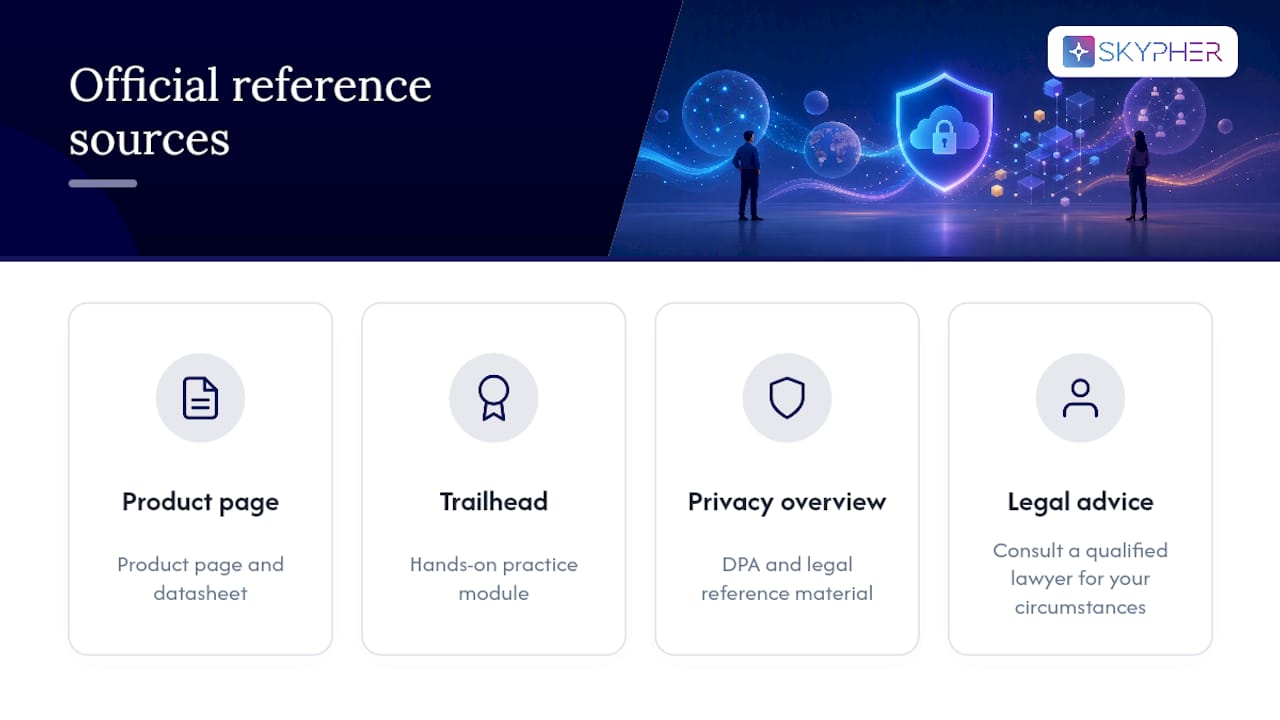
This article is general information, not a substitute for advice from a qualified lawyer. Consult a qualified legal professional about your own circumstances before acting on anything here.
Sources
- Privacy Center — Salesforce
- Enable Access to Privacy Center — Salesforce Help
- Get to know Privacy Center — Trailhead module