

In this context, risk register software means an AI-driven platform that automates security questionnaire responses and centralizes them in one searchable knowledge base, not the operational risk logs used for project tracking. The verdict: choose a solution built on semantic matching and confidence scoring, tied directly into your GRC and evidence stores, rather than a static template library. Teams that make this switch typically see response cycles drop and get answers backed by citations SMEs can verify.
TL;DR:
- Risk register software should use semantic matching and confidence scoring linked to GRC systems to ensure accurate, up-to-date responses grounded in live evidence.
- Vendors must demonstrate NLP capabilities, source citations, evidence-gap detection, and secure, integrated workflows with audit trails for reliable automation.
- Effective pilots involve selecting a small set of questionnaires, connecting core documents, and measuring improvement in approval times, response speed, and knowledge reuse.
- ROI typically manifests as response time reductions of 60 to 80 percent, cost savings, and higher answer reuse rates, with deployment often taking between 4 to 12 weeks.
- Scalability depends on supporting multiple teams, role-based access, and shared knowledge bases that adapt to large enterprise needs without fragmenting data.
Table of Contents
- What Should Risk Register Software Actually Do?
- How Does Questionnaire Automation Actually Work?
- How Do You Pilot Risk Register Software?
- What ROI and Timeline Should You Expect?
- Why Trust This Recommendation on Security Questionnaire Automation?
- Does the Interface Actually Matter for Adoption?
- What Should You Expect to Pay?
- How Does This Fit Your Existing GRC Setup?
- Can the Platform Scale With Your Organization?
- What Should You Do Next?
- How Skypher Maps to This Checklist
- Sources
What Should Risk Register Software Actually Do?
Most procurement and security teams have sat through a demo that sounded impressive and then watched the tool choke on a CAIQ variant it had never seen. That's the gap between marketing and mechanics. Before you sign anything, hold the vendor to a specific list of capabilities.
Here's what we'd put in front of any vendor during evaluation:
- NLP and semantic matching that recognizes the same question asked five different ways across SIG, CAIQ, and custom portal formats.
- Confidence scoring and source citations on every generated answer, so reviewers know exactly which responses need a second look versus which are safe to submit as drafted.
- Evidence-gap detection that flags when a question can't be answered from current documentation instead of silently guessing.
- GRC and enterprise integrations, including multiformat ingestion (PDF, Word, Excel, portal uploads) and connections to platforms your compliance team already relies on.
- Audit trail and version history, with SME routing and approval workflows that gate every AI-drafted answer behind a human sign-off.
- Security controls and scale, meaning SSO, role-based access control, and multilingual support if you operate across regions.
Grounding answers in live compliance data rather than static templates is what separates a genuinely accurate tool from a fancier version of copy-paste, and platforms that integrate directly with GRC systems produce more defensible answers than ones relying on stale content libraries.
Pro Tip: Ask any vendor to show you a low-confidence answer, not just a high-confidence one. How the tool flags uncertainty tells you more about its reliability than any polished demo answer ever will.
How Does Questionnaire Automation Actually Work?
The workflow behind a serious automation platform follows a consistent shape, even though every vendor markets it differently. Understanding each stage helps you know where your team's judgment still matters and where the software should be doing the heavy lifting.
- Ingest: the platform accepts questionnaires in whatever format they arrive, whether that's a locked Excel workbook, a PDF scan, or a vendor's own web portal.
- Map: each question gets matched semantically to your internal policies, prior responses, and audit reports, not just keyword-searched against a glossary.
- Draft: the system generates an answer with a citation back to the source document and a confidence score attached.
- Route: anything below a confidence threshold, or anything touching a sensitive policy area, gets sent to the right subject matter expert with a full audit trail of who reviewed what and when.
- Submit and archive: the finished response goes out in the requested format and gets stored for reuse on the next questionnaire that asks the same thing in different words.
This sequence is what lets teams cut assessment cycles from weeks to hours instead of reformatting the same answers by hand every time a new spreadsheet lands in the inbox. The point isn't to remove your analysts from the process.
How Do You Pilot Risk Register Software?
Rolling this out at an enterprise scale doesn't require a company-wide mandate on day one. It requires a tightly scoped pilot with clear owners and a short list of numbers you're actually watching.
- Pick a narrow scope. Five to ten real questionnaires, with named owners from compliance, security, and procurement, gives you a fair test without overwhelming the SME team.
- Consolidate your source documents. Policies, prior answers, SOC 2 reports, and audit evidence all need to live somewhere the platform can actually read them, and your GRC and evidence stores need a live connection, not a one-time export.
- Configure routing and approval SLAs. Decide upfront which question categories need SME sign-off and how fast that approval has to happen.
- Run the pilot and measure it. Track SME approval rates, time spent per questionnaire, and the confidence scores the system is generating on its own.
- Expand deliberately. Add connectors, broaden the knowledge base, and assign clear ownership for keeping both current as your program scales.
A good starting point is piloting on inbound client questionnaires first, since these carry the highest sales-cycle stakes and generate the knowledge-base entries you'll reuse most often. Pilots at this stage reach initial deployment in a matter of weeks, with most teams hitting full optimization after a few months.
What ROI and Timeline Should You Expect?
Pilots typically stand up in 2 to 6 weeks, and production rollout follows in 4 to 12 weeks depending on how many connectors and frameworks you're mapping. The metrics worth reporting to stakeholders are average response time, cost per questionnaire, SME approval rate, and how often the knowledge base gets reused without a fresh SME review.
Industry ranges show cycle times shifting from weeks to days, with organizations seeing 60 to 80% reductions in response time once automation is deployed properly, alongside substantial cost savings compared to fully manual review.
| Metric | Manual process | Automated process |
|---|---|---|
| Cycle time | Weeks | Days |
| Time reduction | Baseline | 60 to 80% lower |
| Cost per questionnaire | Baseline | Meaningfully lower with automation |
| Reuse rate | Low, mostly copy-paste | High, driven by knowledge base |
To make the ROI case internally, multiply hours saved per questionnaire by your analyst's loaded hourly rate, then add the harder-to-quantify benefit of faster deal velocity when security review stops being the bottleneck in a sales cycle.
Why Trust This Recommendation on Security Questionnaire Automation?
This assessment comes from tracking how enterprise security and compliance teams actually evaluate and deploy questionnaire automation, not from a vendor brochure. A few things worth verifying yourself during any demo:
- Whether the platform's AI confidence scoring is built on proprietary models rather than a thin wrapper around general-purpose AI.
- Whether it can genuinely parse every questionnaire format your vendors send, not just the common ones.
- Whether the audit trail captures every SME decision, not just the final submitted answer.
- Whether the vendor supports the specific GRC and evidence tools your team already runs.
Skypher, for instance, has built its Questionnaire Automation Tool around exactly this bar: an AI confidence score powered by proprietary retrieval models, integrations with 40+ third-party risk platforms, and the ability to answer up to 200 questions in under one minute. Guides like Skypher's GRC risk register integration walkthrough are worth reading before your first demo.
The gap between a template library and a genuinely automated answer is live data. Static answers go stale the moment a policy changes; grounded answers update the moment the source document does.
Does the Interface Actually Matter for Adoption?
A platform can have flawless retrieval accuracy and still fail if the people using it daily find it clunky. Interface quality decides whether a compliance analyst adopts the tool or quietly reverts to copying answers from last quarter's spreadsheet.
Look for a workspace that shows the source citation and confidence score right next to the draft answer, not buried in a separate tab. Real-time collaboration matters more than it sounds: when security, sales engineering, and compliance can all edit and comment on the same draft simultaneously, questionnaires stop bouncing between inboxes as attachments. Version history should be visible inline, so anyone can see exactly what changed between the last submission and this one without digging through email threads.
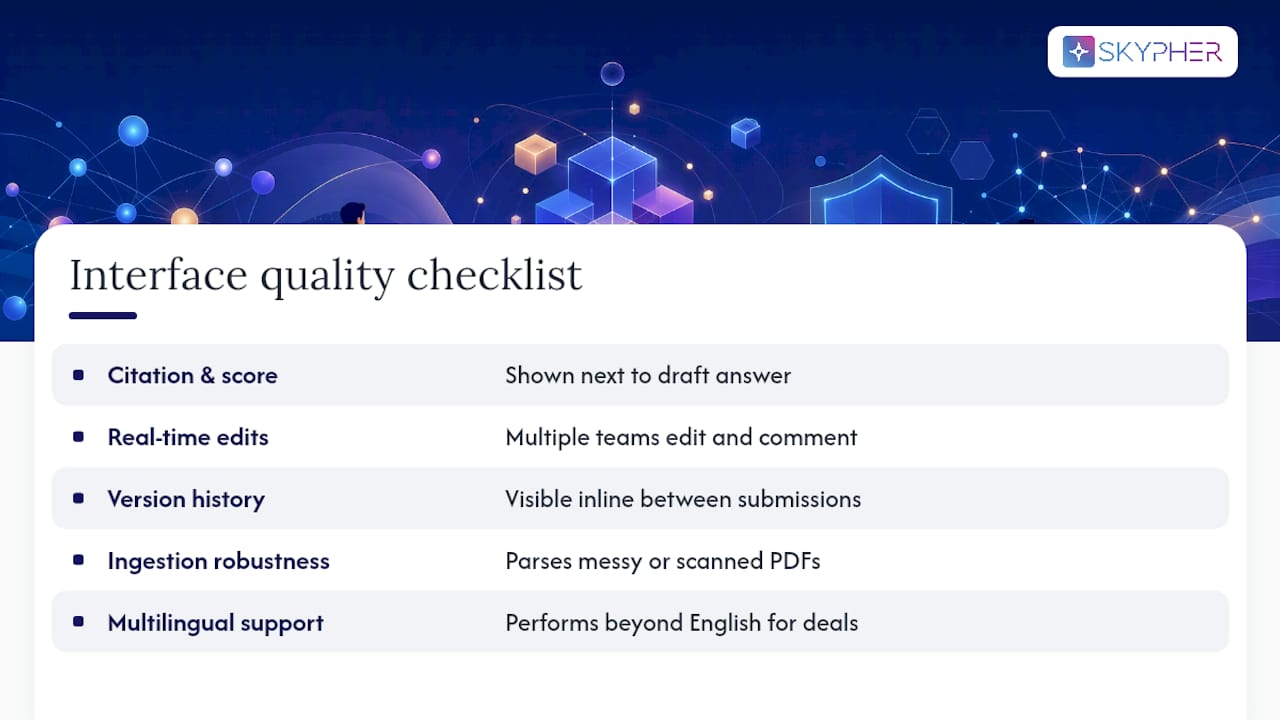
Usability also shows up in how the platform handles messy inputs. A scanned PDF questionnaire with inconsistent formatting is a genuine test of whether the ingestion engine works or just claims to. If a platform requires your team to manually reformat every incoming file before it can parse it, you haven't automated the workflow. You've just moved the manual work one step earlier.
Multilingual support belongs in this conversation too. Global vendors send questionnaires in the language of their home market, and a tool that only performs well in English creates a silent bottleneck for international deals. Test this directly during any evaluation rather than taking it on faith.
What Should You Expect to Pay?
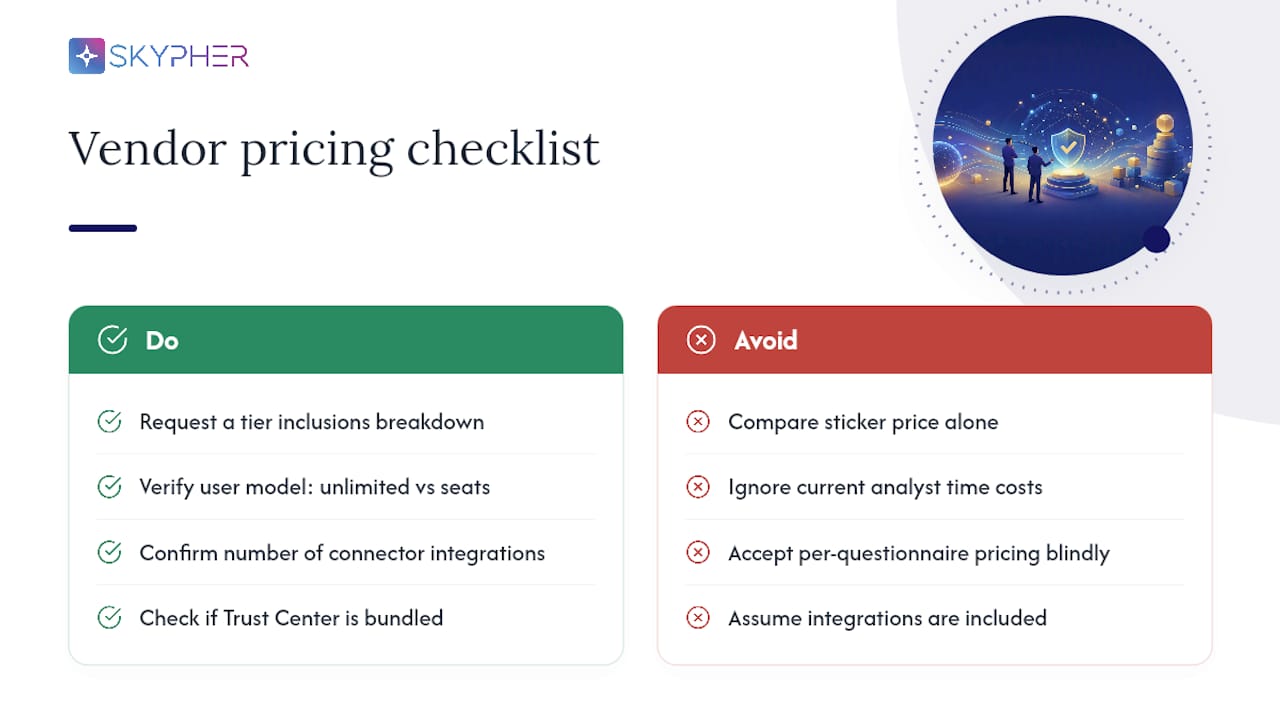
Pricing in this category is almost always quote-based rather than published as a flat rate, because the cost scales with your questionnaire volume, number of users, and how many integrations you need active. That makes total cost of ownership a more useful comparison point than sticker price alone.
The real cost question isn't the subscription fee. It's what you're paying today in analyst hours, missed deal deadlines, and duplicated work across teams that don't share a knowledge base. A platform priced higher than a bare-bones template tool can still come out cheaper once you factor in the SME time it frees up and the deals it helps close faster.
When comparing quotes, ask vendors to break down what's included at each tier: unlimited users versus seat-based pricing, the number of connector integrations, and whether a Trust Center is bundled or sold separately. Some platforms charge per questionnaire processed, which can get expensive fast for teams handling high volumes; others charge a flat enterprise rate regardless of volume, which tends to favor larger teams. Enterprise support availability, including whether it's 24/7, is another line item worth pinning down before you sign, since a platform that goes quiet during a compliance deadline defeats the purpose of automating in the first place.
How Does This Fit Your Existing GRC Setup?
Questionnaire automation doesn't replace your GRC program. It should sit on top of it, pulling live evidence from the frameworks and controls you've already documented rather than duplicating that work in a separate silo.
The integration question to ask any vendor is specific: does the platform connect directly to your GRC platform's evidence repository, or does someone on your team have to manually export and re-upload documents every time a control gets updated? Automating this connection instead of relying on emails and spreadsheets is what keeps answers accurate as your compliance posture evolves.
This matters most for teams running multiple frameworks at once. SOC 2, ISO 27001, and industry-specific requirements all generate overlapping but not identical evidence, and a platform that maps questions against all of them simultaneously saves real time compared to running separate systems for each. Resources like Skypher's guide to GRC compliance software and its roundup of GRC tools for risk management are useful reading if you're still mapping out how questionnaire automation should sit alongside your broader risk program.
Can the Platform Scale With Your Organization?
A tool that works cleanly for a 50-person startup answering the occasional questionnaire behaves very differently at a 2,000-person enterprise processing dozens weekly across multiple product lines and legal entities.
Scalability shows up in a few concrete places. Can the platform handle multiple products or business units with separate knowledge bases that still share a common core of company-wide policies? Can it support role-based access so a procurement team member sees different content than a security engineer, without duplicating the underlying data? And does customization mean genuinely tailoring templates and workflows, or just relabeling a fixed set of fields the vendor already built?
Complex enterprise setups, particularly organizations with multiple products or subsidiaries, need a platform that can segment knowledge without fragmenting it. If every business unit needs its own isolated instance with no shared learning between them, you lose most of the efficiency gain that made automation worth adopting in the first place. The stronger model keeps a unified core knowledge base with the flexibility to route, brand, and format outputs differently depending on which team or entity is answering.
What Should You Do Next?
Risk register software, in this sense, means AI-driven questionnaire automation grounded in live evidence, and the fastest path to results is a tightly scoped pilot, not a full rollout.
- Verdict: pick a platform with semantic matching, confidence scoring, and GRC integration over a static template tool.
- This week: name a pilot owner from compliance or security and select 5 to 10 real questionnaires to run through it.
- Track these: SME approval rate, time per questionnaire, and confidence scores from week one onward.
| Timeframe | What to expect |
|---|---|
| Weeks 1 to 6 | Pilot running, source documents connected, first metrics collected |
| Weeks 4 to 12 | Production rollout, expanded connectors, measurable cycle-time drop |
Where Is Questionnaire Automation Headed?
We expect AI analysts to move from drafting answers to continuously syncing evidence in the background, catching policy drift before a questionnaire even arrives. Human review isn't going away. Governance still gates every answer that matters. If that direction fits your roadmap, requesting a demo or pilot now beats waiting for the tooling to mature around you.
— Gaspard
How Skypher Maps to This Checklist
Skypher is built around the exact criteria this article walks through: an AI confidence score from proprietary retrieval models, connectors across 40+ third-party risk platforms including OneTrust and ServiceNow, real-time collaboration inside Slack and Microsoft Teams, and the ability to answer up to 200 questions in under a minute without skipping citations or audit trails.

Where most template-based tools force you to choose between speed and accuracy, Skypher's AI-powered recommendation engine drafts grounded answers with source citations attached automatically, and every response routes through SME approval before it ships. Pair that with a customizable Trust Center for the commoditized requests that don't need a custom answer, and your team spends its time on the questionnaires that actually require judgment. If your pilot scope is already narrowed down to a handful of real questionnaires, the next step is straightforward: start a demo of Skypher's questionnaire automation tool and see how it handles your own document set before you commit to a rollout.
Sources
- How to Automate Vendor Questionnaire Review: A Step-by-Step Guide for TPRM Teams
- Security Questionnaire Automation: How to Cut Response Time by 80% - Integrated GRC Platform for Compliance, Risk & Security Governance
- Why and How to Implement Security Questionnaire Automation | Bitsight