

TL;DR:
- Manual security questionnaires are inefficient, error-prone, and cause deal delays.
- Centralizing accurate responses and using purpose-built automation tools improves speed and consistency.
- Ongoing monitoring and regular content updates are essential for maintaining automation effectiveness.
Security questionnaires pile up fast. For compliance and risk teams at mid to large tech and finance organizations, a single vendor review can eat hours of cross-functional effort, pulling in security engineers, legal, and compliance officers just to answer questions you've answered a dozen times before. Deals stall. Relationships get strained. And the worst part? Most of that time is spent on repetitive, manual work that adds zero strategic value. This guide walks you through a practical, step-by-step approach to assessing your current process, building the right resources, selecting the best tools, and keeping your automation running at peak performance.
Table of Contents
- Assessing your current security questionnaire workflow
- Gathering and preparing resources for automation
- Choosing and implementing the right automation tools
- Maintaining, monitoring, and continuously improving your process
- A fresh perspective: Why 'set and forget' fails in questionnaire automation
- Next steps: Streamline your security questionnaires with the right solution
- Frequently asked questions
Key Takeaways
| Point | Details |
|---|---|
| Start with process review | Understanding your current workflow reveals the biggest bottlenecks and improvement opportunities. |
| Centralize resources early | Organizing knowledge and roles before automation is key to long-term efficiency. |
| Choose the right tool | Purpose-built automation software delivers greater accuracy and speed than generic RFP solutions. |
| Invest in ongoing improvement | Streamlining is a continuous practice—schedule reviews and update your knowledge regularly. |
Assessing your current security questionnaire workflow
Before you can fix a broken process, you need to see it clearly. Most teams underestimate how much time they actually lose to manual questionnaire work because the pain is spread across multiple people and systems.
Start by mapping every stage of your current workflow: intake (how questionnaires arrive), assignment (who picks them up), response (who writes the answers), and review (who approves before sending). For each stage, note the tools being used, the average time spent, and where things tend to get stuck.
| Workflow stage | Current tool | Avg. time spent | Main bottleneck |
|---|---|---|---|
| Intake | Email / shared inbox | 30 min | No triage system |
| Assignment | Manual / spreadsheet | 20 min | Unclear ownership |
| Response | Word / Google Docs | 3 to 5 hours | No reusable answers |
| Review | Email back-and-forth | 1 to 2 hours | Version control issues |
| Submission | Manual upload | 30 min | Format mismatches |
The pattern here is familiar. Manual workflows are prone to errors and delays in ways that automated options simply are not. Without a centralized knowledge base, every responder is essentially starting from scratch. Answers drift across documents. Reviewers catch inconsistencies at the last minute. Deadlines slip.
For teams serious about streamlining compliance workflows, understanding where time actually goes is the first honest step. You can also review best practices for IT security admins to benchmark your current setup against industry standards.
Here are the warning signs that your process urgently needs attention:
- The same questions get answered differently across questionnaires
- Responses require input from five or more people for a single document
- Your team regularly misses vendor deadlines or requests extensions
- There is no single source of truth for approved security answers
- New team members take weeks to become productive on questionnaire work
- Errors or outdated information slip through to final submissions
If three or more of these apply, your current workflow is costing you more than you realize, both in time and in deal velocity.
Gathering and preparing resources for automation
With your baseline mapped, it's time to lay the groundwork for efficiency with the right materials and team setup. Automation tools are only as good as the content you feed them. Garbage in, garbage out is a real risk here.
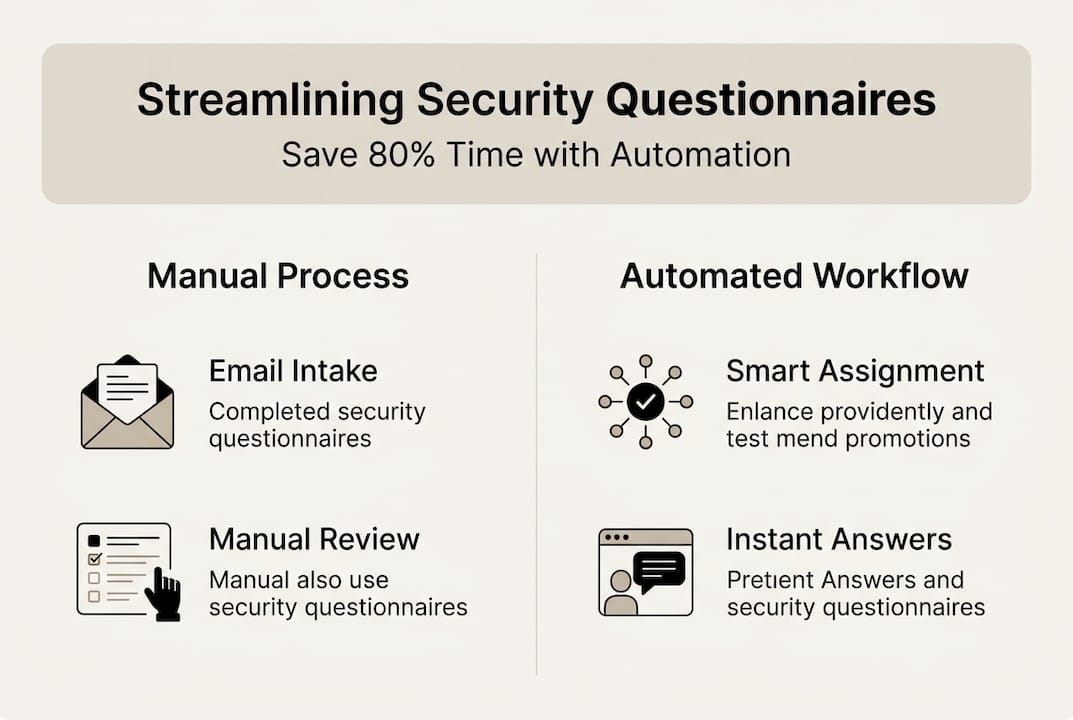
The first task is centralizing everything you already have. Pull together past questionnaire responses, security policies, compliance certifications, architecture documentation, and any approved boilerplate language your team uses. Preparing a database of accurate answers lays the foundational groundwork for effective automation and dramatically reduces the ramp-up time for any tool you deploy.
You'll need the right people involved from the start. The core team typically includes:
- Compliance officers: Own the accuracy of policy-related answers
- Technical writers or security engineers: Handle technical response content
- IT support: Manage integrations, access controls, and repository setup
- Legal or privacy counsel: Review answers touching on data handling or contracts
- Project owner: Coordinates timelines and drives the process forward
For repository structure, keep it simple but logical. Organize by category (access control, data encryption, incident response) rather than by questionnaire sender. This makes answers reusable across different clients and frameworks.
Your preparation checklist should include:
- All current security policies in final, approved form
- Completed questionnaires from the past 12 months
- Active compliance certifications (SOC 2, ISO 27001, etc.)
- Approved answer language reviewed by legal
- A tagging or labeling system for easy search and retrieval
For teams handling sensitive user data, user data security considerations are worth reviewing as you build your content library. You want every answer to reflect your actual security posture, not just what sounds good.
For teams looking to achieve faster security responses, this preparation phase is what separates organizations that see immediate ROI from those that struggle after deployment. A solid security build guide can also help you structure this phase effectively.
Pro Tip: Ask reviewers to flag any answer they're uncertain about during the content collection phase. Build a separate "needs verification" list. This becomes your quality backlog and prevents bad data from entering your knowledge base.
Choosing and implementing the right automation tools
Once resources are organized, selecting the right technology is critical for creating measurable gains in speed and accuracy. Not all tools are built for this job.
The biggest mistake teams make is defaulting to a generic RFP platform because it's already in the tech stack. These tools handle proposal content well, but security questionnaires have unique demands: regulatory language, technical specificity, and the need for consistent, defensible answers.
| Feature | Purpose-built security tool | Generic RFP platform |
|---|---|---|
| AI accuracy rate | 80 to 95% | 40 to 60% |
| Security-specific knowledge base | Yes | Rarely |
| Compliance framework support | Built-in | Manual setup |
| Format support (CAIQ, SIG, custom) | Native | Limited |
| TPRM platform integrations | 30+ connectors | Few or none |
Purpose-built tools achieve 80 to 95% accuracy, outperforming generic RFP solutions by a wide margin. That gap matters enormously when you're submitting answers that represent your organization's security posture to enterprise clients.
Here's a practical deployment sequence:
- Define your requirements: List must-have integrations, supported formats, and team size needs
- Shortlist two to three vendors: Focus on purpose-built tools with proven compliance use cases
- Run a pilot on historic questionnaires: Test accuracy against answers you already know are correct
- Evaluate the knowledge base experience: Can your team update and manage it without IT help?
- Assess onboarding support: Look for vendors offering structured implementation, not just documentation
- Roll out in phases: Start with one team or questionnaire type before full deployment
For a deeper look at questionnaire completion strategies and a side-by-side review of leading platforms, explore the best automation software options available today. You can also review AI collaboration tools that integrate well with security workflows.
Pro Tip: Always run your shortlisted tools against five to ten real historical questionnaires before committing. This gives you an honest accuracy benchmark and reveals how well the tool handles your specific content, not just generic demos.
Maintaining, monitoring, and continuously improving your process
With automation in place, it's essential to make your streamlined solution sustainable and error-resistant. The setup is the easy part. Keeping it sharp over time is where most teams fall short.

Ongoing process monitoring secures lasting improvements and reduces error recurrence. Build a rhythm of regular reviews into your team calendar, not as a burden, but as a short, focused check-in on what the data is telling you.
Key metrics to track:
- Time to complete: Average hours from intake to submission, tracked per questionnaire type
- AI acceptance rate: Percentage of AI-suggested answers accepted without edits
- Error rate: Number of corrections flagged during review or post-submission
- Knowledge base coverage: Percentage of questions answered automatically vs. requiring manual input
- Reviewer feedback scores: Internal ratings from team members on answer quality
- Deadline adherence: Percentage of questionnaires submitted on time
"Neglecting review cycles quickly erodes automation gains. What worked perfectly at launch can become a liability within two quarters if your knowledge base doesn't keep pace with your actual security posture."
Edge cases deserve a dedicated process. Some questionnaires will include questions your knowledge base can't answer confidently, whether due to unusual frameworks, niche compliance requirements, or new product lines. Create a simple exception log where these questions are captured, routed to the right subject matter expert, and then added back to the knowledge base once resolved.
For ongoing streamlining questionnaire tips and detailed guidance on best practices for automation, revisiting your process documentation quarterly keeps your team aligned and your answers current.
A fresh perspective: Why 'set and forget' fails in questionnaire automation
Here's something most vendor guides won't tell you: the teams that see the biggest long-term gains from automation are not the ones with the most sophisticated tools. They're the ones that treat automation as a living practice, not a one-time project.
We've seen organizations invest significantly in purpose-built platforms, achieve impressive early results, and then quietly watch those gains erode over 12 to 18 months. The reason is almost always the same. Nobody owned the knowledge base. Regulations changed. New products launched. The threat landscape shifted. And the answers in the system slowly drifted out of alignment with reality.
The uncomfortable truth is that automation amplifies whatever is already in your knowledge base, good or bad. If your content is stale, your tool will confidently deliver stale answers at scale. That's worse than manual work, because at least manual reviewers catch outdated information.
Assign a named owner for automation relevance. This person schedules quarterly reviews, collects feedback from reviewers, and monitors for regulatory changes that affect your standard answers. They don't need to be a full-time role, but they do need clear accountability. Reviewing expert tool comparisons periodically also helps you stay current on whether your platform is still the best fit as your organization scales.
Automation is a multiplier. Make sure what it's multiplying is accurate.
Next steps: Streamline your security questionnaires with the right solution
If you're serious about transforming your process, the right tool is your accelerant. The strategies in this guide only reach their full potential when paired with a platform built specifically for security questionnaire automation.

Skypher's AI questionnaire automation tool is purpose-built for compliance and risk teams at tech and finance organizations. The platform's AI recommendation engine delivers high-accuracy answer suggestions drawn from your own knowledge base, while import/export workflows handle every format your vendors throw at you. With integrations across 40-plus TPRM platforms and real-time collaboration built in, Skypher is designed to cut completion time dramatically without sacrificing accuracy or compliance integrity.
Frequently asked questions
What's the main reason security questionnaires slow down deals?
Manual questionnaire processes create redundancies, increase errors, and require repeated cross-functional input, all of which contribute to delays that push back contract timelines.
How do purpose-built automation tools increase questionnaire accuracy?
Purpose-built tools leverage built-in knowledge bases and AI models trained on security content, reaching accuracy rates of 80 to 95%, well above what generic RFP platforms can achieve.
What should I prepare before automating security questionnaires?
Build a centralized repository of standard answers, compliance policies, and past questionnaire responses, then assign clear ownership for keeping that content current after automation goes live.
How often should I review my automated security questionnaire process?
Quarterly reviews are the recommended minimum to maintain answer accuracy, catch regulatory changes, and ensure your knowledge base reflects your current security posture.
Recommended
- Security questionnaire tips: streamline responses in 2025
- Streamline security questionnaire completion in 2026
- Compliance Admin: Streamline Security Questionnaire Workflow
- How to Deflect 30% of Security Questionnaires with an Automated Trust Center
- Optimize document review workflows with AI and HITL in 2026