

Security questionnaires pile up on your desk, each demanding hours of manual review, cross-referencing policies, and coordinating responses across teams. The process drains productivity, introduces compliance risks through inconsistent answers, and delays critical vendor relationships. Automation transforms this burden into a streamlined workflow that delivers accurate responses in minutes rather than days. This guide walks you through preparing your organization, executing automation tools effectively, and verifying outputs to maintain compliance while reclaiming valuable time for strategic security initiatives.
Table of Contents
- Preparing For Security Questionnaire Automation
- Executing Your Security Questionnaire Completion Process With Automation
- Verifying And Optimizing Your Automated Questionnaire Responses
- Optimize Your Security Questionnaire Automation With Skypher
- Frequently Asked Questions
Key takeaways
| Point | Details |
|---|---|
| Preparation is foundational | Centralize security documentation and evaluate automation platforms before implementation |
| AI accelerates accuracy | Recommendation engines learn from previous responses to suggest consistent answers |
| Execution requires configuration | Integrate tools with existing systems and establish quality control checkpoints |
| Continuous verification matters | Regular audits and content updates ensure compliance and improve AI performance |
Preparing for security questionnaire automation
Successful automation starts long before you upload your first questionnaire. You need a clear inventory of existing security policies, compliance certifications, and evidence documents that answer common questions. Start by reviewing your last 10 to 20 questionnaires to identify recurring themes and questions that appear across multiple vendors. This pattern recognition helps you build a standardized response library that automation tools can leverage.
Your next step involves evaluating automation platforms based on three critical factors: integration capabilities with your existing security stack, AI sophistication for answer recommendations, and compliance framework support. Look for solutions that connect seamlessly with your document repositories like SharePoint or Confluence, and verify they support the questionnaire formats you encounter most frequently. Thorough preparation is critical to successful automation, including centralized documentation and tool evaluation.
Assign clear ownership for maintaining your security content repository. Designate a compliance admin who updates policies, refreshes certifications, and archives outdated responses. This role prevents automation systems from suggesting stale answers that could create compliance gaps. Build a cross-functional team including IT security, legal, and operations to review high-stakes questionnaires before submission.
Create a centralized data table mapping common questionnaire categories to your existing documentation:
| Category | Documentation Source | Update Frequency | Owner |
|---|---|---|---|
| Data encryption | Security architecture docs | Quarterly | CISO |
| Access controls | IAM policies | Monthly | IT Director |
| Incident response | IR playbooks | Semi-annually | Security Operations |
| Vendor management | TPRM procedures | Annually | Procurement |
Pro Tip: Export your most frequently asked questions into a spreadsheet with approved answers before configuring automation tools. This baseline accelerates AI training and ensures consistency from day one.
Standardize response formats across your organization. Decide whether answers should include evidence attachments, reference specific frameworks like SOC 2 or ISO 27001, and establish word count guidelines. Consistency in your preparation phase directly translates to faster automation configuration and more reliable outputs.
Executing your security questionnaire completion process with automation
Implementation begins with connecting your chosen automation platform to your security repository and compliance tools. Most modern solutions offer API integrations with document management systems, allowing real-time access to current policies and certifications. Configure these connections first to ensure the AI engine can pull from accurate, up-to-date sources when generating recommendations.

The AI powered recommendation engine significantly enhances the speed and accuracy of security questionnaire responses by learning from your historical data. Feed your standardized response library into the system, then run a pilot questionnaire to test accuracy. Review each AI-suggested answer against your approved responses, flagging discrepancies for retraining. This initial calibration phase typically takes two to three questionnaires before the system achieves 85% or higher accuracy rates.
Follow this step-by-step execution workflow:
- Upload the incoming questionnaire in its native format (Excel, Word, PDF, or portal link)
- Allow the AI engine to parse questions and match them to your response library
- Review all suggested answers, prioritizing high-risk categories like data handling and security controls
- Edit responses where context requires customization for the specific vendor or use case
- Attach supporting evidence documents automatically pulled from your repository
- Route the completed questionnaire through your approval workflow before submission
Compare automation features to match your organizational needs:
| Feature | Basic Automation | Advanced AI Platform | Enterprise Solution |
|---|---|---|---|
| Answer suggestion | Keyword matching | Context-aware AI | Multi-product AI with learning |
| Integration options | 5 to 10 tools | 20 to 30 platforms | 40+ connectors plus custom API |
| Collaboration | Email-based | Real-time editing | Slack/Teams integration with chatbot |
| Response time | Hours | Minutes | Under 1 minute for 200 questions |
Maintain quality control with this execution checklist:
- Verify all numerical data like employee counts or system specifications match current reality
- Confirm certification dates and audit reports are within validity periods
- Check that answers align with the vendor's specific security requirements or industry
- Ensure evidence attachments are properly labeled and current versions
- Flag any questions requiring legal review before automated response
Pro Tip: Regularly update your answer repository after each questionnaire completion to capture new question variations and refined responses. This continuous learning loop improves AI recommendations and reduces manual editing over time.
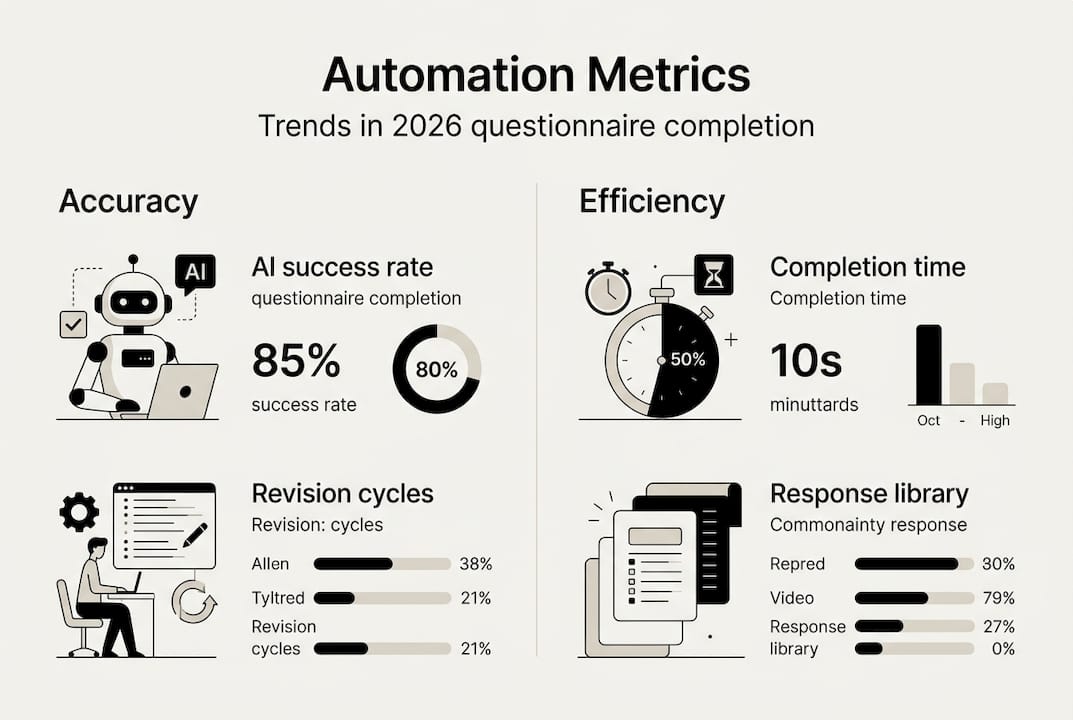
Track metrics like average completion time, percentage of AI-accepted answers, and revision cycles per questionnaire. These data points reveal where your automation delivers maximum value and where human expertise remains essential. Most organizations see 60% to 80% time savings within the first month of consistent use.
Verifying and optimizing your automated questionnaire responses
Automation speed means nothing without accuracy and compliance. Implement a structured audit process where your compliance admin spot-checks 10% to 15% of automated responses monthly, focusing on high-risk areas like data privacy, encryption standards, and incident response procedures. Compare these answers against your current security posture and flag any drift between automated responses and actual practices.
User feedback loops are essential for continuous improvement. Create a simple mechanism for team members who review questionnaires to report issues: incorrect answers, outdated policy references, or questions the AI couldn't match to existing content. Aggregate this feedback weekly and prioritize updates to your response library based on frequency and compliance impact.
Schedule quarterly reviews of your entire security content repository. Technology changes, regulations evolve, and your organization's security controls mature. Update questionnaire templates to reflect new compliance frameworks, refresh certification documentation, and archive deprecated policies that no longer apply. This proactive maintenance prevents automated systems from suggesting obsolete information.
Ongoing verification and continuous improvement are essential to maintain compliance and efficiency in automated security questionnaires. Build verification into your workflow:
- Run automated compliance checks against current frameworks before final submission
- Cross-reference answers with recent audit findings to ensure consistency
- Validate that evidence documents linked in responses are accessible and current
- Monitor submission success rates and vendor feedback for quality indicators
- Document any manual overrides to understand where automation needs refinement
Pro Tip: Leverage compliance admin platforms to automate reminder notifications for certificate renewals, policy reviews, and questionnaire follow-ups. This prevents last-minute scrambles and maintains response quality.
Consistent verification minimizes risks and builds stakeholder trust in your automation process.
Track improvement metrics over time. Measure how AI accuracy rates increase as your response library grows, how average completion time decreases with better training data, and how vendor acceptance rates improve with more consistent answers. These metrics justify continued investment in automation and highlight areas needing additional human oversight. Organizations that commit to systematic verification typically achieve 90% or higher AI accuracy within six months.
Establish escalation protocols for edge cases. Not every question fits neatly into your standardized responses, especially when vendors ask about specific scenarios or request customized security controls. Define clear criteria for when automated answers require senior security review, legal consultation, or executive approval. This balanced approach maintains speed for routine questionnaires while ensuring appropriate scrutiny for complex or high-stakes requests.
Optimize your security questionnaire automation with Skypher

Skypher's security questionnaires automation platform delivers the AI-driven tools you need to transform questionnaire completion from a bottleneck into a competitive advantage. Our proprietary AI models parse every format reliably, connecting to 30+ portals including OneTrust and ServiceNow while answering 200 questions in under one minute. The AI powered recommendation engine learns from your security documentation stored in Confluence, Notion, Google Drive, OneDrive, and SharePoint, providing context-aware suggestions that maintain compliance across multiple products and entities. Real-time collaboration through Slack and Teams integrations keeps your team aligned, while multilingual support ensures global vendor relationships stay efficient. Discover how Skypher reduces manual effort by 80% and accelerates vendor onboarding.
Frequently asked questions
What is the most efficient way to start automating security questionnaire responses?
Start by inventorying existing security documentation and select an automation platform that integrates well with your systems. Build a centralized response library from your 10 to 20 most recent questionnaires, identifying recurring questions and standardizing answers. Follow best practices for automating questionnaires to ensure smooth adoption, including assigning clear ownership for content maintenance and establishing quality control checkpoints before full deployment.
How can AI improve the accuracy of security questionnaire responses?
AI learns from data patterns to provide relevant answer suggestions based on your historical responses and current security documentation. AI recommendation engines learn from previous responses to suggest consistent and compliant answers, reducing human error. The technology identifies question variations and matches them to your approved response library, achieving 85% or higher accuracy after initial calibration while continuously improving through feedback loops.
What are common mistakes to avoid during automation?
Inadequate data organization before automation leads to inconsistent AI suggestions and wasted configuration time. Neglecting periodic audits and updates allows automated responses to drift from your actual security posture, creating compliance risks. Overreliance on AI without human review for high-stakes questions can result in inappropriate answers for vendor-specific contexts. Skipping preparation and regular verification leads to compliance risks and wasted automation efforts, so maintain balanced oversight throughout your automated workflow.
How long does it take to see ROI from questionnaire automation?
Most organizations achieve measurable time savings within the first month, typically reducing questionnaire completion time by 60% to 80% once the AI engine is properly calibrated. Initial setup including data organization and platform configuration takes two to four weeks, with pilot questionnaires refining accuracy during the first month. Full ROI including reduced labor costs, faster vendor onboarding, and improved compliance consistency typically materializes within three to six months of consistent use.
Can automation handle complex multi-product questionnaires?
Advanced automation platforms support complex enterprise setups with multiple products, entities, and security postures within a single organization. The system maintains separate response libraries for different product lines while leveraging shared corporate policies where appropriate. AI-powered content management and document vectorization ensure the right answers map to the right products, with human review confirming accuracy for nuanced questions that require product-specific context or customized security controls.