

TL;DR:
- Drata SOC 2 automates compliance controls by integrating with cloud and identity tools to streamline evidence collection. Proper scoping, control ownership, and cloud configuration are essential to pass audits and avoid common failures like misconfigured logs and access controls. Achieving SOC 2 Type 2 requires continuous monitoring over at least six months, with thorough preparation and expert oversight key to success.
Drata SOC 2 is a compliance automation approach that centralizes controls and evidence to help tech and finance organizations achieve SOC 2 certification faster and with less manual overhead. The platform connects directly to tools like Okta, GitHub, AWS, and Google Cloud to pull audit evidence continuously, replacing the spreadsheet-and-screenshot workflows that still plague most compliance programs. For compliance officers managing SOC 2 requirements under tighter enterprise scrutiny in 2026, Drata does not replace expert control design or governance judgment. It operationalizes the program you build.
How to scope and set up your Drata SOC 2 program
Scoping is the decision that determines everything downstream. Define which systems, data flows, and personnel fall within your audit boundary before you configure a single integration in Drata. A scope that is too broad creates unnecessary control obligations; a scope that is too narrow raises auditor questions about what was excluded and why.
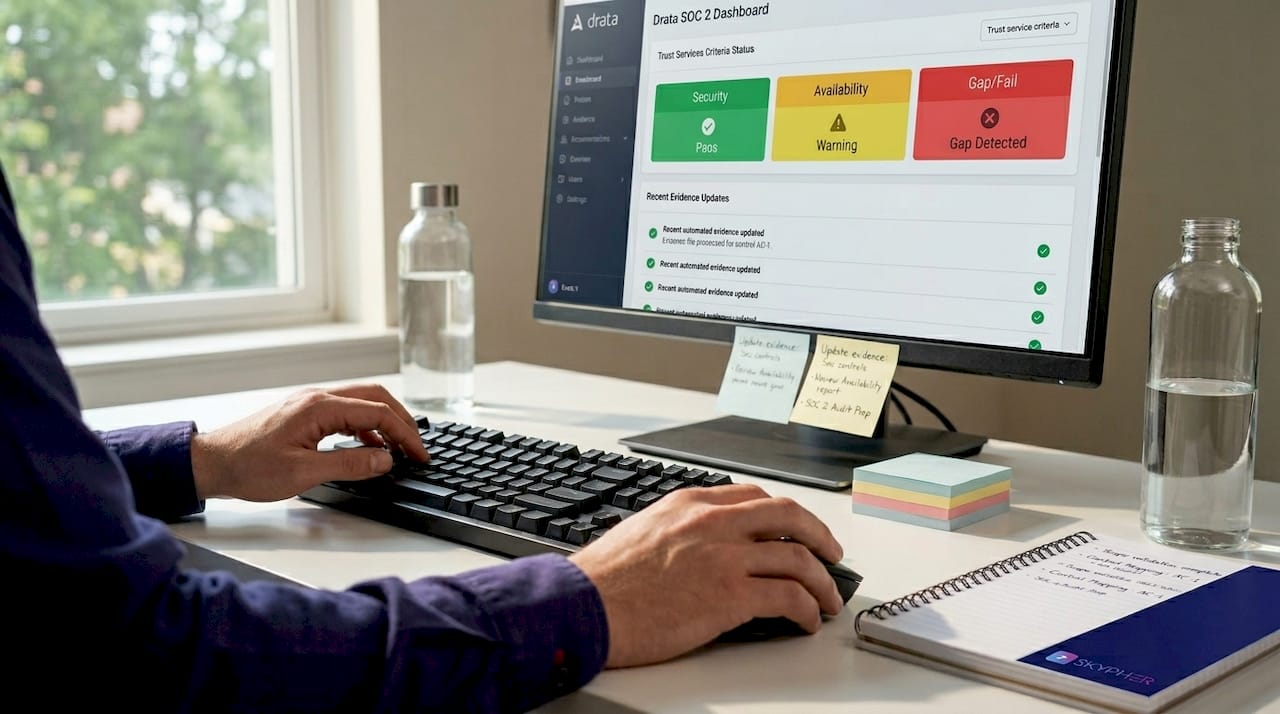
Selecting the right Trust Services Criteria (TSC) is the next decision. Security (CC controls) is mandatory for every SOC 2 audit. Availability, Confidentiality, Processing Integrity, and Privacy are optional and should only be included when your customers contractually require them or when your product's risk profile demands it. Adding Availability without the infrastructure maturity to support it is a common mistake that creates control gaps before the audit even starts.
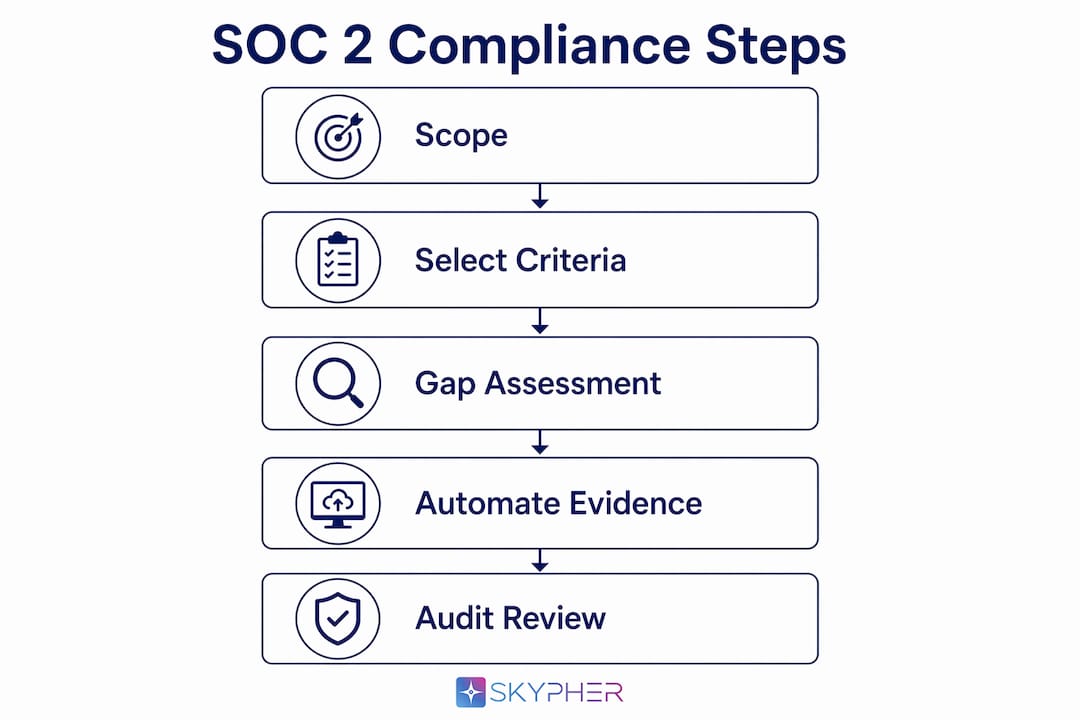
Once scope and criteria are confirmed, configure Drata's integrations with your identity provider and cloud infrastructure. Connect Okta or Azure AD for access management evidence, link your AWS or GCP environment for configuration monitoring, and integrate GitHub or GitLab for change management controls. A successful SOC 2 program with Drata follows distinct phases: scoping, setup, automation, validation, audit, and continuous compliance. Skipping or rushing the setup phase creates evidence gaps that surface during fieldwork.
Assign a named control owner to every control in Drata. Unowned controls are the single most common reason readiness reviews stall. Each owner must understand what evidence their control requires, when it needs to be collected, and who approves it.
- Define your in-scope systems and data flows in writing before opening Drata
- Select only the Trust Services Criteria your customers or risk profile require
- Connect identity providers (Okta, Azure AD) and cloud platforms (AWS, GCP) during initial setup
- Assign a named owner to every control, not a team or department
- Publish all required policies and obtain documented leadership approval before the audit window opens
Pro Tip: Run a gap assessment against your selected TSC controls before enabling Drata's automated checks. Controls that are not yet implemented will immediately show as failing, which is useful data but can create noise if your team is not prepared to triage and remediate systematically.
How does Drata automate evidence collection?
Drata's core value is replacing manual evidence gathering with continuous, integration-driven collection. Once connected to your environment, the platform pulls access logs, configuration snapshots, vulnerability scan results, and endpoint compliance data on a scheduled basis. This means auditors receive a live, timestamped record of control operation rather than a folder of screenshots assembled the week before fieldwork.
The integrations that deliver the most audit coverage are Okta and Azure AD for access management, AWS and GCP for infrastructure configuration, GitHub for code review and change management, and endpoint management tools like Jamf or CrowdStrike for device compliance. Each integration maps automatically to the relevant TSC controls in Drata, reducing the manual mapping work that consumes compliance team hours.
- Connect your identity provider to automate access provisioning and deprovisioning evidence
- Link cloud accounts to capture configuration state, encryption settings, and IAM policy snapshots
- Integrate your code repository to document code review completion and deployment approvals
- Connect endpoint management tools to evidence device encryption and patch compliance
- Schedule regular sync reviews to confirm integrations are active and evidence is current
Manual evidence such as policy approvals, risk assessments, and incident postmortems must still be collected within Drata during SOC 2 audits. Automation covers the majority of technical controls, but governance artifacts require human action. Build a recurring calendar task for manual evidence uploads so these items do not fall behind during the observation period.
Timing matters more than most teams realize. Evidence collected outside your defined audit period is not valid for that audit. Confirm your observation period start date with your auditor before enabling integrations, and verify that all connected systems are logging correctly from day one.
Pro Tip: Ask your auditor for a sample evidence request list before fieldwork begins. Cross-reference it against Drata's automated coverage to identify manual evidence gaps early. Surprises during fieldwork are avoidable.
Common audit failure points in Drata SOC 2 programs
Four areas frequently cause audit failures for Drata SOC 2 programs running on Google Cloud: IAM and access control, encryption and key management, audit logging and retention, and change management. These failures are rarely the result of security negligence. They stem from default platform settings that do not align with SOC 2 evidence requirements.
Access management is the most commonly flagged category. Static service account keys in GCP create a persistent, unrotated credential that auditors flag immediately. IAM access reviews, removal of static service account keys, and least-privilege IAM bindings are the fastest and most commonly flagged SOC 2 controls in GCP audits. Implement Workload Identity Federation to eliminate static keys and document quarterly access reviews with named reviewers and sign-off records.
Audit logging is the second major failure point. Data Access audit logs in GCP are off by default and must be explicitly enabled to satisfy SOC 2 evidence requirements. Enabling this setting at the organization level ensures all projects inherit the required logging configuration. Without it, Drata cannot pull the evidence auditors expect, and the gap appears as a control failure.
| Failure area | Root cause | Remediation |
|---|---|---|
| Static service account keys | Default GCP credential behavior | Implement Workload Identity Federation |
| Data Access logs disabled | GCP default-off setting | Enable at org level; all projects inherit |
| Missing access reviews | No scheduled review process | Document quarterly reviews with sign-off |
| Secrets in environment variables | Developer convenience habit | Migrate to Secret Manager or HashiCorp Vault |
| Manual infra changes bypassing CI/CD | Lack of enforced pipeline controls | Enforce Terraform via CI/CD with mandatory reviews |
Change management failures are often a process problem, not a technical one. Separating infrastructure build permissions from deploy permissions and enforcing code review workflows reduces change management risks flagged in SOC 2 GCP audits. Use Terraform through CI/CD pipelines with mandatory peer reviews and Binary Authorization on GKE to create an auditable, automated deployment record that Drata can reference.
For a deeper look at how encryption practices and key management failures affect audit outcomes in tech environments, the SOC 2 compliance guide for tech and finance covers these controls in detail.
SOC 2 Type 1 vs Type 2: what compliance teams need to know
SOC 2 Type 1 assesses whether your controls are designed correctly at a single point in time. SOC 2 Type 2 assesses whether those controls operated effectively over an observation period. The distinction matters because enterprise customers, particularly in financial services and regulated tech, almost universally require Type 2 reports. A Type 1 report demonstrates intent; a Type 2 report demonstrates execution.
Drata clients typically reach SOC 2 Type 1 readiness in about 6 to 8 weeks when controls are already implemented. This timeline assumes policies are published, integrations are active, and control owners have addressed the gaps identified in the readiness review. Organizations starting from scratch should add 4 to 6 weeks for policy development and control implementation before the readiness clock starts.
SOC 2 Type 2 audits require a minimum 6-month observation period to effectively demonstrate continuous control operation, with audit periods typically ranging from 6 to 12 months depending on maturity. This means the total timeline from program launch to a completed Type 2 report is typically 9 to 14 months for most organizations. Planning for this timeline at the executive level prevents the pressure to rush controls that creates audit findings.
| Attribute | SOC 2 Type 1 | SOC 2 Type 2 |
|---|---|---|
| What it assesses | Control design at a point in time | Control operation over an observation period |
| Readiness timeline | 6 to 8 weeks with controls in place | 3 to 6 months preparation before observation |
| Observation period | None | Minimum 6 months, typically 6 to 12 months |
| Enterprise acceptance | Limited; often a stepping stone | Required by most enterprise and finance clients |
| Drata's primary role | Gap identification and policy management | Continuous monitoring and evidence collection |
Continuous monitoring and evidence of ongoing control operation throughout the audit period have become audit expectations in 2026. Auditors no longer accept point-in-time snapshots as sufficient evidence of control effectiveness. Drata's continuous monitoring capability directly addresses this expectation, but only if integrations remain active and control owners respond to alerts throughout the full observation period.
For a detailed breakdown of how Type 1 and Type 2 differ in audit scope and evidence requirements, that resource covers the nuances compliance teams frequently misunderstand.
Key takeaways
Drata operationalizes SOC 2 compliance through continuous monitoring and automated evidence collection, but audit success depends on correct scoping, active control ownership, and cloud telemetry configured from day one.
| Point | Details |
|---|---|
| Scope before you configure | Define in-scope systems and select Trust Services Criteria before connecting any Drata integrations. |
| Automation has limits | Policy approvals, risk assessments, and incident postmortems require manual uploads regardless of integration coverage. |
| Cloud defaults cause failures | GCP Data Access logs are off by default; enable them at the org level before your observation period starts. |
| Type 2 takes 9 to 14 months | Plan for a minimum 6-month observation period plus readiness preparation when targeting a Type 2 report. |
| Control ownership is non-negotiable | Every control needs a named owner who understands the evidence requirement and acts on alerts. |
What I've learned from watching Drata SOC 2 programs succeed and fail
Most Drata SOC 2 implementations that struggle share one characteristic: the team treated the platform as the compliance program rather than as the tool that supports one. I have seen organizations connect every available integration, watch the dashboard turn green, and then fail their audit because no one had documented a single access review or obtained leadership sign-off on the risk assessment.
Drata is genuinely excellent at what it does. The continuous monitoring capability removes a category of manual work that used to consume weeks of compliance team time. But the platform does not replace expert control design or organizational judgment. It enforces structure around the program you build.
The other pattern I see consistently is underestimating cloud telemetry configuration. Audit failures are often caused by default-off settings and incomplete telemetry in cloud platforms rather than security negligence. A team can have excellent security practices and still fail a SOC 2 audit because GCP Data Access logs were never enabled. That is a configuration problem, not a security problem, and it is entirely preventable with a pre-audit cloud telemetry checklist.
My practical advice: treat your first Drata readiness review as a dress rehearsal, not a status check. Walk every failing control with the owner, understand the root cause, and confirm the remediation before you schedule the audit. The teams that do this consistently are the ones that close their audits without material findings.
— Gaspard
How Skypher accelerates your SOC 2 compliance posture
Achieving SOC 2 certification with Drata is only part of the compliance picture. Once certified, your team will face a steady stream of security questionnaires from enterprise prospects, partners, and vendors asking you to document and prove that posture.

Skypher's AI questionnaire automation connects directly to your compliance documentation to answer security reviews in under a minute, even for questionnaires with 200 or more questions. The platform integrates with Slack, ServiceNow, Confluence, and over 40 TPRM portals, so your SOC 2 evidence feeds directly into your sales and procurement workflows. For organizations managing SOC 2 alongside ISO 27001, HIPAA, or other frameworks, Skypher's Trust Center lets you share your current compliance posture with customers without manual back-and-forth. Compliance work done once should work everywhere.
FAQ
What does Drata actually automate in a SOC 2 audit?
Drata automates evidence collection for technical controls by integrating with identity providers, cloud platforms, and development tools to pull access logs, configuration snapshots, and endpoint compliance data continuously. Manual evidence such as policy approvals and risk assessments still requires human action within the platform.
How long does SOC 2 Type 2 certification take with Drata?
Organizations typically reach Type 1 readiness in 6 to 8 weeks when controls are already in place, but a Type 2 report requires a minimum 6-month observation period, making the full timeline 9 to 14 months from program launch to completed report.
Why is my Drata SOC 2 audit flagging GCP controls?
The most common cause is default-off platform settings, particularly Data Access audit logs in GCP, which must be explicitly enabled at the organization level to generate the evidence Drata needs for SOC 2 controls.
Does Drata replace the need for a compliance officer or auditor?
Drata centralizes and automates evidence collection but does not replace expert control design, ownership assignment, or the independent auditor who issues the SOC 2 report. The platform reduces audit preparation time but relies on organizational judgment and execution throughout.
What is the difference between SOC 2 Type 1 and Type 2 for enterprise clients?
SOC 2 Type 1 assesses control design at a single point in time, while Type 2 assesses whether controls operated effectively over an observation period of at least 6 months. Most enterprise and financial services clients require a Type 2 report before approving a vendor relationship.