

TL;DR:
- A security questionnaire webhook setup involves configuring secure endpoints that automatically receive and verify assessment data from external platforms. Implementing HMAC-SHA256 signature verification, fast acknowledgments, and layered network controls ensures a reliable and secure automation process. Proper secret rotation and validation strategies prevent common vulnerabilities like replay attacks and duplicate submissions.
A security questionnaire webhook setup is defined as the process of configuring secure HTTP endpoints that automatically receive, validate, and process incoming security assessment data from external platforms. This approach replaces manual questionnaire intake with event-driven automation, cutting response time and reducing human error across compliance workflows. The industry standard for securing these endpoints uses HMAC-SHA256 signature verification with a 5-minute replay attack tolerance window, a pattern adopted by major providers including Stripe and Svix. OWASP guidelines reinforce this with layered controls: HTTPS enforcement, IP allowlisting, and rate limiting. For IT and security teams managing high volumes of vendor assessments, getting this setup right is the difference between a reliable compliance pipeline and a critical attack surface.
What do you need before setting up a security questionnaire webhook?
The right prerequisites eliminate most configuration failures before they happen. Three technical requirements are non-negotiable: a server with a valid HTTPS endpoint, a secret management solution for storing signing keys, and a defined webhook event schema that maps to your questionnaire data model.
Webhooks must be delivered over HTTPS with valid SSL/TLS certificates. No major provider permits plain HTTP endpoints for sensitive data transmission. This means your server needs a certificate from a trusted certificate authority, not a self-signed cert, before you write a single line of handler code.
Signing secrets must never live in application code or version control. Store secrets in environment variables or a dedicated secret manager such as AWS Secrets Manager, HashiCorp Vault, or Azure Key Vault. Pair this with a documented rotation policy that uses overlapping validity periods so rotation never causes a service outage.
Your event schema definition matters more than most teams expect. Before connecting any questionnaire security setup, map out every event type your platform will emit: questionnaire submitted, response updated, review completed. This schema drives your handler logic and your idempotency strategy.
| Prerequisite | Recommended tool or standard |
|---|---|
| HTTPS endpoint with valid certificate | Let's Encrypt, AWS ACM, or DigiCert |
| Secret storage and rotation | AWS Secrets Manager, HashiCorp Vault, Azure Key Vault |
| Event schema definition | JSON Schema, OpenAPI specification |
| Webhook testing environment | HookRay, provider CLI, or ngrok for local tunneling |
| Security questionnaire automation platform | Skypher with 30+ TPRM API connectors |
Selecting the right questionnaire automation platform shapes every downstream integration decision. Skypher connects to over 40 third-party risk management platforms and supports API-level webhook integration, which means your event schema can map directly to existing compliance workflows without custom middleware.
Pro Tip: Define your event schema in JSON Schema format before writing any handler code. A typed schema lets you validate incoming payloads automatically and catches malformed events before they reach your business logic.
How to securely configure webhook endpoints for security questionnaire automation
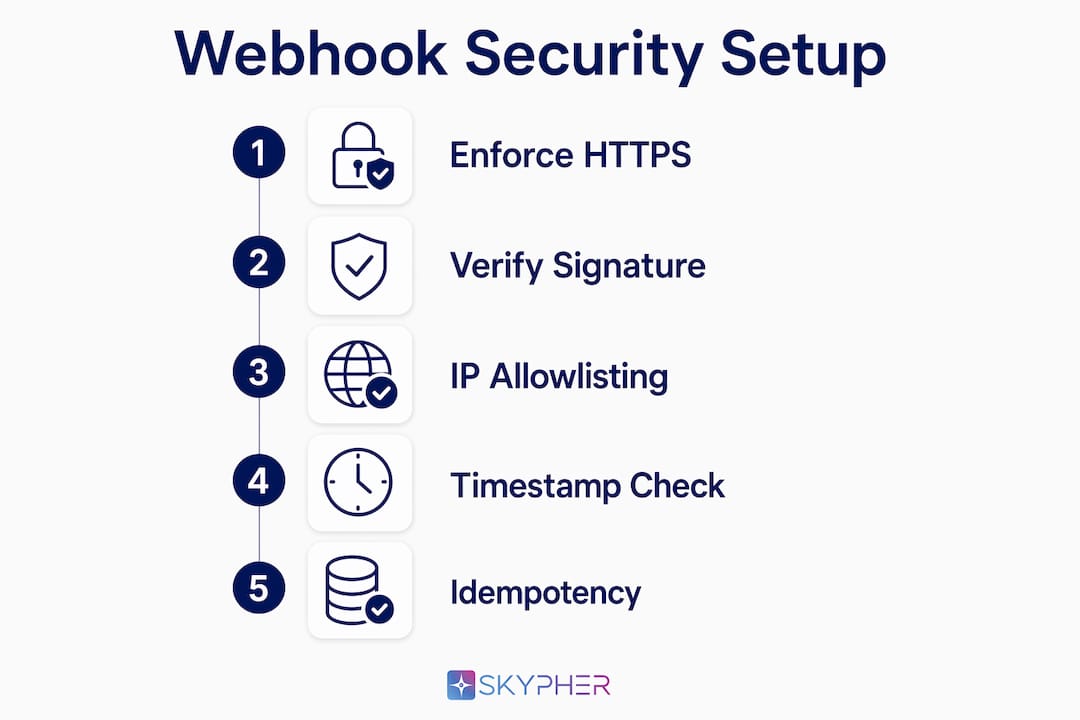
Endpoint configuration is where most webhook security integration failures originate. A correctly configured endpoint does four things: enforces HTTPS, restricts HTTP methods, verifies signatures, and blocks replay attacks.
Enforce HTTPS and restrict HTTP methods
Your endpoint must reject any request that does not arrive over TLS. Configure your web server or API gateway to return a 301 redirect for HTTP and a 405 Method Not Allowed for anything other than POST. Webhooks use POST exclusively. Accepting GET or PUT requests on a webhook endpoint opens unnecessary attack vectors.
Implement HMAC-SHA256 signature verification
Signature verification is the core control that proves a request came from your trusted provider and was not tampered with in transit. The process follows these steps:
- Extract the raw signature header sent by the provider (commonly
X-Signature-256orX-Hub-Signature-256). - Retrieve your signing secret from your secret manager, not from application memory or environment variables at runtime.
- Compute an HMAC-SHA256 digest of the raw request body using your secret as the key.
- Compare your computed digest against the provider's signature using a timing-safe comparison function such as
hmac.compare_digest()in Python orcrypto.timingSafeEqual()in Node.js. - Reject the request with a 401 if the signatures do not match.
Signature verification must use the raw, unparsed request body to produce a correct HMAC. Parsing JSON before computing the digest changes the byte structure and causes mismatches every time.
Pro Tip: Read the raw request body into a byte buffer first, verify the signature against that buffer, and only then parse the JSON. This single discipline eliminates the most common source of signature mismatch errors in production.
Add IP allowlisting and timestamp validation
Combining signature verification with IP allowlisting adds a defense-in-depth layer that blocks unauthorized requests before your application logic ever runs. Most major providers publish their outbound IP ranges. Add those ranges to your firewall or API gateway allowlist and deny all other sources.
Timestamp validation prevents replay attacks. The industry standard rejects requests where the timestamp in the signature header differs from server time by more than 300 seconds. Extract the timestamp from the header, compare it to your server's current UTC time, and return a 403 if the delta exceeds five minutes. This window is tight enough to stop replays and wide enough to tolerate normal clock skew between systems.
For teams building on web platforms, reviewing Webflow security plugin approaches shows how layered controls at the infrastructure level complement application-level signature checks.
How do you prevent duplicate or failed questionnaire webhook processing?
Reliable event processing requires three disciplines: fast acknowledgment, asynchronous execution, and idempotency. Skipping any one of these causes either duplicate questionnaire records or silent data loss.

Return a 2xx status immediately
Respond to webhook POST requests within two seconds with a 2xx status code. Providers interpret anything slower as a failure and schedule a retry. That retry creates a duplicate event, which your system must then handle. The fastest way to meet this threshold is to acknowledge receipt immediately and hand off all processing to a background job.
The sequence looks like this:
- Receive the POST request.
- Verify the HMAC-SHA256 signature against the raw body.
- Validate the timestamp to reject replays.
- Write the raw event payload to a queue (Redis, RabbitMQ, AWS SQS, or equivalent).
- Return HTTP 200 to the provider.
- A background worker picks up the event from the queue and executes business logic.
This pattern decouples receipt from processing. Your endpoint stays fast regardless of how long downstream questionnaire handling takes.
Implement idempotency with unique event IDs
Webhook providers guarantee at-least-once delivery, not exactly-once. That guarantee means your system will receive duplicate events under normal operating conditions, not just during failures. Every event carries a unique ID. Store that ID in a database table with a uniqueness constraint before processing the event. If an insert fails because the ID already exists, discard the event and return 200. This pattern prevents duplicate questionnaire submissions from creating duplicate compliance records.
Idempotency requires tracking unique event IDs in persistent storage. An in-memory cache is not sufficient because it does not survive process restarts.
Log everything and set up alerting
Structured logging at the event level gives you the visibility needed to debug failures and audit compliance workflows. Log the event ID, event type, source IP, signature verification result, processing status, and timestamp for every request. Set alerts for sustained 4xx or 5xx response rates, which signal either a misconfiguration or an active attack. For teams managing API security questionnaire workflows at scale, this log data also feeds into your security incident response process.
Common challenges and troubleshooting tips for webhook security integration
Most webhook failures fall into a small set of repeatable categories. Knowing them in advance cuts debugging time significantly.
Signature mismatch errors are the most common issue. The cause is almost always verifying the parsed JSON body instead of the raw byte payload. A secondary cause is a mismatch between the secret stored in your environment and the secret registered with the provider. Check both before investigating anything else.
Environment misconfiguration accounts for a large share of production failures. Secrets copied from a staging environment into production, or secrets with trailing whitespace from a copy-paste operation, produce valid-looking configurations that fail every verification. Use a secret manager with strict access controls to eliminate manual secret handling.
Replay attack exposure appears when teams skip timestamp validation because it "adds complexity." The risk is real. A captured valid request can be replayed indefinitely against an endpoint that only checks signatures.
SSRF and DDoS risks are less obvious but serious. Disable automatic redirect-following on any outbound calls your webhook handler makes. DNS can change between an initial check and the actual HTTP call, which opens a server-side request forgery path. Misconfigured endpoints face risks including malicious event injection and volumetric overload.
Webhook endpoints represent a critical attack surface that demands layered security controls beyond signature verification. Rate limiting and network segmentation are not optional additions. They are baseline requirements for any endpoint handling sensitive compliance data.
A practical troubleshooting checklist for your automated security checks:
- Confirm the raw body is used for HMAC computation, not the parsed object.
- Verify the secret in your environment matches the secret registered with the provider exactly, including encoding.
- Check that your server clock is synchronized via NTP to avoid false timestamp rejections.
- Confirm your firewall allowlist includes the provider's current outbound IP ranges.
- Test signature handling locally by replaying captured payloads with a tool like HookRay before deploying to production.
- Review your questionnaire automation best practices to confirm your event schema aligns with your processing logic.
Key Takeaways
A correctly configured security questionnaire webhook setup requires HMAC-SHA256 signature verification, immediate 2xx acknowledgment, idempotent event processing, and layered network controls to be both secure and reliable.
| Point | Details |
|---|---|
| Use HMAC-SHA256 with raw body | Always verify signatures against the unparsed byte payload to avoid mismatches. |
| Enforce a 5-minute timestamp window | Reject requests outside 300 seconds of server time to block replay attacks. |
| Acknowledge fast, process async | Return HTTP 200 within two seconds and delegate processing to a background queue. |
| Implement idempotency with event IDs | Store unique event IDs with a uniqueness constraint to prevent duplicate records. |
| Layer controls beyond signatures | Add IP allowlisting, rate limiting, and network segmentation as baseline requirements. |
Why I think most teams underestimate webhook security until it breaks
Security architects I have worked with consistently treat webhook endpoints as an afterthought. The endpoint gets stood up quickly to unblock an integration, signature verification gets added later, and IP allowlisting never makes it onto the backlog. That pattern holds until a misconfigured endpoint causes a compliance incident or a replay attack injects fraudulent questionnaire data into a vendor review workflow.
The Standard Webhooks specification, which is gaining adoption across the industry, formalizes many of the controls covered here into a consistent interface. Teams that adopt it early spend less time debugging provider-specific quirks and more time building reliable processing logic. The specification's approach to secret rotation, using overlapping validity so both old and new secrets are accepted during transition, is the right model. Most teams rotate secrets by cutting over instantly, which causes outages that erode confidence in the entire automation pipeline.
The deeper issue is organizational. Webhook secret rotation needs to be a scheduled discipline, not a reactive task triggered by a suspected compromise. The same rigor applied to TLS certificate renewal should apply to signing secrets. If your team does not have a rotation schedule today, that is the first gap to close. Solid webhook security is what makes questionnaire automation trustworthy at scale, not just faster.
— Gaspard
How Skypher fits into a secure questionnaire automation pipeline

Skypher's security questionnaire automation platform is built for teams that need both speed and compliance rigor. It connects to over 40 third-party risk management platforms via API, supports webhook-based intake workflows, and handles signature verification and event routing as part of its integration layer. The AI-powered recommendation engine processes incoming questionnaire events and surfaces accurate, context-aware responses in under a minute, even for assessments with 200 or more questions. Skypher also integrates with Slack, Microsoft Teams, ServiceNow, Confluence, and SharePoint, so your webhook events feed directly into the tools your security team already uses.
FAQ
What is a security questionnaire webhook setup?
A security questionnaire webhook setup is the configuration of a secure HTTP endpoint that automatically receives and processes incoming security assessment events from external platforms. It replaces manual intake with event-driven automation tied to HMAC-SHA256 signature verification and idempotent processing logic.
Why must signature verification use the raw request body?
Parsing JSON before computing the HMAC digest changes the byte structure of the payload, which produces a different hash than the one the provider signed. Always read the raw body into a buffer first, verify the signature, and parse only after verification passes.
How do you prevent duplicate questionnaire records from webhook retries?
Store each unique event ID in a database table with a uniqueness constraint before processing. If the insert fails because the ID already exists, discard the event and return HTTP 200. This is the standard idempotency pattern for at-least-once delivery systems.
What is the standard replay attack tolerance window for webhooks?
The industry standard rejects webhook requests where the timestamp in the signature header differs from server time by more than 300 seconds. Stripe, Svix, and other major providers use this five-minute window as their default.
How does Skypher support webhook-based questionnaire automation?
Skypher connects to over 40 TPRM platforms via API and supports webhook-driven intake workflows with built-in signature handling. Its AI engine processes incoming questionnaire events and generates accurate responses, integrating with tools like Slack, ServiceNow, and SharePoint to fit existing security team workflows.