

TL;DR:
- SSO and MFA address different aspects of identity security; SSO manages access, while MFA verifies user identity. Deploying MFA before implementing SSO minimizes risk, as MFA prevents credential theft from resulting in widespread access. Integrating both controls creates a robust security posture essential for protecting sensitive enterprise data.
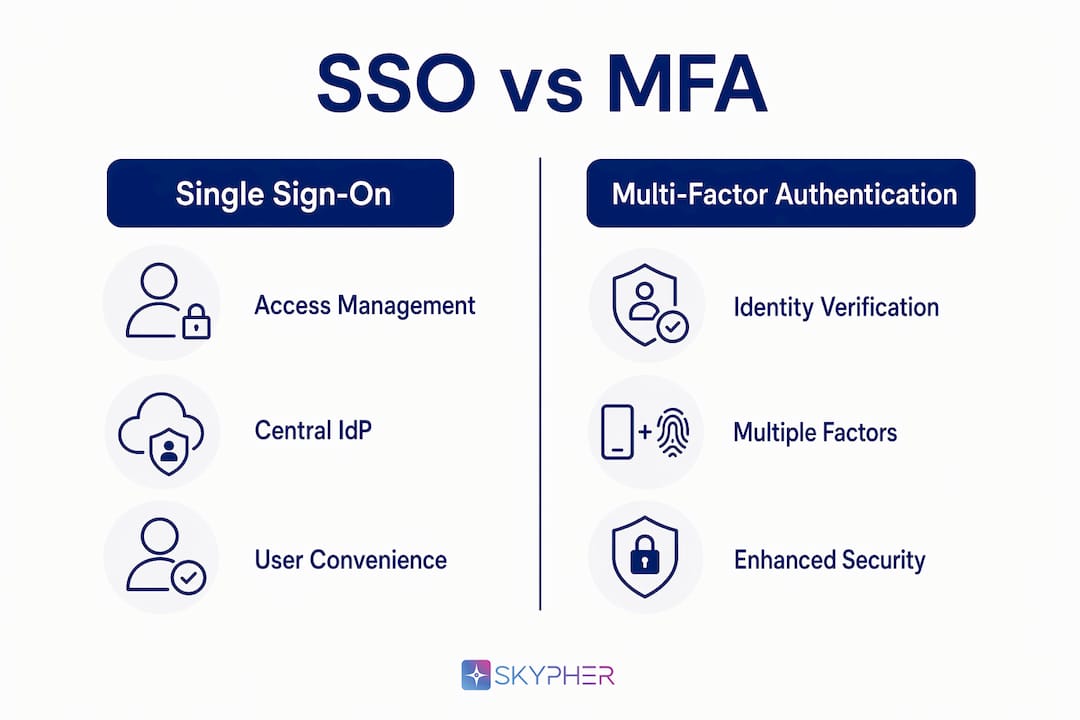
Single Sign-On (SSO) and Multi-Factor Authentication (MFA) solve different problems in identity security, and confusing them is one of the most common strategic mistakes IT teams make. The difference between SSO and MFA comes down to function: SSO centralizes access so users authenticate once to reach multiple applications, while MFA adds verification layers to confirm identity before granting that access. Technologies like SAML, OAuth 2.0, OpenID Connect, TOTP apps, and FIDO2/WebAuthn sit behind each approach. Understanding how SSO and MFA differ, and why they belong together, is the foundation of any enterprise-grade cybersecurity strategy.
What is the difference between SSO and MFA?
SSO is defined as an access management mechanism that authenticates users once at a central Identity Provider (IdP), then issues tokens to grant access across federated applications without repeated logins. MFA is defined as an identity verification mechanism that requires two or more independent factors before confirming who the user is. One controls where you go; the other controls who you are.

Security experts classify SSO as an access management layer and MFA as an identity verification layer. Treating them as competing options is a strategic error, not a trade-off. A company that deploys SSO without MFA has created a single, highly valuable target: one compromised password now unlocks every connected application simultaneously.
The SSO vs MFA comparison becomes clearest when you map each technology to its job. SSO answers the question "Is this user allowed in?" by checking a session token. MFA answers the question "Is this actually the right person?" by demanding proof from multiple independent sources. Both questions must be answered for a login event to be genuinely secure.
How does Single Sign-On work?
SSO works by delegating authentication to a trusted IdP, such as Microsoft Entra ID or Okta, which issues a signed token after the user logs in once. That token, formatted via protocols like SAML 2.0, OAuth 2.0, or OpenID Connect, is then accepted by every application in the federation without prompting the user again. The result is that a Google Workspace user who signs into Gmail is automatically authenticated in Google Drive, Google Meet, and any third-party app connected via OAuth, all from a single login event.
The productivity case for SSO is real. Reducing login fatigue across dozens of SaaS applications cuts time wasted on password resets and failed authentication attempts. For organizations running 50 or more applications, the operational savings compound quickly.
SSO does carry architectural weight. Implementing SSO requires mapping user roles, standardizing protocols, and establishing trust relationships between the IdP and every service provider. This is not a policy toggle. It is an infrastructure project with real dependencies.
Key limitations to plan for:
- Single point of failure. If the IdP goes down, access to all federated apps goes down with it.
- Credential blast radius. A stolen SSO password grants access to every connected system at once.
- Session persistence risk. Long-lived tokens can be hijacked if session management is not configured carefully.
Pro Tip: When scoping an SSO deployment, audit every application's protocol support before selecting your IdP. Mismatches between SAML and OIDC requirements across your app portfolio are the most common cause of delayed rollouts.
How does Multi-Factor Authentication work?
MFA requires users to present two or more verification factors drawn from distinct categories: something you know (a password or PIN), something you possess (a hardware token or smartphone running an authenticator app like Google Authenticator or Microsoft Authenticator), and something you are (a fingerprint or facial scan). MFA commonly uses biometric scans or time-based one-time passwords (TOTP) as the secondary layer. This means that even if an attacker steals a password, they still cannot authenticate without the second factor.
MFA is distinct from two-factor authentication (2FA) in scope. 2FA is a subset of MFA that uses exactly two factors. MFA can require three or more, which is increasingly common in high-assurance environments like financial services and healthcare.
The security benefit is substantial. MFA directly mitigates credential theft, phishing, and password spray attacks because the stolen credential alone is insufficient. The friction concern is legitimate but solvable. Risk-based conditional access prompts users for MFA only when behavioral signals, such as an unusual location, new device, or off-hours login, indicate elevated risk. This reduces daily friction without lowering the security bar.
Common MFA methods ranked by phishing resistance:
- FIDO2/WebAuthn hardware keys (e.g., YubiKey): highest resistance, no shared secret transmitted
- Push notifications (e.g., Duo Security, Microsoft Authenticator): convenient but vulnerable to MFA fatigue attacks
- TOTP apps (e.g., Google Authenticator, Authy): strong and widely supported
- SMS one-time codes: weakest MFA option, vulnerable to SIM swapping
Pro Tip: Avoid SMS-based MFA for any application that handles sensitive data. Migrate users to TOTP or push notification apps as a minimum, and reserve FIDO2 keys for privileged accounts and administrators.
How SSO and MFA differ and complement each other
The functional comparison between SSO and MFA is best understood side by side:
| Dimension | SSO | MFA |
|---|---|---|
| Primary function | Access management | Identity verification |
| User experience impact | Reduces login frequency | Adds verification steps |
| Security focus | Centralized session control | Credential theft prevention |
| Implementation type | Architectural (IdP, protocols, trust) | Policy layer (verification rules) |
| Risk if used alone | High blast radius on compromise | Password fatigue without usability gain |
| Protocols involved | SAML, OAuth 2.0, OpenID Connect | TOTP, FIDO2, biometrics, push |
The critical insight from this SSO vs MFA comparison is that the two technologies operate at different layers of the authentication stack. SSO sits at the access management layer; MFA sits at the identity verification layer. Deploying one without the other leaves a gap that attackers actively exploit.
"Without MFA, a compromised SSO password grants attackers access to all federated applications." — ManageEngine
The blast radius of a credential breach expands dramatically when SSO is deployed without MFA. Every application in the federation becomes accessible from a single stolen password. MFA constrains that damage by requiring additional proof at the IdP login step, before the SSO token is ever issued. This is why security architects treat MFA at the IdP layer as non-negotiable in any SSO deployment.
Best practices for deploying SSO and MFA together
Sequencing matters. Security leaders recommend implementing strong MFA before deploying SSO, not after. Deploying SSO first and adding MFA later creates a window of elevated risk that often extends longer than planned.
A practical deployment sequence for enterprise environments:
- Audit your identity infrastructure. Catalog all applications, current authentication methods, and user roles. Identify which apps support SAML, OIDC, or OAuth.
- Deploy MFA at the IdP layer first. Configure TOTP or FIDO2-based MFA on your chosen IdP (Microsoft Entra ID, Okta, Ping Identity) before connecting any applications.
- Enable conditional access policies. Set risk-based triggers so MFA challenges fire on anomalous login signals rather than every single session. This is where dynamic session management becomes critical.
- Roll out SSO federation incrementally. Connect applications in priority order, starting with the highest-risk or most-used systems. Validate token behavior and session timeouts for each.
- Configure session timeout policies by risk tier. Privileged accounts should have shorter session durations. Standard users can tolerate longer sessions with periodic re-authentication prompts.
- Test for lateral movement scenarios. Simulate a credential compromise and verify that MFA at the IdP layer actually blocks access to federated applications.
For sector-specific deployments, healthcare organizations governed by HIPAA and financial firms under SOC 2 or PCI DSS face mandatory requirements that shape both SSO architecture and MFA method selection. Reviewing 2025 information security standards before finalizing your configuration prevents costly retrofits during audits.
Pro Tip: Set session timeouts dynamically based on application sensitivity. A payroll system should time out in 15 minutes of inactivity. A project management tool can tolerate 8 hours. Blanket session policies create either unnecessary friction or unnecessary risk.
What are the emerging trends in SSO and MFA?
Passwordless authentication is the most significant shift currently reshaping both SSO and MFA. Adoption of FIDO2/WebAuthn is accelerating because it eliminates shared secrets entirely, removing the phishing attack surface at its root. When a user authenticates with a hardware key or device biometric, there is no password to steal, intercept, or replay.
Several trends are converging to redefine the authentication stack in 2026:
- Zero trust integration. SSO and MFA are becoming core enforcement points in zero trust architectures, where every access request is verified regardless of network location.
- AI-driven risk scoring. Identity platforms like Microsoft Entra ID and Okta are embedding machine learning models that score login risk in real time, triggering step-up authentication only when the risk score crosses a threshold.
- Passkeys. Apple, Google, and Microsoft have all committed to passkey support, which combines device-bound cryptographic keys with biometric verification. Passkeys effectively merge SSO convenience with phishing-resistant MFA into a single gesture.
- MFA fatigue countermeasures. Push notification bombing attacks have forced vendors to add number matching and additional context to approval prompts, reducing the success rate of social engineering attacks against MFA.
The direction is clear: authentication is moving toward phishing-resistant, passwordless methods that reduce friction while raising the security floor. Organizations that have not yet reviewed their access review practices for team collaboration tools will find this transition harder to execute cleanly.
Key takeaways
SSO and MFA are not alternatives. They are complementary controls that together cover both access management and identity verification, and deploying both is the minimum viable security posture for any enterprise handling sensitive data.
| Point | Details |
|---|---|
| SSO vs MFA core difference | SSO manages where users go; MFA verifies who they are before issuing access. |
| Deploy MFA before SSO | Implementing MFA first prevents a dangerous window of elevated risk during SSO rollout. |
| Never use SSO alone | A single compromised SSO credential unlocks every federated application without MFA protection. |
| Use risk-based MFA | Conditional access reduces friction by triggering MFA only on anomalous login signals. |
| Passwordless is the future | FIDO2/WebAuthn and passkeys are replacing shared secrets as the phishing-resistant standard. |
Why IT teams keep getting this wrong
I have reviewed dozens of security questionnaire responses from mid-market and enterprise organizations, and the same pattern appears repeatedly: SSO is deployed, MFA is listed as "planned," and the gap between those two states is measured in months, sometimes years. The reasoning is usually some version of "SSO already reduced our attack surface." It has not. It has concentrated it.
The confusion comes from treating authentication as a single problem with a single solution. SSO and MFA are not competing answers to the same question. They answer different questions at different layers of the stack. When I see an organization that has invested heavily in SSO but treats MFA as optional, I know their identity security posture has a structural flaw that no amount of endpoint protection will compensate for.
The other mistake I see is deploying MFA as a checkbox rather than a policy. Enabling SMS-based 2FA on a privileged admin account and calling it "MFA-protected" is not a security posture. It is a liability dressed up as compliance. The method matters as much as the presence of a second factor.
My practical advice: treat MFA method selection as a risk decision, not a user experience decision. Start with your highest-privilege accounts and work down. Get FIDO2 keys on every administrator before you worry about optimizing the login flow for general users. The blast radius of a compromised admin account dwarfs anything a poor user experience costs you.
— Gaspard
How Skypher helps you document and defend your SSO and MFA controls
When enterprise clients and auditors ask how your organization handles authentication, the answer needs to be fast, accurate, and consistent across every security questionnaire you receive.

Skypher's security questionnaire automation tool pulls from your existing security documentation to answer identity and access management questions in under a minute, across formats like CAIQ, SIG, and custom vendor templates. The platform integrates with over 40 third-party risk management portals, including OneTrust and ServiceNow, and connects directly with Slack and Microsoft Teams for real-time collaboration. When your SSO and MFA controls are properly documented in Skypher's Trust Center, your security posture speaks for itself before a questionnaire even arrives.
FAQ
What is the main difference between SSO and MFA?
SSO is an access management tool that lets users log in once to access multiple applications via a centralized Identity Provider. MFA is an identity verification tool that requires two or more independent factors to confirm who the user is before granting access.
Can SSO replace MFA?
SSO cannot replace MFA. Using SSO without MFA creates a single point of failure where one stolen password unlocks every federated application. The two controls operate at different layers and must be used together.
Which should be implemented first, SSO or MFA?
MFA should be implemented first. Security leaders recommend deploying strong MFA at the Identity Provider layer before connecting applications via SSO, to avoid a window of elevated credential risk during the rollout.
What protocols does SSO use?
SSO relies on SAML 2.0, OAuth 2.0, and OpenID Connect to establish trust between the Identity Provider and connected service providers, enabling token-based authentication across federated applications.
What is the most phishing-resistant MFA method?
FIDO2/WebAuthn hardware keys, such as YubiKey, are the most phishing-resistant MFA method because they use device-bound cryptographic keys and transmit no shared secret that can be intercepted or replayed.