

TL;DR:
- Drata Security automates the collection of 70-80% of security evidence for compliance frameworks through continuous API integrations. Manual evidence collection, comprising 10-30%, involves policies and processes requiring human input and manual review. Proper setup and collaboration with IT are essential for maximizing automation and streamlining audit responses.
Drata Security is a continuous compliance automation platform that collects, maps, and packages security evidence to accelerate responses to security questionnaires. For compliance officers and risk managers in B2B tech and finance, the platform connects to cloud infrastructure, identity providers, HR systems, and code repositories to maintain an always-current evidence library. That library becomes the foundation for faster, more consistent answers when vendors, customers, or auditors send questionnaire requests. Understanding how Drata works, where its automation stops, and how to configure it correctly separates teams that respond in hours from those still chasing screenshots weeks later.
How does drata security automate questionnaire responses?
Drata's automation model is built on continuous evidence collection rather than point-in-time snapshots. The platform connects to cloud infrastructure, HR systems, identity providers, and code repositories via API, pulling evidence automatically as your environment changes. That means your SOC 2, ISO 27001, HIPAA, or PCI DSS controls stay mapped to live data rather than stale exports.
The practical result for questionnaire workflows is significant. 70–80% of audit evidence is already packaged before auditors or reviewers arrive. That figure translates directly to questionnaire responses: the majority of technical control evidence is ready to attach or reference without manual collection.
Here is how the workflow runs inside Drata from start to finish:
- Configure integrations. Connect your AWS, Azure, or GCP environment alongside your identity provider (Okta, Azure AD) and HR system (BambooHR, Rippling). Drata begins pulling evidence immediately.
- Map controls to frameworks. Drata pre-maps controls to SOC 2, ISO 27001, and other frameworks. Each control links to the evidence it requires.
- Initiate a vendor security review. Start and manage security reviews for your vendors directly inside Drata to automate and track the process. This creates a structured workflow rather than an ad hoc email chain.
- Package evidence for the questionnaire. Drata surfaces the relevant control evidence for each question category. Your team selects, reviews, and exports rather than hunting for documentation.
- Monitor continuously. The dashboard flags control failures in real time, so your evidence stays accurate between questionnaire cycles.
Pro Tip: Configure your internal security settings at the organization level before connecting integrations. Delaying this step leads to inconsistent evidence mapping and slower questionnaire response cycles.
Where does drata's automation have limits?
Automation handles the technical controls well. Policy and process controls are a different story. 10–30% of controls require manual evidence because they involve human behavior, written policies, or organizational procedures that no API can verify automatically. This is not a flaw in Drata. It reflects the nature of compliance itself.
The controls that consistently require human input include:
- Policy documentation. Acceptable use policies, incident response plans, and access review procedures must be written, approved, and uploaded manually.
- Training completion records. Security awareness training logs often need manual export from platforms like KnowBe4 or Proofpoint Security Awareness Training before they can be attached.
- People-process controls. Background check completion, onboarding checklists, and performance review records cluster in this category.
- Vendor attestations. When a vendor provides a SOC 2 report or ISO certificate, someone on your team must review and upload it. Drata tracks it, but it does not retrieve it.
The operational risk here is underestimating this 10–30% gap. Teams that treat Drata as fully automatic often discover missing evidence during an audit or a customer questionnaire review. Manual evidence tends to cluster around policy and people-process controls, so planning with designated evidence owners and scheduled human review cycles is the reliable way to close those gaps.
Pro Tip: Assign a named evidence owner to every manual control in Drata at setup. Set quarterly review reminders inside the platform. This prevents the last-minute scramble that undermines an otherwise strong automation posture.
How does drata compare to other compliance platforms?
Drata's Risk Management module is more mature than most competitors', with features for compliance-as-code and real-time risk elevation built into the core platform. That depth matters for enterprise teams running multiple frameworks simultaneously. Vanta, the most frequently compared alternative, competes on integration breadth and a faster onboarding experience, which appeals to early-stage companies prioritizing speed over depth.
The table below summarizes the key differences for compliance and risk teams evaluating both platforms.
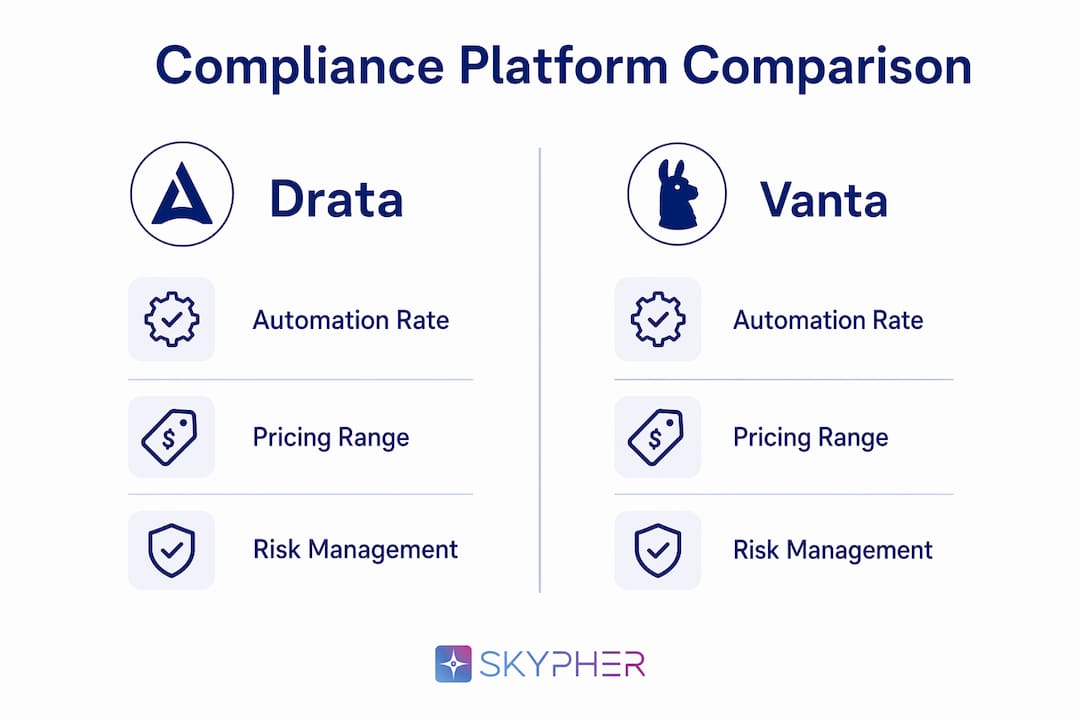
| Feature | Drata | Vanta |
|---|---|---|
| Automation rate | 70–80% evidence pre-packaged | Comparable, varies by framework |
| Risk Management depth | Mature, compliance-as-code included | Basic to moderate |
| Integration coverage | Cloud, HR, identity, code repos | Broad, strong SaaS coverage |
| Vendor review workflows | Built-in, trackable inside platform | Available, lighter workflow tools |
| Startup pricing (annual) | $7,500–$15,000 | Comparable range |
| Enterprise pricing (annual) | $25,000–$50,000+ | Similar tier |
| Best fit | Cloud-first, multi-framework enterprise | Fast-moving startups, single framework |
Startup pricing ranges of $7,500–$15,000 per year make Drata accessible for growth-stage companies, while enterprise contracts at $25,000–$50,000 or more reflect the depth of features and support included. Finance sector teams running SOX alongside SOC 2 will find Drata's multi-framework handling and risk module worth the premium. Purely cloud-native startups pursuing a single SOC 2 certification may find lighter platforms sufficient for their immediate needs.
One consideration that rarely appears in vendor comparisons: Drata is built for cloud-first environments. On-premises infrastructure requires custom integration work, and the automation rate drops significantly without native API connectivity. If your environment is hybrid or primarily on-premises, factor that into your evaluation before committing.
Best practices for using drata security in questionnaire workflows
Getting full value from Drata's compliance solutions requires deliberate configuration, not just installation. The teams that respond to security questionnaires fastest are the ones that treat setup as a strategic exercise rather than a technical checkbox.
Configure internal security settings first
Configuring internal security settings at the organization level before connecting any integrations is the single highest-impact setup step. These settings control how Drata maps evidence to controls. Getting them right upfront means every subsequent integration feeds into a coherent evidence structure.

Use vendor review workflows consistently
Drata's vendor review module is built to replace the spreadsheet-and-email approach that slows most compliance teams. Use it for every third-party security review, not just the ones that feel complex. Consistent use builds a searchable history of vendor assessments, which becomes valuable when a customer questionnaire asks about your vendor risk program. For teams looking to refine their approach, vendor risk review steps offer a practical framework that pairs well with Drata's built-in workflows.
Activate the trust center for customer-facing transparency
Drata's Trust Center lets you share your compliance posture, certifications, and security documentation with customers and prospects without sending attachments over email. This directly reduces the volume of inbound security questionnaires. When customers can self-serve your SOC 2 report, ISO certificate, and security policies, many of their questions are answered before they send a formal questionnaire.
Maintain continuous monitoring as an active practice
Real-time dashboards in Drata show control failures as they happen. Treat these alerts as operational signals, not background noise. A failed control that sits unresolved for two weeks becomes a gap in your evidence package when a questionnaire arrives. Assign a weekly review of the compliance dashboard to a named team member, and set escalation rules for critical control failures.
Integrate drata into your broader risk management program
Drata's risk management features work best when they connect to your existing risk register and vendor management processes. Teams that run Drata in isolation from their GRC program miss the compounding benefit of shared evidence and unified risk scoring. For a broader view of how to align these practices, security compliance best practices covers the framework-level thinking that makes Drata's automation more effective.
Key takeaways
Drata Security delivers its highest value when compliance teams configure it deliberately, assign manual evidence owners, and integrate it with their broader risk management program rather than treating it as a set-and-forget tool.
| Point | Details |
|---|---|
| Automation covers most evidence | Drata pre-packages 70–80% of audit evidence, cutting manual collection time significantly. |
| Manual controls still require owners | Policy and process controls (10–30%) need assigned human reviewers to close evidence gaps. |
| Setup order matters | Configuring internal security settings before connecting integrations produces faster, consistent evidence mapping. |
| Vendor review workflows reduce ad hoc work | Using Drata's built-in vendor review module creates a trackable, searchable history of third-party assessments. |
| Pricing scales with complexity | Startup tiers start near $7,500 per year; enterprise contracts reach $50,000 or more depending on framework scope. |
What i've learned after watching teams use drata in the field
The compliance teams that get the most out of Drata are not the ones with the most integrations. They are the ones that treat the platform as a system of record for their entire security program, not just an audit prep tool.
The most common mistake I see is treating the 70–80% automation rate as a finish line. It is a starting point. The remaining 20–30% of manual controls is where auditors and customers actually spend their time asking follow-up questions. A beautifully automated technical evidence package with a missing incident response policy will still fail a SOC 2 audit. The human-in-the-loop work is not a workaround. It is the work.
The second pattern worth noting: compliance officers who involve their IT and security teams in Drata's configuration from day one get dramatically better results than those who treat it as a compliance-only tool. The integrations that drive automation quality, such as identity provider configuration and cloud permission scoping, require engineering input. Compliance cannot own those settings alone.
The broader shift I find genuinely interesting is how platforms like Drata are changing the nature of the compliance officer role. The job is moving from evidence collector to evidence architect. You are no longer chasing screenshots. You are designing systems that produce evidence automatically. That requires a different skill set, and frankly, a more interesting one. Teams that recognize this shift early will build compliance programs that scale without adding headcount.
— Gaspard
How Skypher accelerates security questionnaire responses alongside drata
Drata handles continuous compliance evidence collection well. The gap it does not fill is the actual questionnaire response workflow: parsing incoming questions, matching them to your existing answers, and returning completed documents fast.

Skypher's AI questionnaire automation tool fills that gap directly. The platform parses every incoming questionnaire format, matches questions to your existing knowledge base using AI-powered document vectorization, and can answer 200 questions in under one minute. Skypher integrates with Slack, Microsoft Teams, Confluence, Notion, Google Drive, OneDrive, and SharePoint, so your team works inside the tools they already use. With easy import and export workflows and support for over 30 TPRM portal connectors including OneTrust and ServiceNow, Skypher turns Drata's evidence library into completed questionnaire responses at a speed no manual process can match.
FAQ
What is drata security used for?
Drata Security is a continuous compliance automation platform used to collect, map, and package security evidence for frameworks like SOC 2, ISO 27001, HIPAA, and PCI DSS. Compliance teams use it to accelerate audit readiness and respond to security questionnaires faster.
Does drata perform security audits?
Drata supports audit-ready evidence collection and continuous compliance monitoring, but it does not conduct audits itself. Licensing and conducting formal audits remain separate processes handled by accredited auditors.
How much does drata cost?
Drata's pricing ranges from approximately $7,500–$15,000 per year for startups to $25,000–$50,000 or more annually for enterprise accounts, depending on the number of frameworks and integrations required.
What percentage of evidence does drata automate?
Drata automates collection and packaging for 70–80% of audit evidence before auditors arrive. The remaining 10–30% involves policy and process controls that require manual input and human review.
Can drata integrate with HR and identity systems?
Drata connects to cloud infrastructure, HR platforms, identity providers, and code repositories via API for continuous evidence collection. These integrations are the core driver of its automation rate and evidence accuracy.