

TL;DR:
- Manual security documentation is time-consuming and creates risk when outdated or poorly managed.
- Effective, automated, and continuously updated documentation improves security resilience and business agility.
- Transitioning from compliance-only to strategic documentation accelerates audits, sales, and risk mitigation.
Security and compliance teams at mid-to-large tech and finance firms are losing enormous amounts of time to manual documentation work. Manual questionnaires take 12-40+ hours each, and when you multiply that across dozens of vendor reviews, customer due diligence requests, and internal audits per quarter, the drag on your team is significant. But beyond raw time costs, poorly managed documentation creates real exposure. This guide breaks down what effective security documentation looks like, how automation reshapes the workflow, and what separates teams that treat documentation as a strategic asset from those still stuck in checkbox mode.
Table of Contents
- Why security documentation matters: Beyond compliance boxes
- What good security documentation looks like: Key elements and benchmarks
- Automation in security documentation: Tools, time savings, and best-fit workflows
- Pro tips and pitfalls: What most teams overlook in security documentation
- Compliance-first vs. strategic documentation: Picking the right mindset
- Perspective: Why most security documentation strategies don't deliver resilience (and how to fix it)
- Take your security documentation to the next level
- Frequently asked questions
Key Takeaways
| Point | Details |
|---|---|
| Strategic value | Security documentation is a business asset, not just a compliance task. |
| Save time with automation | Modern tools can cut documentation workloads by up to 90% for most teams. |
| Continuous improvement | Regularly updating and reviewing documentation prevents risk and accelerates business. |
| Avoid common pitfalls | Evidence-anchored automation and risk-based reviews keep documentation reliable and audit-ready. |
Why security documentation matters: Beyond compliance boxes
Most security teams think about documentation when an audit is looming. That reactive stance is exactly what creates risk. Strong documentation is not just evidence for an auditor. It is the connective tissue between your security controls, your business operations, and the trust your customers place in you.
Consider what documentation actually does for your organization:
- Supports faster vendor risk reviews by giving customers ready-made evidence packages instead of ad-hoc responses
- Accelerates internal audits because control mappings and approval logs are already organized and current
- Enables sales by shortening security review cycles that often delay contracts and proof of concepts
- Reduces breach exposure by surfacing control gaps before attackers do
- Builds client trust because buyers treat documentation quality as a proxy for overall security maturity
The last point deserves emphasis. Unmaintained or poor security documentation can create critical breach pathways, sometimes more dangerous than unpatched software vulnerabilities. When documentation drifts out of sync with your actual configurations, you end up with a false assurance problem: controls appear covered on paper while gaps widen in practice.
"Documentation is not just an artifact of what you built. It is an active security control. When it breaks down, so does your ability to defend the environment."
Dynamic security documentation that integrates with your live environment and updates continuously is increasingly the standard for mature programs. Dynamic, integrated documentation drives both operational resilience and sales enablement, two outcomes your CISO and your revenue team both care about. Now that the stakes are clear, let's define the anatomy of robust security documentation.
What good security documentation looks like: Key elements and benchmarks
Not all documentation is equal. Teams often mistake volume for quality: thick policy binders and sprawling spreadsheets that nobody actually reads or updates. Effective documentation is built around a few non-negotiable attributes.
Core content components every program needs:
- Security policies and standards (access control, incident response, data handling)
- Control evidence and audit logs with timestamps
- Review and approval records showing who signed off and when
- Risk and exception registers with business context attached
- Distribution records confirming who has access and when they last acknowledged
Static vs. dynamic documentation: A comparison
| Attribute | Static documentation | Dynamic documentation |
|---|---|---|
| Update frequency | Annual or ad-hoc | Continuous or event-triggered |
| Format | PDF, Word, spreadsheets | Integrated platform with version control |
| Accessibility | Siloed, email-distributed | Role-based access, searchable |
| Audit readiness | Manual assembly required | Auto-generated evidence packages |
| Risk alignment | Loosely connected | Mapped to controls and business context |
Documentation that is business-aligned, accessible, and regularly reviewed outperforms static approaches in both audit performance and security outcomes. Flaws in documentation can actually be more dangerous than known software vulnerabilities because they create invisible attack surfaces.

For benchmarking, leading teams using AI-driven questionnaire processes complete customer security reviews in hours rather than days, maintain evidence libraries current within 48 hours of control changes, and achieve 95%+ first-pass accuracy on questionnaire responses.
Pro Tip: Map every policy document to at least one control framework requirement and one business process. Documents with no clear owner and no mapped control tend to drift, and drifted documentation is a liability, not an asset. Review your software compliance tools to see which platforms automate this mapping for you.
With a firm grasp on what good looks like, we can now explore the tools and workflows enabling real efficiency.
Automation in security documentation: Tools, time savings, and best-fit workflows
Automation has fundamentally changed what a lean security team can accomplish. The math is hard to argue with: manual questionnaires take 12-40+ hours, but automation covers 75-90% of tasks, reducing turnaround to minutes for major requests. That is not marginal improvement. That is a different operating model.
Top automation tools and what they target:
| Tool category | Primary use case | Typical time savings |
|---|---|---|
| GRC platforms (Vanta, Drata, Hyperproof) | Evidence collection, control mapping | 80-90% reduction in manual evidence work |
| Questionnaire automation (Skypher) | Vendor and customer security reviews | 75-90% reduction in response time |
| TPRM integrations (OneTrust, ServiceNow) | Third-party risk workflows | Eliminates manual portal data entry |
| Trust Centers | Proactive document sharing | Reduces inbound security requests 40-60% |
Tools like Vanta, Drata, Hyperproof, and Secureframe automate 80-90% of evidence and questionnaire management tasks for compliance programs. That frees your team to focus on the 10-20% that actually requires human judgment.
A best-fit automation workflow for tech and finance teams:
- Auto-collect evidence from integrated systems (cloud providers, identity platforms, HR tools)
- Auto-populate questionnaire responses using your verified knowledge base and prior answers
- Flag low-confidence answers for human review before submission
- Generate audit-ready reports formatted for SOC 2, ISO 27001, or custom frameworks
- Monitor continuously for control drift and trigger re-documentation when configurations change
Pro Tip: Automate the easy 80% aggressively, but build a structured human review step for complex or novel questions. Automation time savings are maximized when teams stop debating whether to automate and start defining what requires a human decision. Check out AI-powered compliance workflows for a deeper breakdown of how leading teams structure these decision points.
While automation is transformative, there are important nuances and expert-led approaches to optimize results.
Pro tips and pitfalls: What most teams overlook in security documentation
Even teams using modern tools make avoidable mistakes. The most common issues are not technical. They are process and culture failures that even the best automation cannot fix on its own.
Common pitfalls that undercut mature programs:
- Annual-only reviews: Control environments change constantly. An annual review cadence means you spend 11 months with potentially stale documentation. Move to quarterly at minimum, with continuous monitoring for high-risk controls.
- Generic, one-size-fits-all assessments: Not every vendor or business process carries the same risk. Tiered risk-based assessments and ongoing documentation reviews catch gaps that flat assessments miss entirely.
- Unverified AI outputs: AI-assisted documentation is a force multiplier, but AI must be evidence-anchored to avoid hallucination risks. Every AI-generated response should trace back to a verified control or real evidence artifact. Check your AI error avoidance strategies to build this into your workflow.
- No single owner: Documentation without a clear owner is documentation that nobody updates.
"The most dangerous documentation is the kind that looks complete but reflects a configuration that no longer exists. Attackers read your docs too."
Real-world incidents consistently trace back to documentation failures: firewall rules documented as restrictive but configured permissively, access control policies claiming least-privilege while admin accounts proliferate. These are not exotic attack scenarios. They are the common case. Review your SaaS security incidents library to see how often misconfigured or undocumented controls are the root cause.
To put these concepts into context, let's summarize the broader market shifts and what seasoned pros see as the future path.
Compliance-first vs. strategic documentation: Picking the right mindset
Most teams land in one of two camps. Understanding which camp you are in is the first step toward changing it.
Compliance-first vs. strategic documentation:
| Dimension | Compliance-first | Strategic documentation |
|---|---|---|
| Driver | Audit deadlines, regulatory requirements | Business risk, customer trust, revenue enablement |
| Cadence | Point-in-time, annual | Continuous, event-driven |
| Ownership | Compliance or legal team | Cross-functional, security-led |
| Tooling | Spreadsheets, shared drives | GRC platforms, automation, integrated workflows |
| Outcome | Pass audits | Reduce risk, accelerate sales, build resilience |
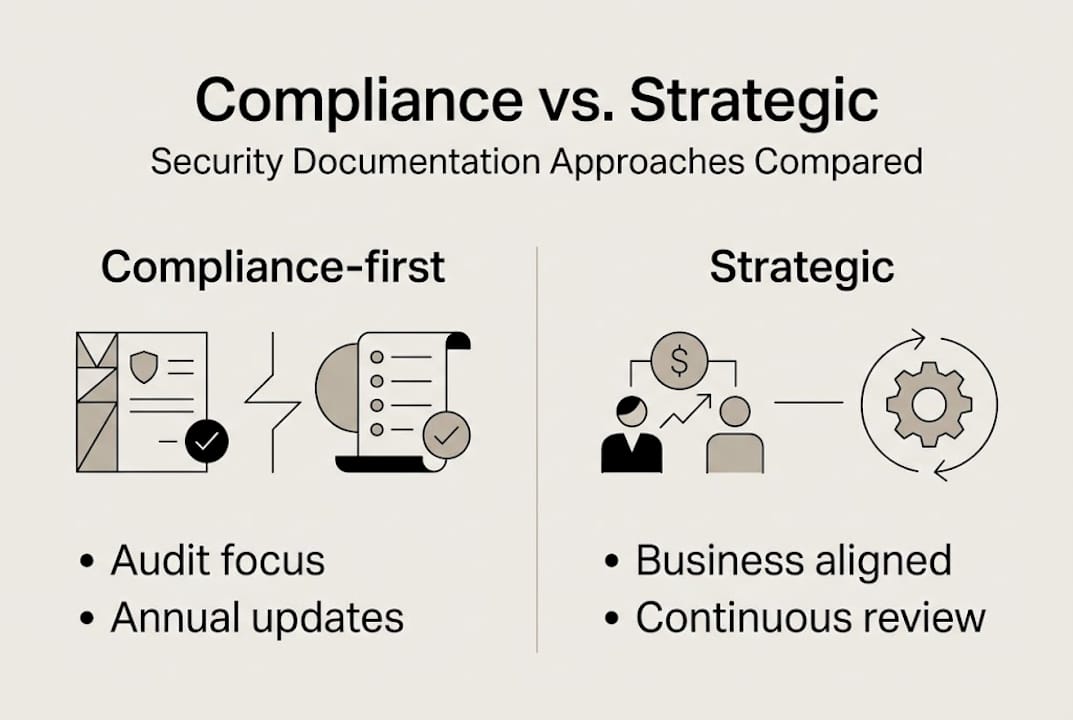
Compliance-first is reactive; strategic documentation is proactive, business-integrated, and uses tools like GRC for continuous improvement. The difference in outcomes is not incremental. Teams that operate strategically respond to customer security reviews faster, experience fewer audit findings, and close deals more quickly because they are not scrambling to assemble evidence every time a prospect asks a question.
Steps to move from reactive to proactive documentation:
- Audit your current documentation inventory: what exists, who owns it, when it was last reviewed
- Map every document to a control framework and a business owner
- Identify the top five documentation gaps creating the most inbound security request volume
- Implement a centralized platform with role-based access and version control
- Set continuous monitoring triggers so documentation updates when your environment changes
Explore automated security reviews to see how this transition works in practice for teams similar to yours.
Perspective: Why most security documentation strategies don't deliver resilience (and how to fix it)
Here is something most compliance guides will not tell you: the problem is rarely the tools. It is the framing. Teams that treat documentation as an output of compliance work will always be behind. They finish an audit, check the box, and move on until the next audit forces them to scramble again.
The teams that actually build resilience treat documentation as an input to operations. They use their documentation library to answer customer questions in minutes, to onboard new team members faster, and to identify control gaps before an attacker does. That mindset shift is harder to automate than a questionnaire response, but it is also the highest-leverage change a security leader can make.
We have seen this play out repeatedly. Organizations that moved to SaaS-based documentation advantages did not just cut review time. They changed how their sales teams talked about security, because the documentation was available, credible, and current. Culture follows systems. If your system rewards scrambling before audits, your team will scramble. Build a system that rewards continuous accuracy, and the culture follows.
Take your security documentation to the next level
If the workflows and benchmarks in this guide surfaced gaps in your current approach, the next step is putting the right infrastructure in place. Centralizing, automating, and continuously updating your security documentation is no longer an advanced practice reserved for large enterprise teams. It is the baseline for any tech or finance organization that wants to move fast without creating avoidable risk.

Skypher's AI security questionnaire automation platform connects your knowledge base, your team, and over 40 TPRM integrations into a single workflow that cuts response time from days to minutes. Pair that with a customizable Trust Center platform to proactively share your security posture with prospects and auditors, and you remove the two biggest friction points in modern security documentation. Your team gets time back. Your customers get answers faster. And your security posture becomes a competitive advantage.
Frequently asked questions
What is security documentation in compliance?
Security documentation is more than a compliance checklist. It includes written policies, procedures, evidence logs, and control mappings that collectively prove compliance and actively reduce organizational risk.
How much time can automation save on security questionnaires?
Manual security reviews take 12-40 hours each, while automation reduces this to minutes. Most organizations save 30+ hours per month once a questionnaire automation workflow is fully operational.
What's the difference between compliance-first and strategic documentation?
Compliance-first documentation focuses on passing audits on a fixed schedule. Strategic documentation is proactive and business-integrated, aligning with live risk and enabling faster sales cycles by making security evidence available on demand.
Why is evidence anchoring important in automated documentation?
AI must be evidence-anchored to avoid errors and hallucinations. Evidence anchoring ensures every automated response ties back to a verified, audit-ready artifact, so you are not submitting AI-generated content that cannot be substantiated under scrutiny.