

TL;DR:
- Effective collaboration requires clear roles, proper tools, and structured workflows.
- Version control, artifact linkage, and automated status tracking are critical for accuracy.
- Building a culture of accountability ensures successful adoption of collaborative questionnaire processes.
Security questionnaire workflows are quietly one of the highest-risk processes in any compliance team's day-to-day operations. When multiple stakeholders edit responses without a shared system, you get version conflicts, missed deadlines, and audit trails that fall apart under scrutiny. Version control and auditability are critical mechanics for collaborative response work, especially when multiple stakeholders edit content and when questionnaires are reused across deals. This article walks through how to structure your team, execute a reliable workflow, avoid the most common mistakes, and measure real results.
Table of Contents
- Preparation: Foundations for effective collaboration
- Step-by-step: Building your collaborative response workflow
- Troubleshooting and common pitfalls
- Results: Measuring the impact of collaborative optimization
- Our perspective: What most teams miss about collaborative questionnaire response
- Take collaboration further with Skypher
- Frequently asked questions
Key Takeaways
| Point | Details |
|---|---|
| Version control matters | Keeping a single source of truth prevents errors and lost edits in collaborative questionnaire workflows. |
| Automation speeds compliance | Automated tools reduce redundant effort and accelerate response times for security teams. |
| Audit readiness improves risk | Linking responses to compliance artifacts ensures transparency and reduces audit gaps. |
| Clear roles prevent confusion | Assigning ownership, reviewer, and approver roles keeps everyone accountable and workflows uncluttered. |
| Measurement drives improvement | Tracking metrics like speed, accuracy, and audit outcomes demonstrates and sustains collaborative gains. |
Preparation: Foundations for effective collaboration
Before anyone types a single answer into a questionnaire, your team needs a clear operating structure. Without defined roles, the right tooling, and documented workflows, even a small questionnaire can turn into a chaotic email chain with conflicting edits and no clear owner. The preparation phase is where most teams either set themselves up for success or plant the seeds of future failure.
Defining stakeholder roles
Every collaborative questionnaire response process needs three distinct roles. First, subject matter experts (SMEs) are the people who actually know the technical answers. These might be your cloud security engineer, your identity and access management lead, or your DevSecOps team. They contribute the raw content. Second, response owners are the people responsible for ensuring that answers are complete, consistent, and on time. They coordinate between SMEs and keep the project moving. Third, approvers are typically your CISO, compliance director, or legal counsel. They sign off before anything goes to the customer or auditor.
Without this triad clearly assigned at the start of every engagement, you will inevitably get answers with no owner, reviews that nobody performs, and approvals that happen retroactively (or not at all). Clarity here is not optional.
Tools and platform requirements
Your tooling needs to support the complexity of the process. Here is what a capable collaborative platform should offer:
- Audit logs that record every change, who made it, and when
- Version history so you can revert to a prior answer if an SME's edit introduces an error
- Automated status tracking with categories like "in progress," "completed," and "archived"
- Role-based access controls so approvers can lock responses once reviewed
- Linkage to compliance artifacts such as policies, certifications, and evidence files
Following questionnaire response best practices means selecting tools that treat these capabilities as core features rather than optional add-ons.
Workflow components at a glance
| Component | Purpose | Who owns it |
|---|---|---|
| Role assignment | Defines who answers, reviews, approves | Response owner |
| Version control | Preserves edit history, prevents data loss | Platform (automated) |
| Status tracking | Shows real-time progress | Response owner |
| Artifact linkage | Ties answers to compliance evidence | SME + response owner |
| Review and Approve module | Ensures quality gates before submission | Approver |
Getting these components in place before the first question is answered is what separates teams that complete questionnaires in days from teams that spend weeks cycling through edits and chasing approvals.
Step-by-step: Building your collaborative response workflow
With your team and tools ready, it's time to execute a process that minimizes risk and keeps everyone moving in the same direction. The following steps reflect how high-performing compliance teams at tech and finance organizations actually run their questionnaire programs.
1. Ingest and parse the questionnaire
The moment a questionnaire arrives, it needs to be centralized in your response platform. Do not let it sit in someone's inbox as a spreadsheet attachment. Upload it immediately. A strong platform will parse the file, regardless of whether it is a Word document, Excel sheet, PDF, or a proprietary portal format, and organize questions into a structured workspace.
2. Assign ownership at the question level
Once parsed, assign each question or question category to the appropriate SME. Be specific. "Security team handles Section 3" is not an assignment. "Maria owns questions 34 through 52 on encryption in transit" is. This granularity removes ambiguity and makes it easy to track who is lagging.
3. Enable version control from day one
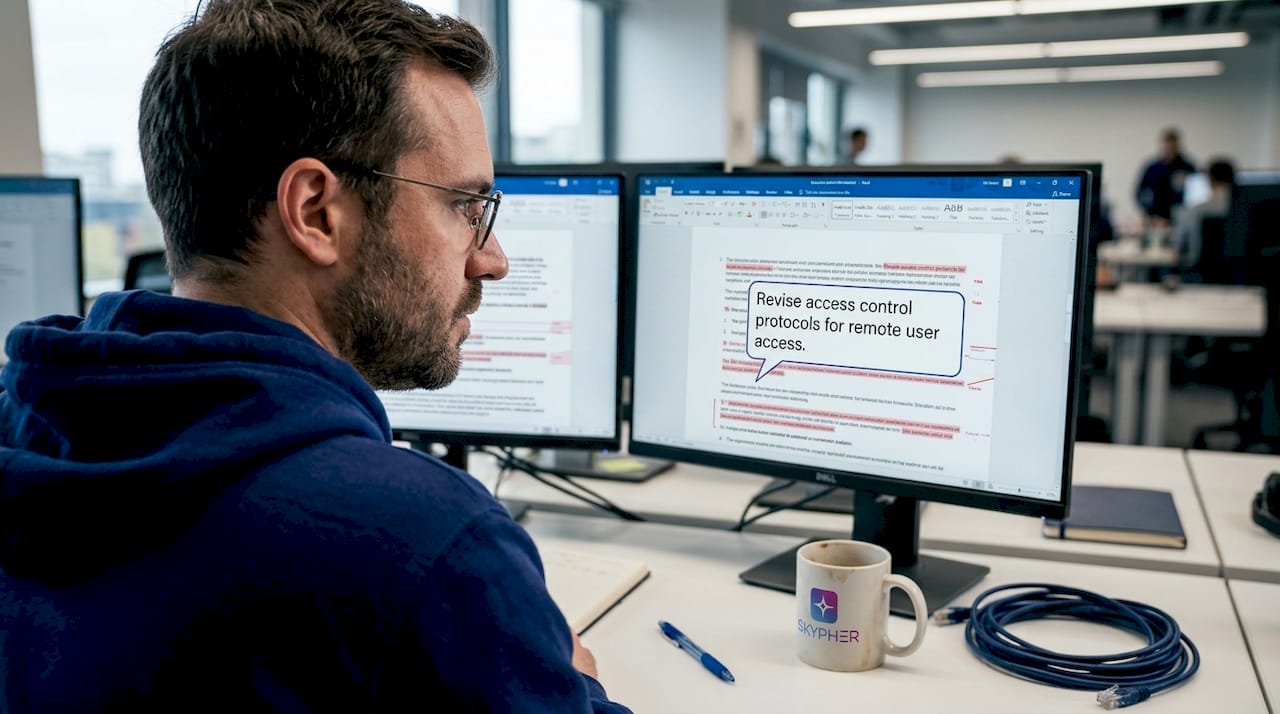
Every edit an SME makes should be captured in the version history. If your organization handles the same customer's questionnaire annually, prior answers become your starting point. Responses remain linked to artifacts to identify gaps in real time, and editing, ownership, and approver controls can prevent errors. This single feature alone eliminates the "who changed this answer?" argument that wastes hours during review.
4. Run a structured review cycle
Once SMEs mark their sections complete, response owners conduct a first-pass review. They check for consistency (does the answer to question 12 contradict question 47?), completeness (is every required field filled?), and alignment with current policies. This is not optional; it is the stage where most quality issues surface.
5. Route to approvers with full context
Approvers should never receive a questionnaire cold. They need the full context: which questions are flagged, which answers changed from the previous version, and which responses are linked to which compliance artifacts. Platforms that surface this context inside the approval workflow dramatically cut review time. For specific strategies on compliance time reduction, the efficiency gains from structured approvals are measurable and significant.
6. Archive completed questionnaires for reuse
After submission, archive the completed questionnaire with its version history and artifact links intact. This archived version becomes your institutional knowledge base. The next time a similar question appears, your team can pull a pre-approved answer rather than starting from scratch.
"The single source of truth principle is not just a nice-to-have in questionnaire work. It is the mechanism that keeps six different stakeholders from producing six different answers to the same question."
Pro Tip: Use automation to detect questions that closely resemble answers already in your library. Platforms with AI-powered matching can pre-populate responses and flag them for SME review rather than requiring a full rewrite. This alone can cut response time by 60 to 80 percent on repeat questionnaire types. Explore advanced automation practices to see how leading teams are structuring this. You can also review specific guidance on streamlining the questionnaire process for additional tactical approaches.
Troubleshooting and common pitfalls
Even the best-laid plans can go astray once your workflow is live. Knowing the failure modes in advance means you can catch them early, before they result in an audit gap or a delayed deal.
Pitfall 1: Lost edits from weak version control
This is more common than most teams admit. An SME updates an answer on a shared document, but another teammate overwrites it with an older draft. Without version history, there is no way to recover the better answer. You either rewrite from memory or submit the inferior version. Platforms that treat version control as essential avoid lost edits, and status categories such as "in progress," "completed," and "archived" clarify team accountability at every stage.
Pitfall 2: Stakeholder confusion from unclear status updates
When SMEs do not know whether their section has been reviewed, they often re-edit answers that have already been approved. This creates churn. Equally damaging: approvers assume a section is complete when it is still in draft. Status tracking that updates automatically as people move through the workflow eliminates this confusion entirely.
Pitfall 3: Audit gaps from unlinked responses
Every answer you give in a security questionnaire should be backed by a compliance artifact. If you claim your organization uses MFA for all privileged access, that claim should be linked to your MFA policy document, your identity platform's configuration screenshot, or your most recent audit report. Without this linkage, you have no way to defend the answer if a customer follows up or if an auditor reviews the questionnaire.
Pitfall 4: No clear escalation path
What happens when an SME is out of office during the review window? What if two SMEs disagree on how to answer a question about incident response timelines? Without a documented escalation path, these situations stall the entire process. Build one before you need it. Review collaborative tools comparison to understand how different platforms handle escalation and ownership handoffs. You may also want to look at self-assessment workflow approaches that can supplement your primary process.
Here is a quick reference list of the most common pitfalls and their fixes:
- Lost edits → Enable platform-level version history with timestamps and user attribution
- Unclear ownership → Assign at the question level, not just the section level
- Status confusion → Use automated status updates that change based on user actions
- Unlinked responses → Require artifact linkage before an answer can be marked complete
- Escalation black holes → Document a named backup for every SME role before kickoff
Pro Tip: Set a rule that no answer can be marked "completed" unless it is linked to at least one compliance artifact. This single gate catches the vast majority of audit gaps before submission. For a broader view of how automation prevents these problems at scale, see the security automation benefits that teams are realizing with modern platforms.
Results: Measuring the impact of collaborative optimization
Once your workflow is established and stabilized, you need to measure whether it is actually working. Gut feelings do not hold up in leadership meetings or compliance audits. Data does.
The "Review and Approve" workflow module maintains consistent linkage between responses and compliance artifacts for measurable outcomes. That linkage is itself a metric: what percentage of your submitted answers are backed by a current, version-controlled compliance artifact? If that number is below 90 percent, you have work to do.
Key metrics to track
- Average response time per questionnaire: How many business days from receipt to submission?
- First-pass approval rate: What percentage of answers clear the approver review without revision?
- Error rate: How many submitted answers are later challenged by customers or auditors?
- Reuse rate: What percentage of answers this quarter were pulled from archived responses rather than written from scratch?
- Artifact coverage: What percentage of answers are linked to a compliance artifact?
Collaborative vs. siloed process comparison
| Metric | Siloed process | Collaborative process |
|---|---|---|
| Average response time | 10 to 20 business days | 2 to 5 business days |
| First-pass approval rate | 40 to 60% | 80 to 95% |
| Error rate (post-submission) | High (frequent customer follow-ups) | Low (rare corrections needed) |
| Artifact coverage | Inconsistent | Systematic and auditable |
| Reuse of prior answers | Ad hoc and manual | Automated and searchable |
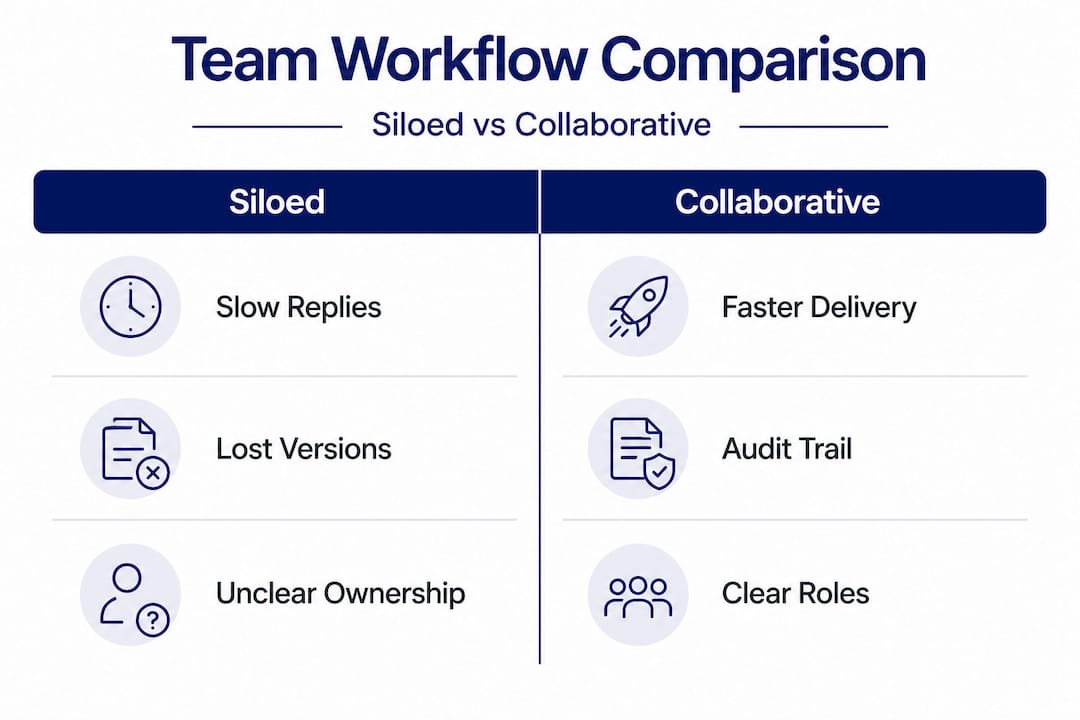
These numbers reflect patterns seen across security teams that have moved from email-based coordination to structured collaborative platforms. The gap is not incremental; it is transformational. For a broader look at what 2026 completion strategies look like in practice, the data consistently favors teams that invest in structured workflows over those relying on improvised coordination. If you are evaluating platforms to support these metrics, a comparison of top questionnaire software will help you identify which tools align with your measurement goals.
Our perspective: What most teams miss about collaborative questionnaire response
Most articles on this topic stop at tools and steps. We want to say something harder: tools alone will not fix a broken culture.
We have seen organizations implement sophisticated platforms with version history, role assignments, and artifact linkage, and still produce chaotic questionnaire responses. Why? Because the team never actually adopted the process discipline that makes those tools work. SMEs still emailed their answers to a shared inbox. Response owners still made edits in local copies. Approvers still signed off on documents they had not fully read, because "we're under deadline."
The most common failure we observe is not technical. It is social. Ownership without accountability is just a label. When an SME knows that nobody will actually check whether their answer is linked to an artifact, they will skip that step every time. When approvers know that their signature is largely ceremonial, they rush through reviews. The tools surface these problems, but only a culture of real accountability fixes them.
What does that look like in practice? It means response owners actually send back incomplete sections rather than filling them in themselves. It means approvers block submission when artifact linkage is missing, even when a deadline is at risk. It means leadership treats a questionnaire response error as a process failure to investigate, not just an embarrassing oversight to apologize for.
The teams that consistently perform well on security questionnaires are the ones that have internalized foundational best practices as operational norms, not just reference documents. The process becomes second nature. New team members learn it by watching senior colleagues, not just by reading a wiki page.
Automation and AI genuinely accelerate this, but only once the human layer is working. Think of automation as a force multiplier: it amplifies what your team already does well. If your team skips steps and ignores version control, automation will simply help you produce bad answers faster.
Take collaboration further with Skypher
Security questionnaire workflows demand more than a shared folder and good intentions. If your team is still juggling email threads, manually tracking response status, or scrambling to link answers to compliance artifacts under deadline pressure, there is a faster, more reliable path.

Skypher is built specifically for compliance teams that need to move fast without sacrificing accuracy or auditability. The AI automation tool parses any format instantly, pre-populates answers from your approved library, and routes responses through a structured review and approval workflow, all with full version history and audit-ready artifact linkage. The trust center platform gives your customers self-serve access to your compliance documentation, reducing the back-and-forth that eats into your team's time. If you are ready to see what a purpose-built collaborative workflow looks like, connect with the Skypher team for a personalized walkthrough.
Frequently asked questions
How do version control and auditability improve questionnaire collaboration?
They prevent lost edits, clarify accountability, and ensure every change can be traced for compliance and audit purposes. Version control and auditability are critical mechanics for collaborative response work, particularly when multiple stakeholders contribute and questionnaires are reused across deals.
What tools make collaborative questionnaire response easier?
Platforms with status tracking, ownership controls, and automated linkage to compliance artifacts address the most common pain points. The Review and Approve workflow module maintains consistent linkage between responses and compliance artifacts for measurable, audit-ready outcomes.
How can automation reduce errors in collaborative workflows?
Automation removes duplicate effort, preserves an audit trail, and ties responses to compliance documentation in real time. When responses remain linked to artifacts, gaps are identified instantly rather than discovered during an audit.
What are common mistakes in collaborative questionnaire response?
Skipping version control, using vague status categories, and failing to link responses to compliance evidence are the top causes of audit gaps and submission errors. As TrustCloud documentation notes, status categories such as "in progress," "completed," and "archived" are essential for keeping team accountability clear throughout the process.
Recommended
- Best Practices for Automating Your Security Questionnaires Response Process (3/3)
- Security questionnaire tips: streamline responses in 2025
- How to streamline security questionnaires: 80% faster
- How to Deflect 30% of Security Questionnaires with an Automated Trust Center
- Why Secure Performance Management Drives Team Results